Work through an order's readiness checklist
Confirm an order is ready before it is released to production: drawings, credit, piece marks, ship date and anything else your plant checks.
Watch this in the video (0:54)
Before you start
- The order is won.
Steps
In the pictures, a numbered red box marks where to click or type. Where a picture has more than one box, the numbers give the order.
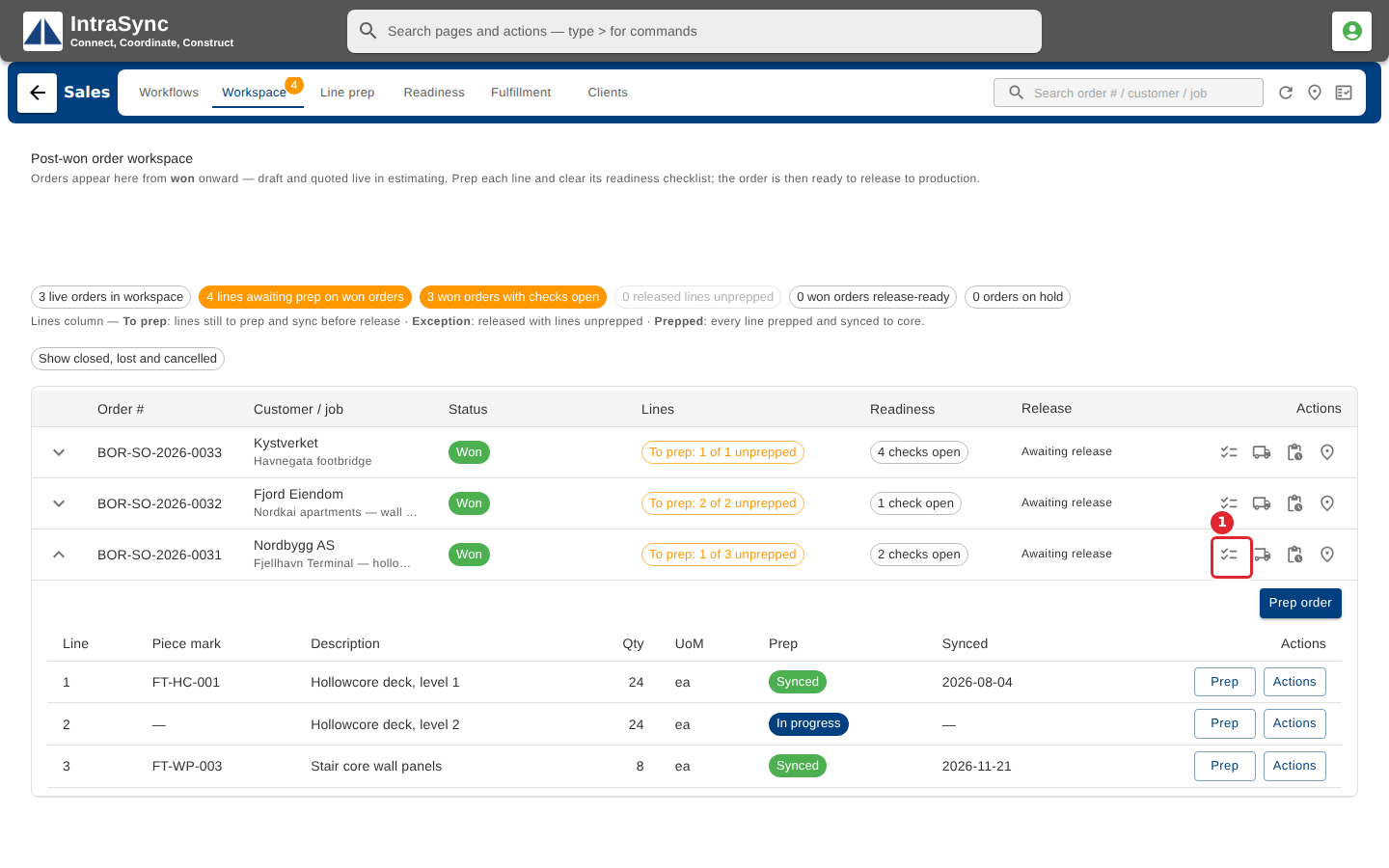
On the order's row, select Readiness.
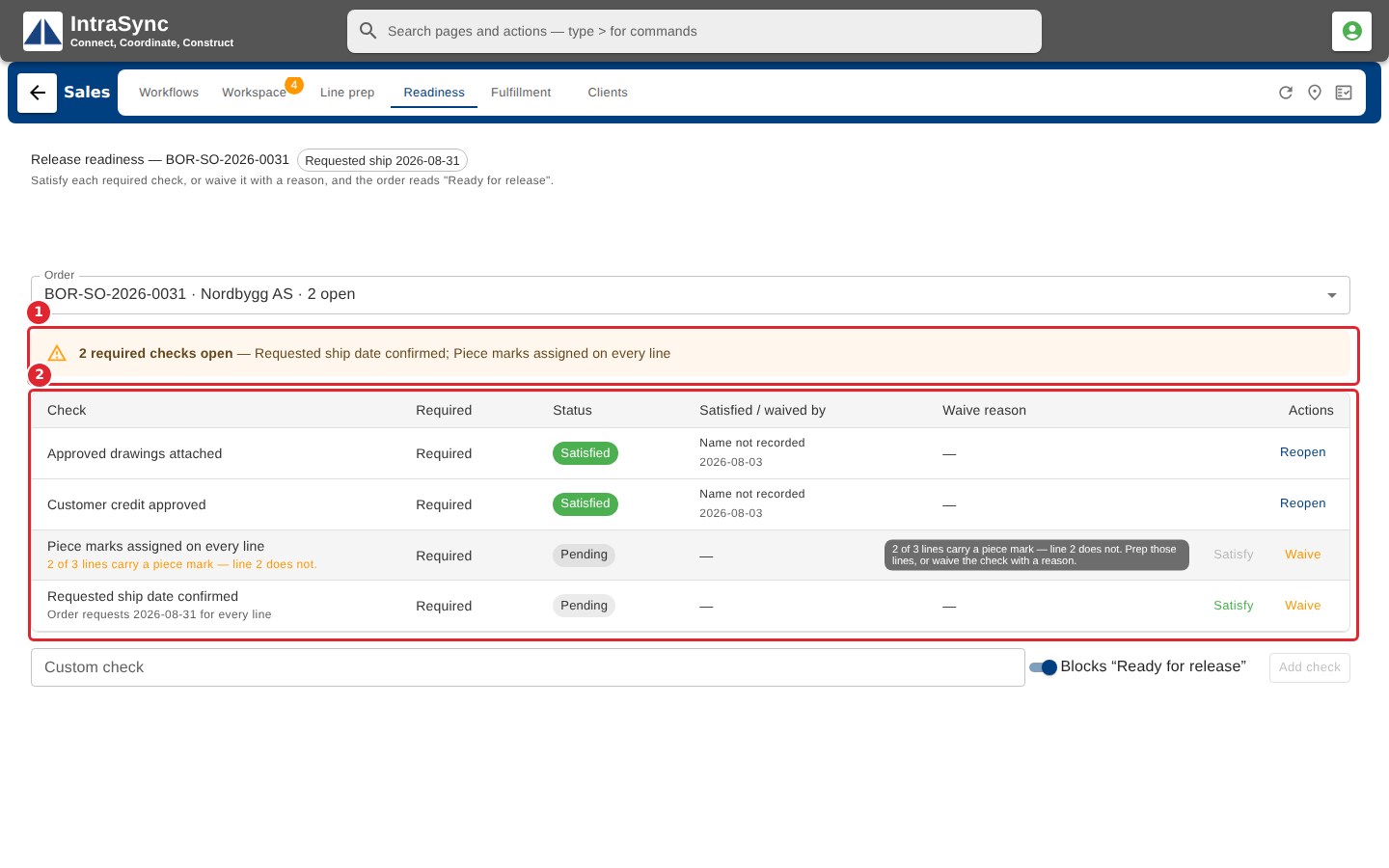
The banner says how many required checks are still open. The list shows each check, and who satisfied it and when.
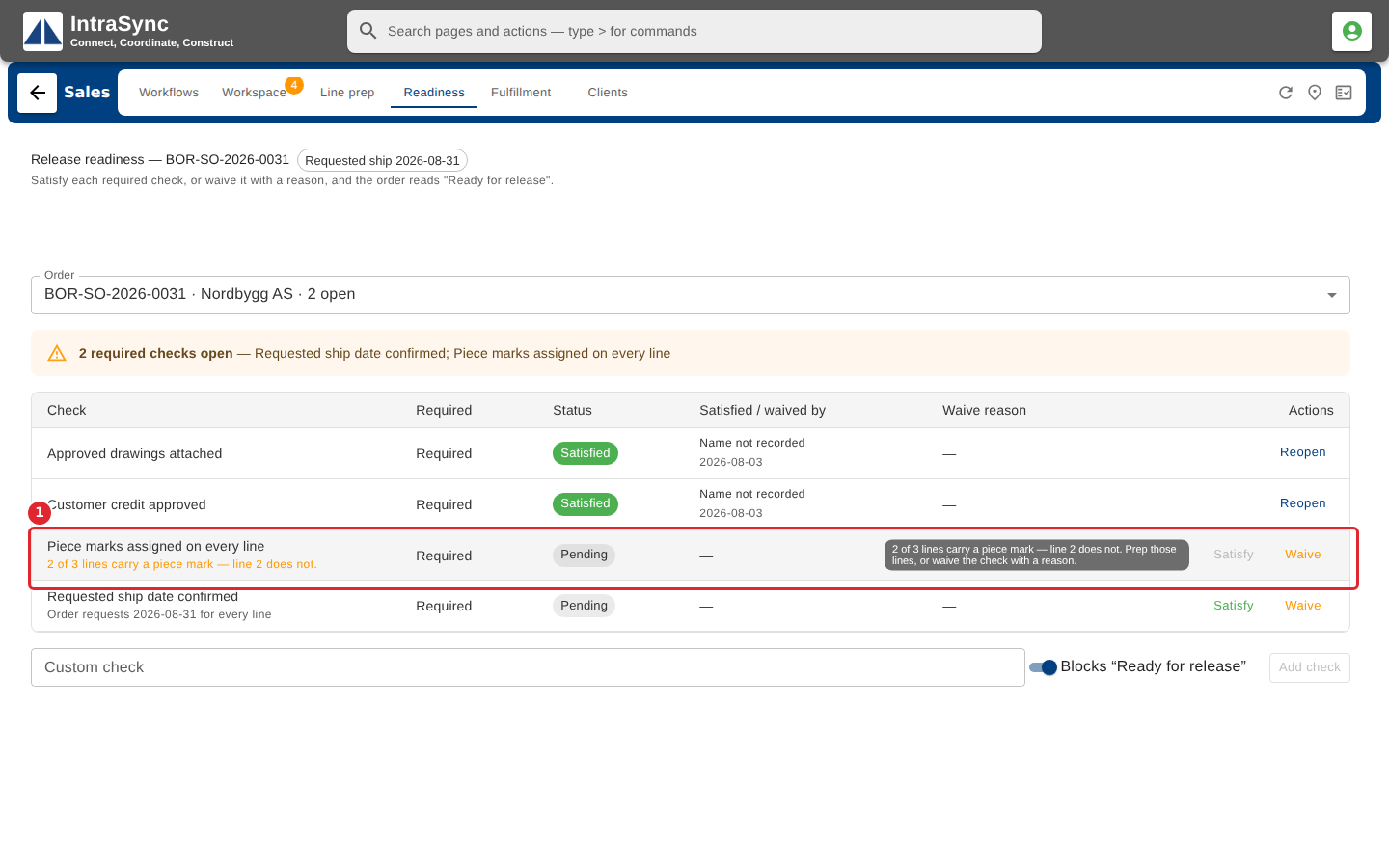
A check the module measures cannot be satisfied by hand while it is false. Its evidence is shown under it.
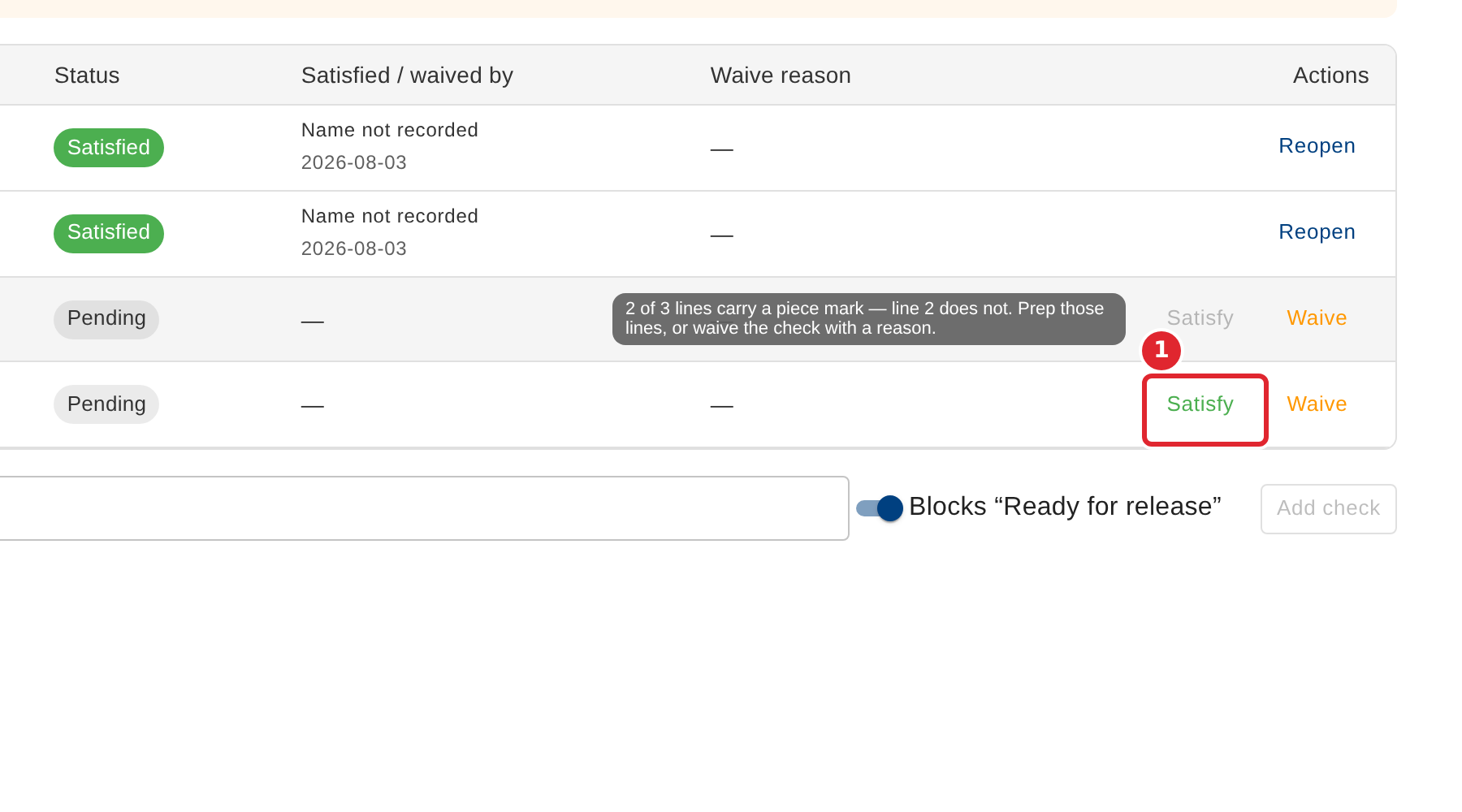
For a check that needs a person's judgement, select Satisfy.
The check is recorded as satisfied, and the banner updates.
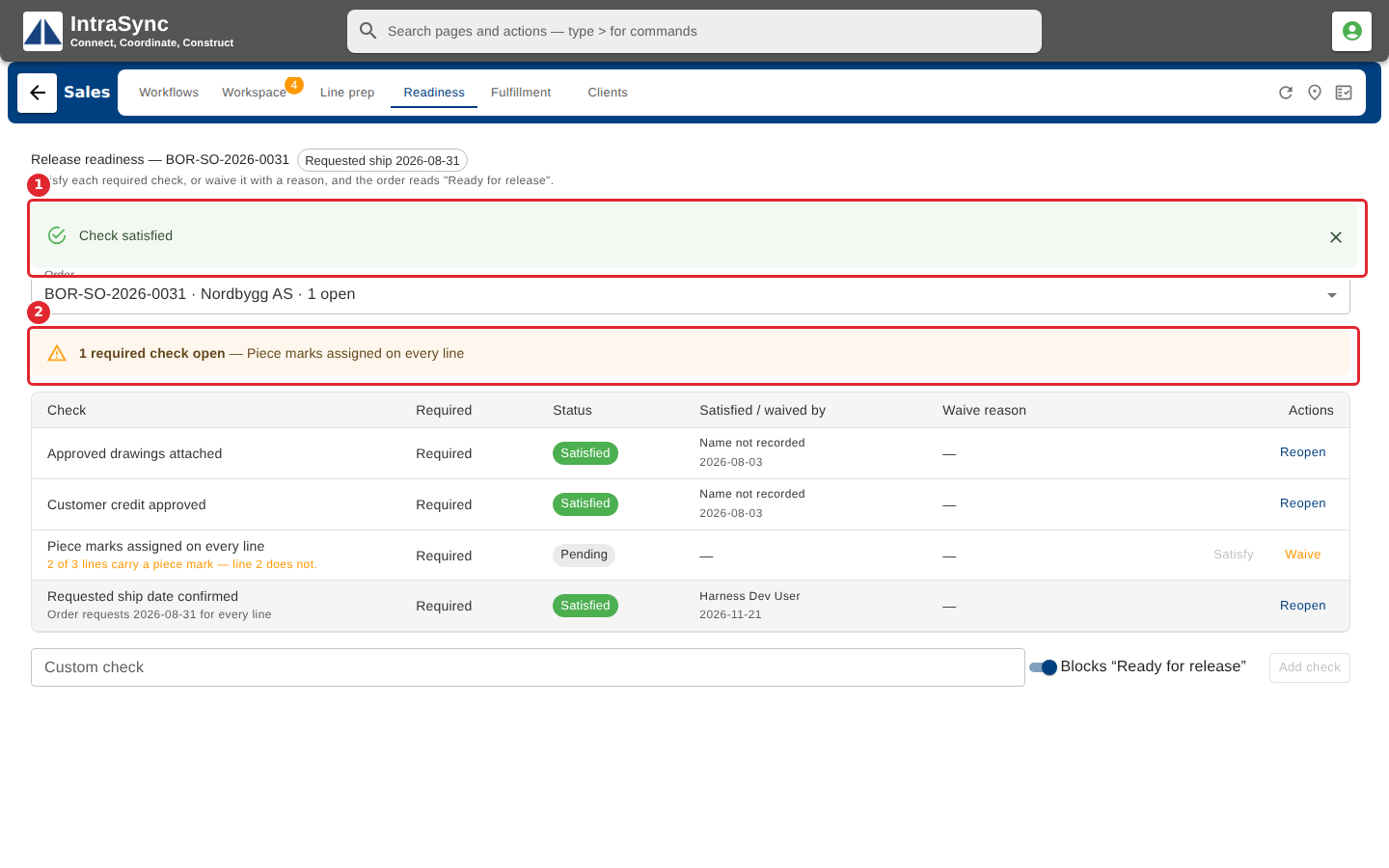
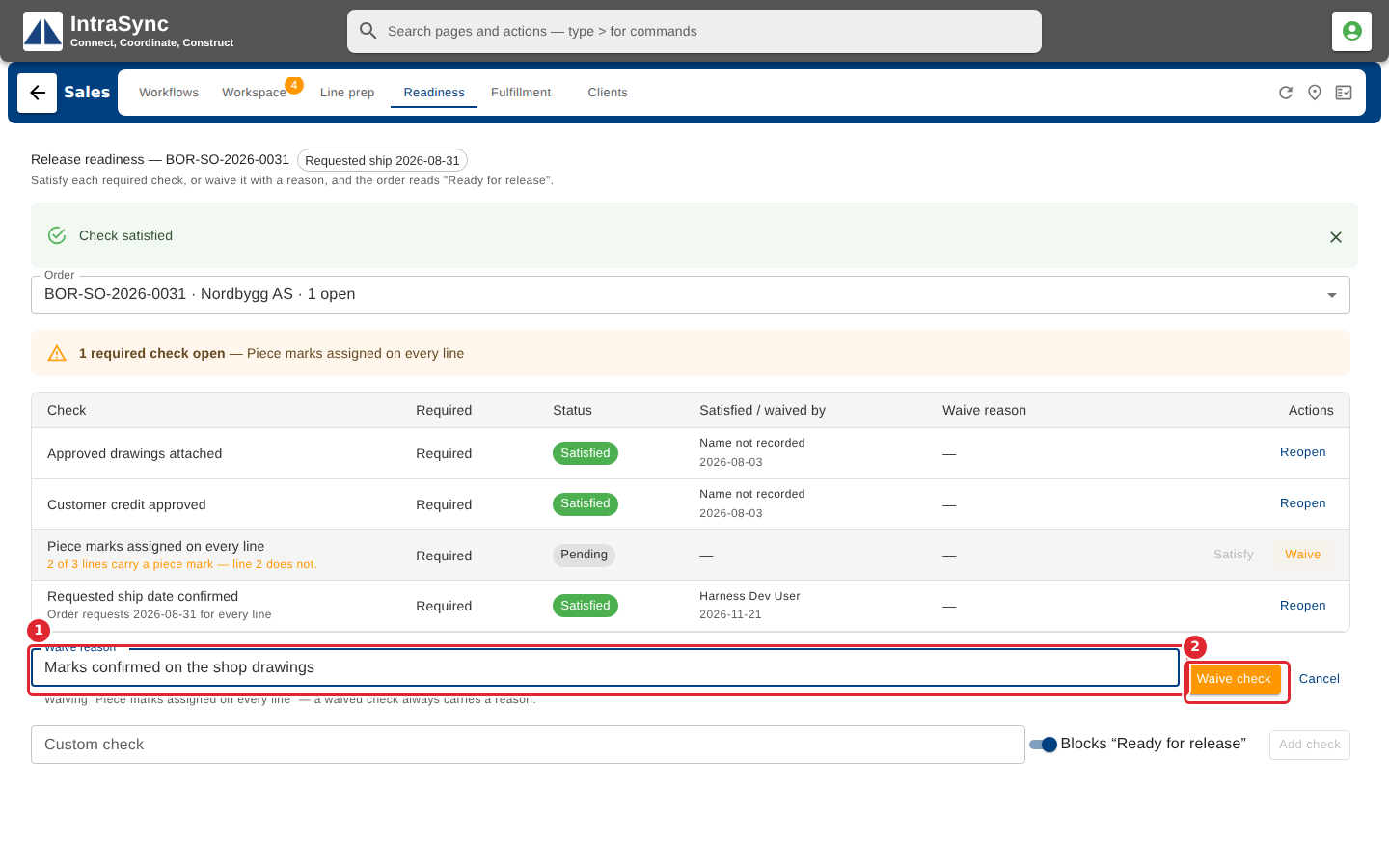
To accept a check without satisfying it, select Waive, enter a reason, and select Waive check. A waived check always keeps its reason.
Tips
- The checklist is advice, not a lock. Releasing with open checks is allowed, and the order then shows those checks as exceptions to follow up.
- Reopen puts a satisfied or waived check back to open.
- A waived check always keeps its reason, so the next person can see why it was accepted.