Sales guide · section 12 of 18
Track what production has made against an order
Answer "where is my order?" once it has been released: what was ordered, what is fulfilled, and what has been cast.
Watch this in the video (1:30)
Before you start
- The order has been released to production. Release is done in Estimating, not in Sales.
Steps
In the pictures, a numbered red box marks where to click or type. Where a picture has more than one box, the numbers give the order.
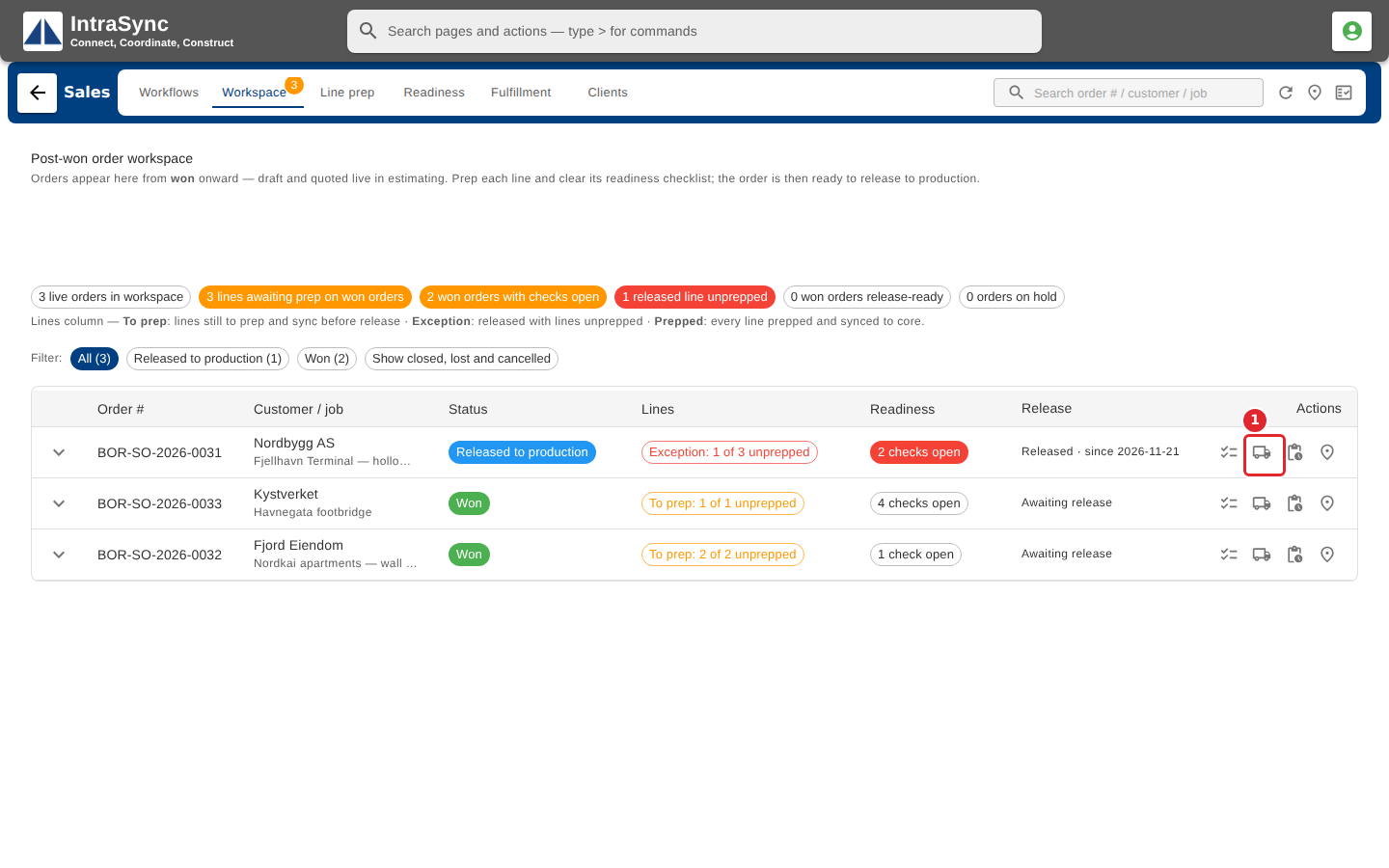
Once an order is released to production, select Fulfillment on its row.
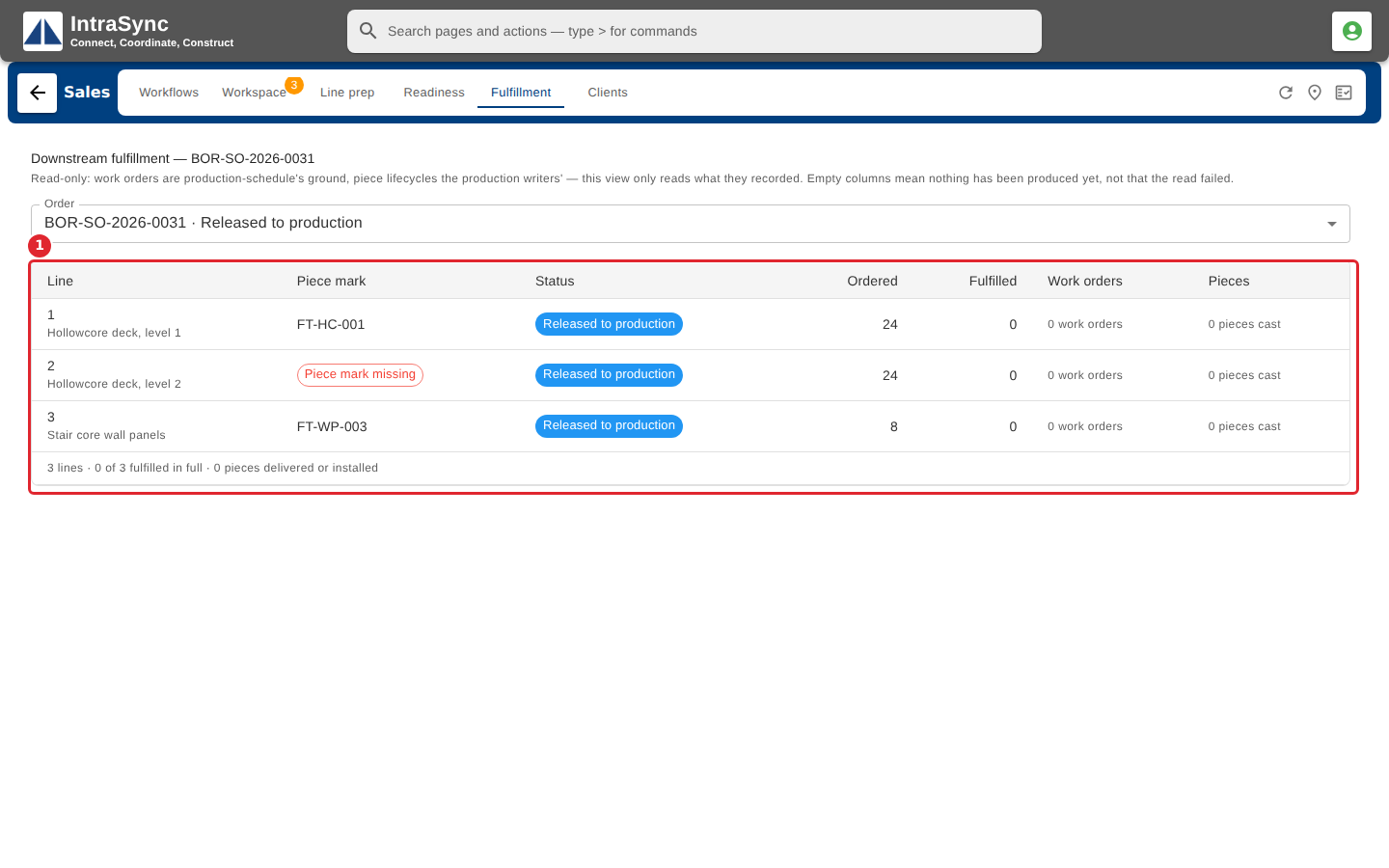
Each line shows what was ordered, what has been fulfilled, and the work orders and pieces cast against it.
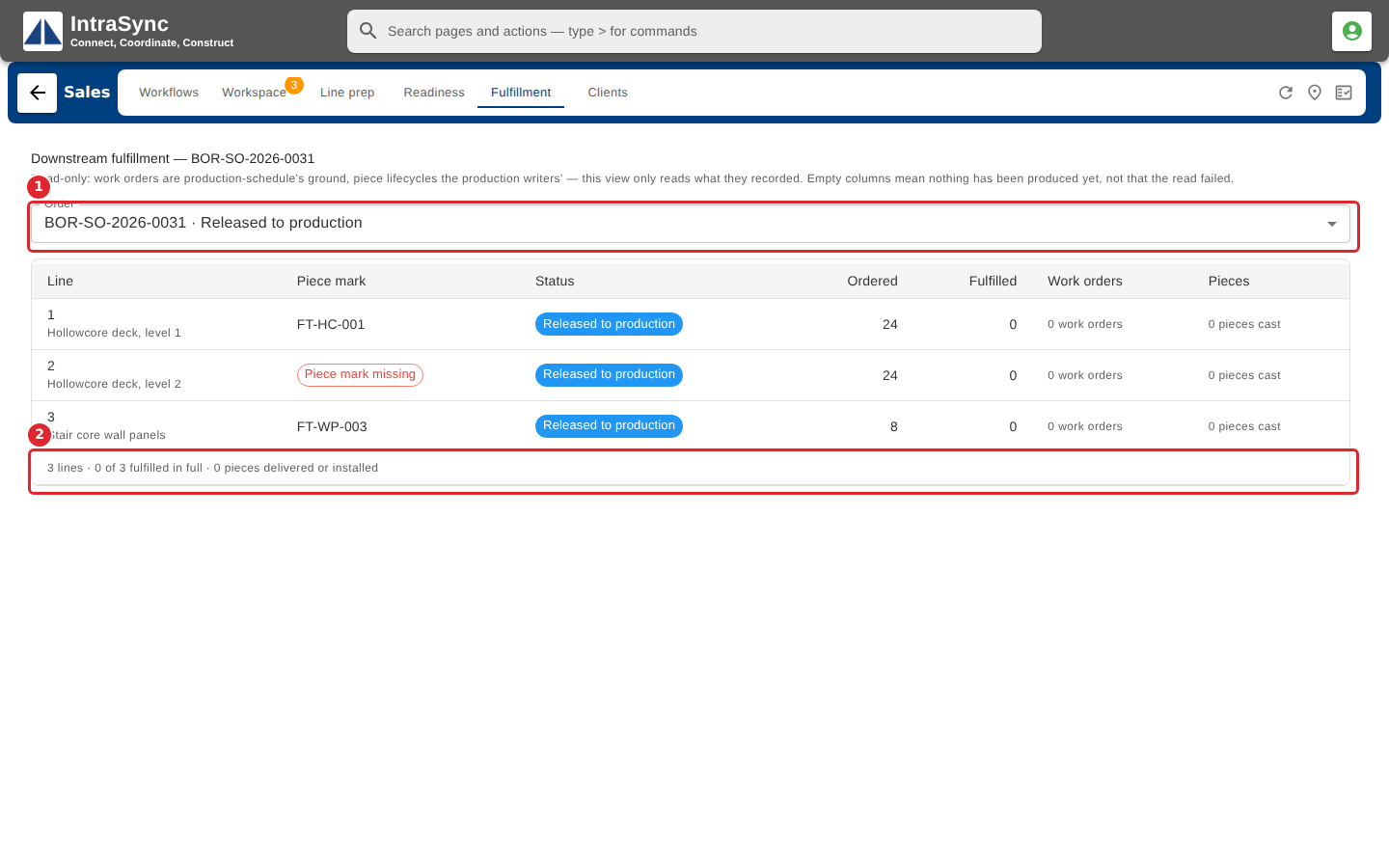
Use the order picker to look at another order, and the totals row for the whole order.
Tips
- A line released without a piece mark is flagged here, because nothing cast for it can be matched back to the line.