Sales guide · section 13 of 18
Check what you can do with one line
See a single line's current status and which actions it allows before you try one.
Watch this in the video (1:39)
Steps
In the pictures, a numbered red box marks where to click or type. Where a picture has more than one box, the numbers give the order.
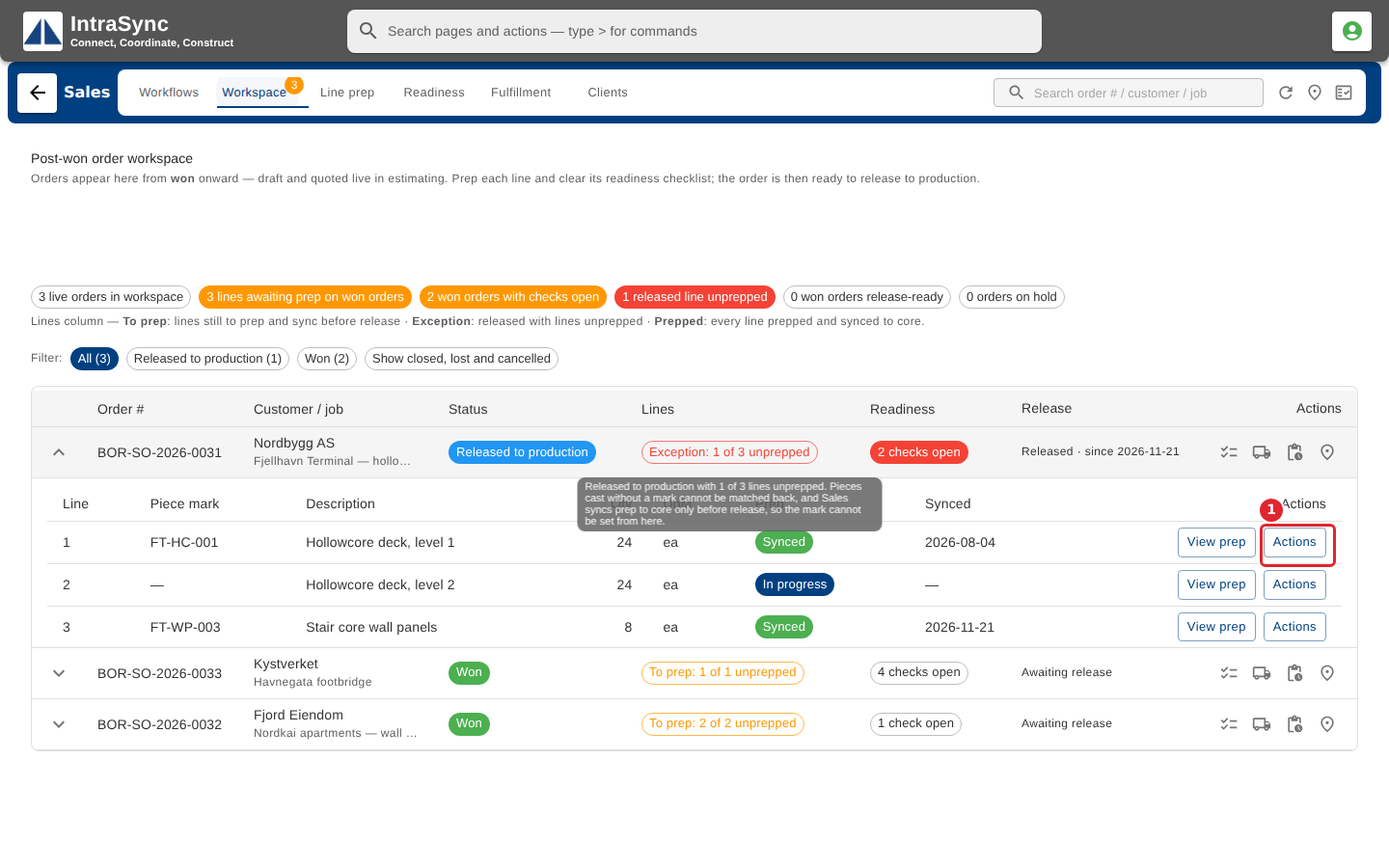
To see what you can do with one line, select Actions on that line.
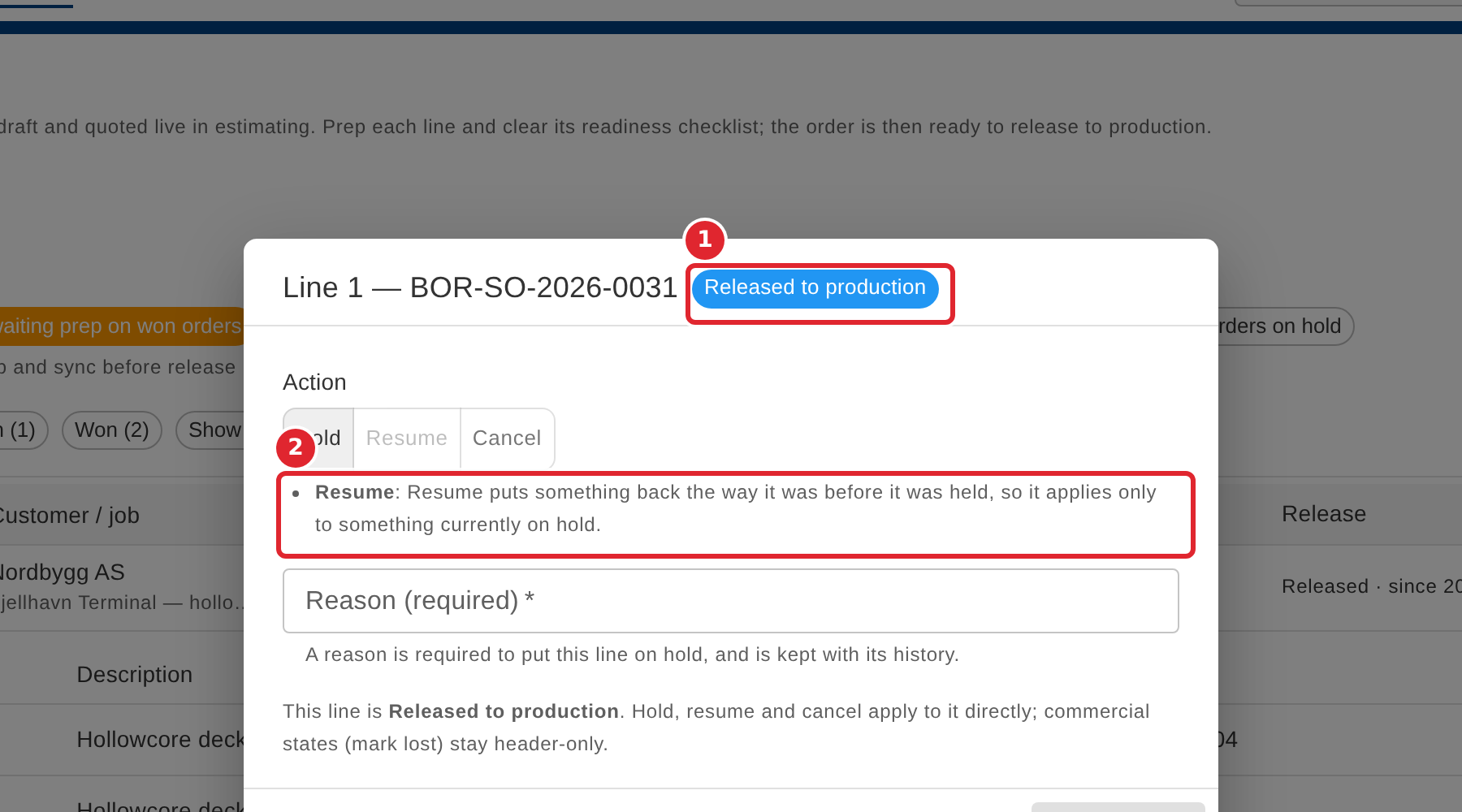
The dialog shows the line's current status, and says which actions it does not allow, and why.
Tips
- Mark lost is offered on a whole order only, never on a single line.