Sales guide · section 15 of 18
Look up a client and their orders
See every order a client has with you, and open any of them in the Workspace.
Steps
In the pictures, a numbered red box marks where to click or type. Where a picture has more than one box, the numbers give the order.
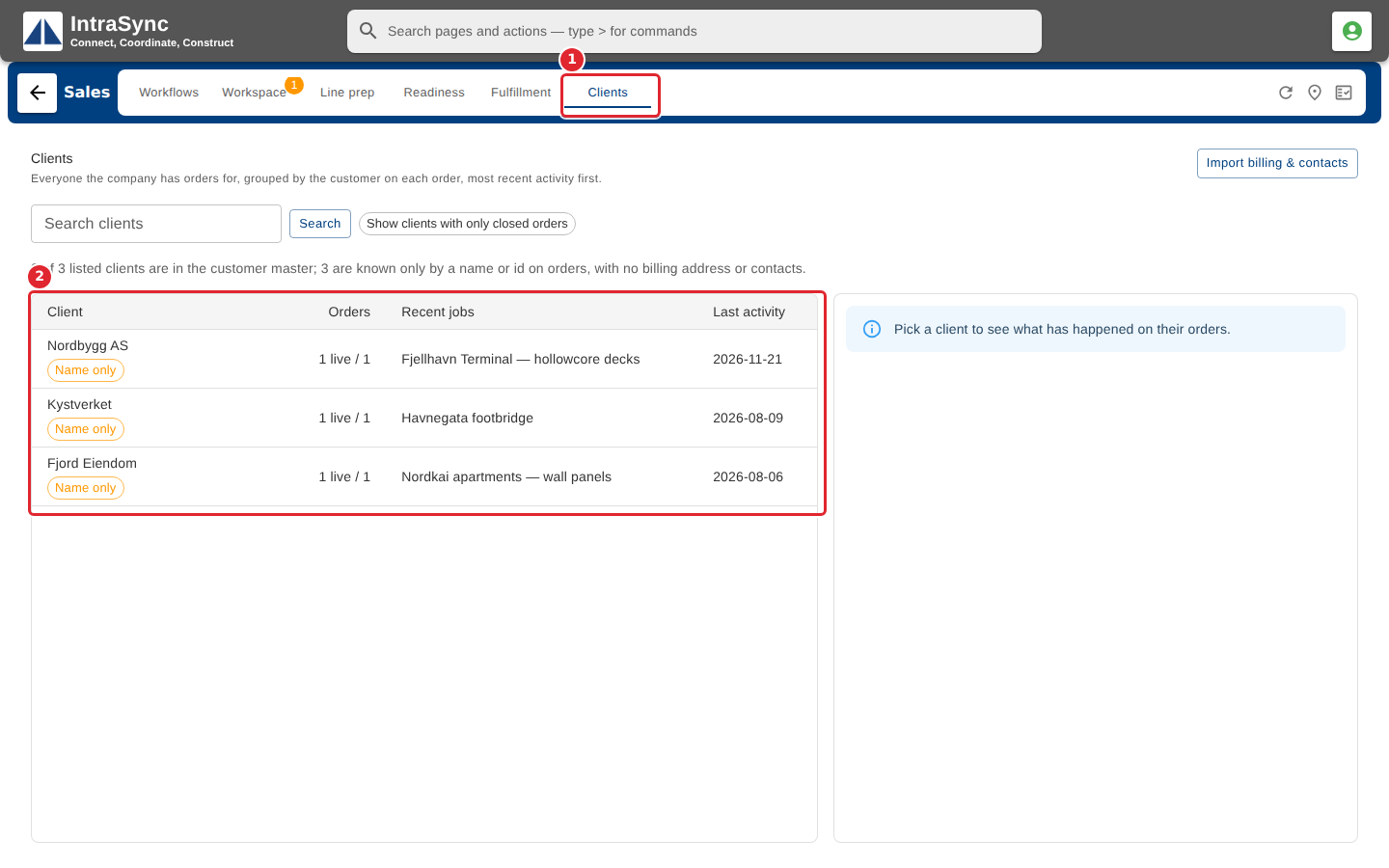
Select Clients. Every client with an order is listed.
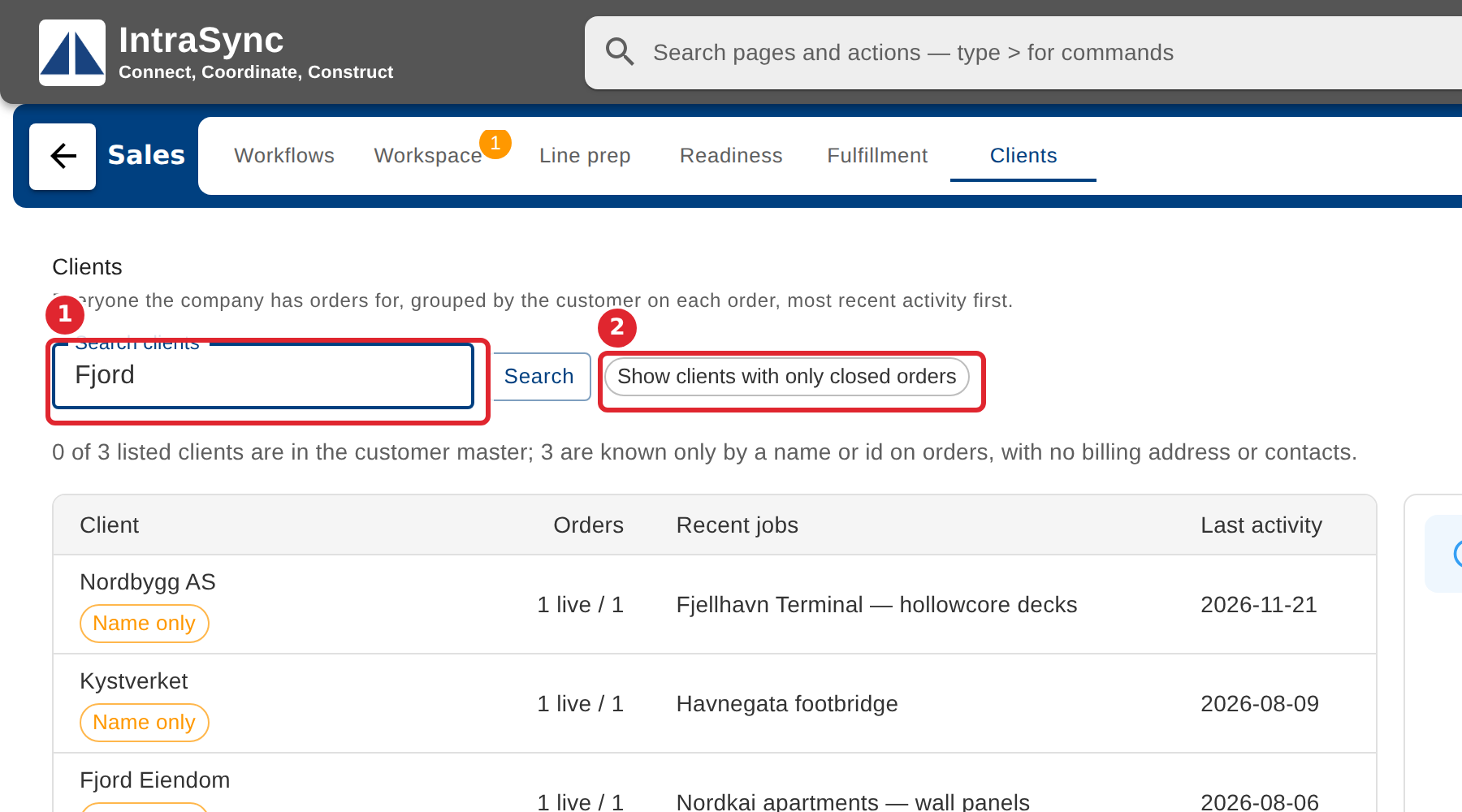
Search by name, customer id or job. Show clients with only closed orders adds those too.
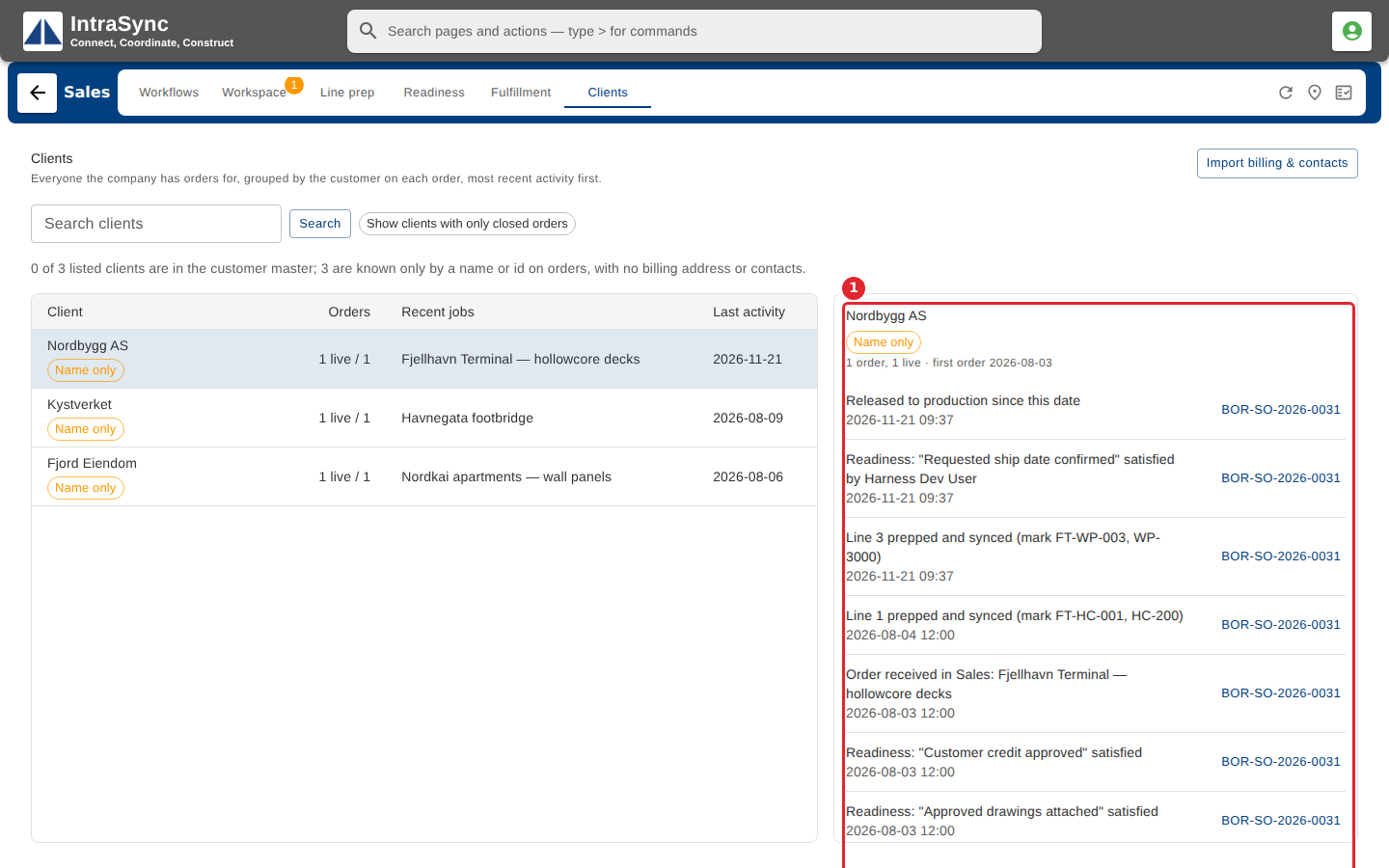
Select a client to see their order activity. Open an order to go straight to it in the Workspace.
Tips
- A client appears here with their first order. Clients are listed from the orders, so there is no client to create on this tab.
- The label under a client says whether its orders point at a record in the customer master. Name only means the orders carry just a name, so there is no billing address or contact for that client. Point at the label to read what it means.