Isa Takeoff guide · section 6 of 10
Save a takeoff and open it again
Saving stores the takeoff as a quote you can come back to, change and save again.
Watch this in the video (0:32)
Steps
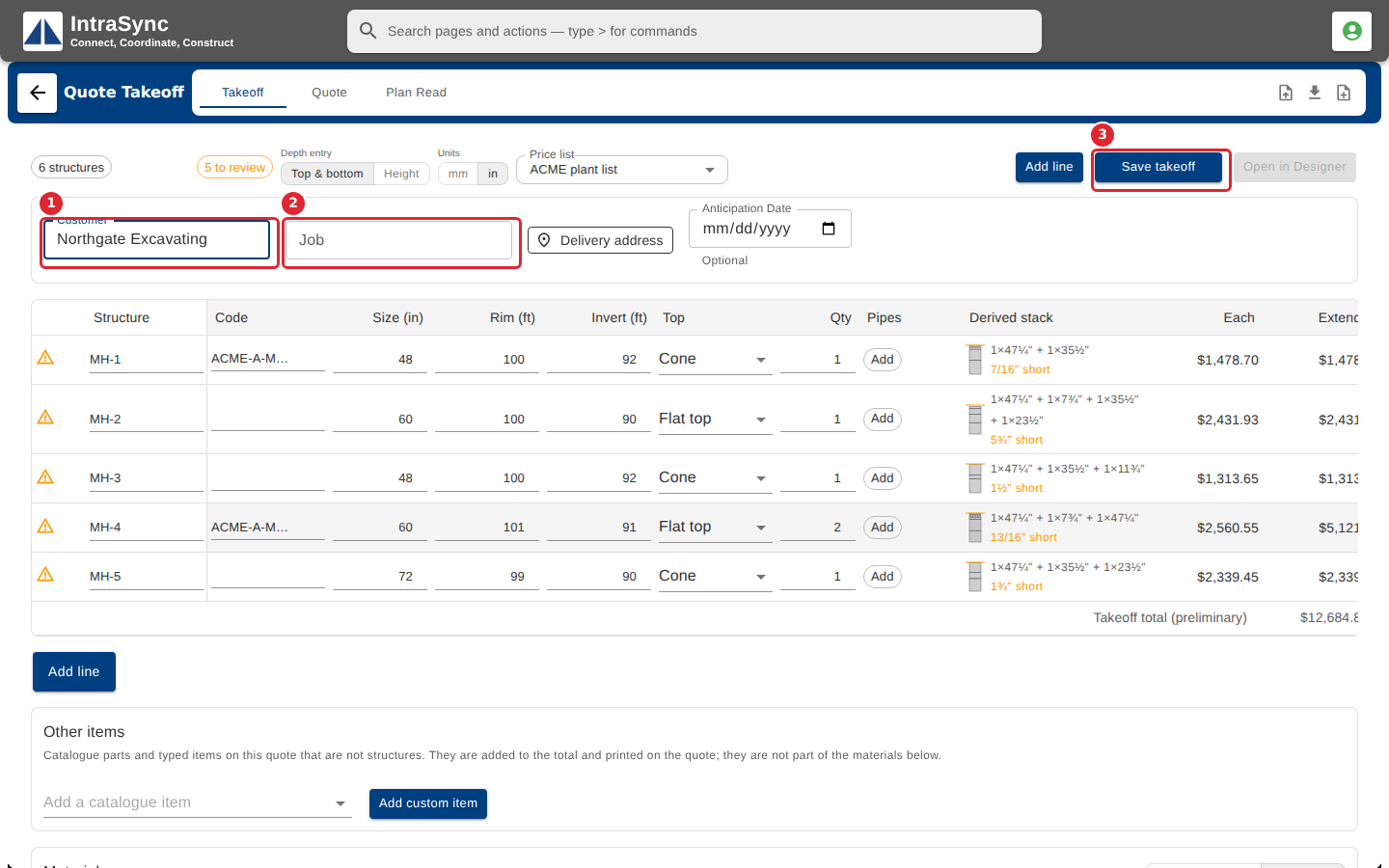
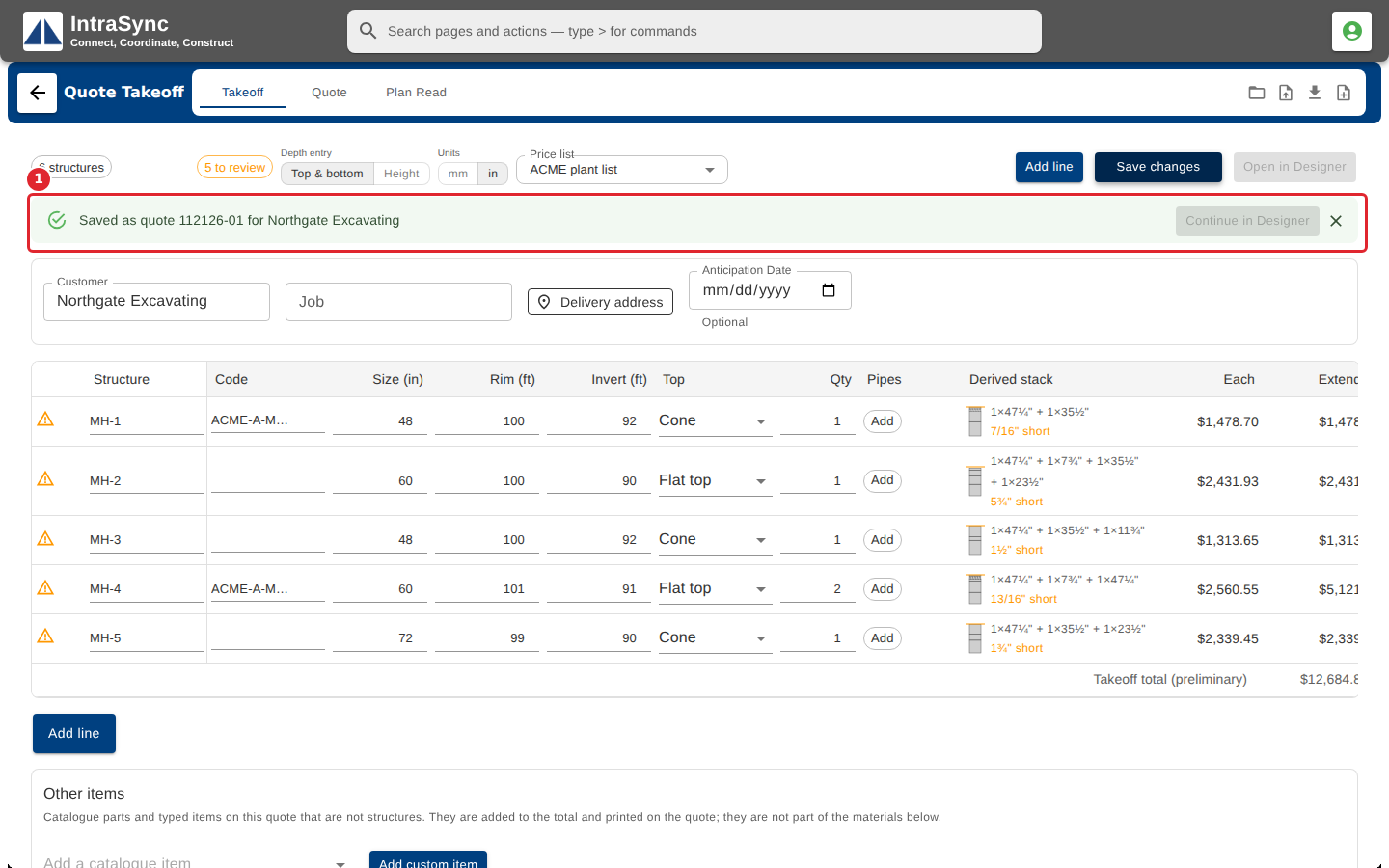
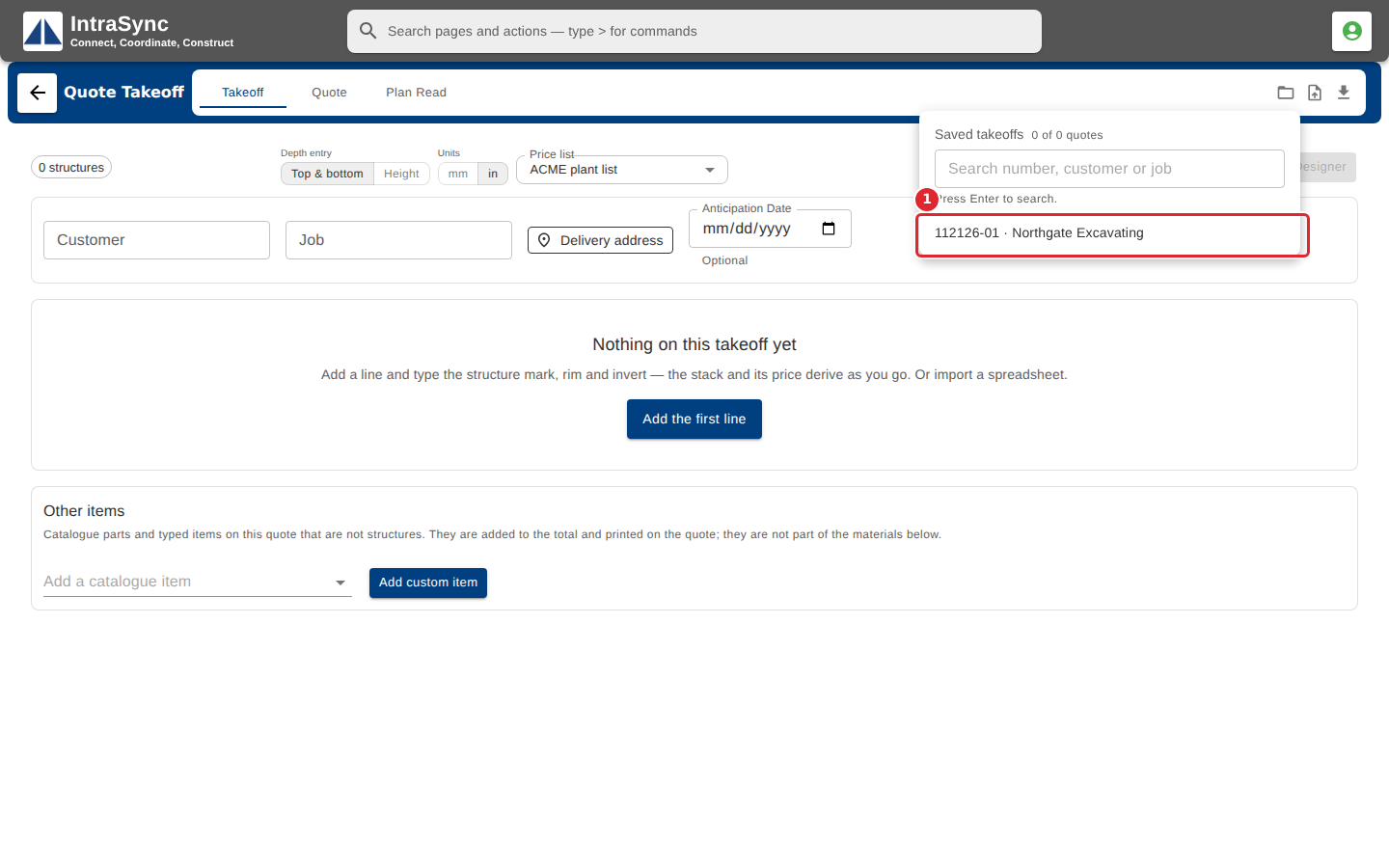
In the pictures, a numbered red box marks where to click or type. Where a picture has more than one box, the numbers give the order.
Enter the customer, and the job if you have one, then select Save takeoff.
The takeoff is saved as a quote, and the message names its quote number. Later changes are saved with Save changes.
To pick up a saved takeoff, select Open a saved takeoff and choose it by quote number and customer.
Tips
- After the first save, the button reads Save changes. Save again after every change you want to keep.
- New takeoff clears the screen. Save first if you want to keep what is on it.