Yard Management guide · section 28 of 44
Create a yard task
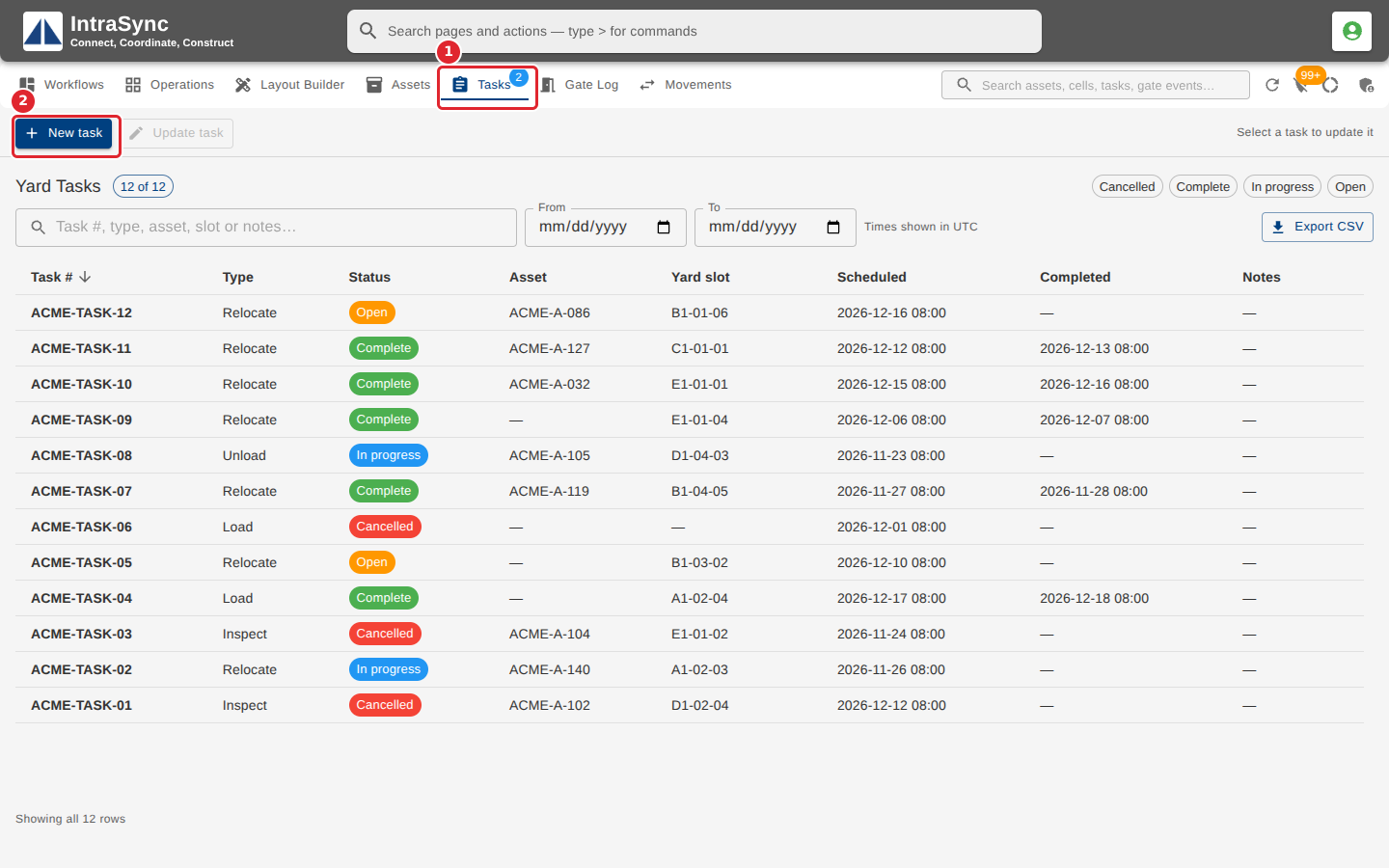
Ask for work to be done on an asset, such as relocating, loading, unloading or inspecting it.
Watch this in the video (1:30)
Steps
In the pictures, a numbered red box marks where to click or type. Where a picture has more than one box, the numbers give the order.
Open the Tasks tab. It lists the yard's work: relocating, loading, unloading and inspecting assets. Select New task.
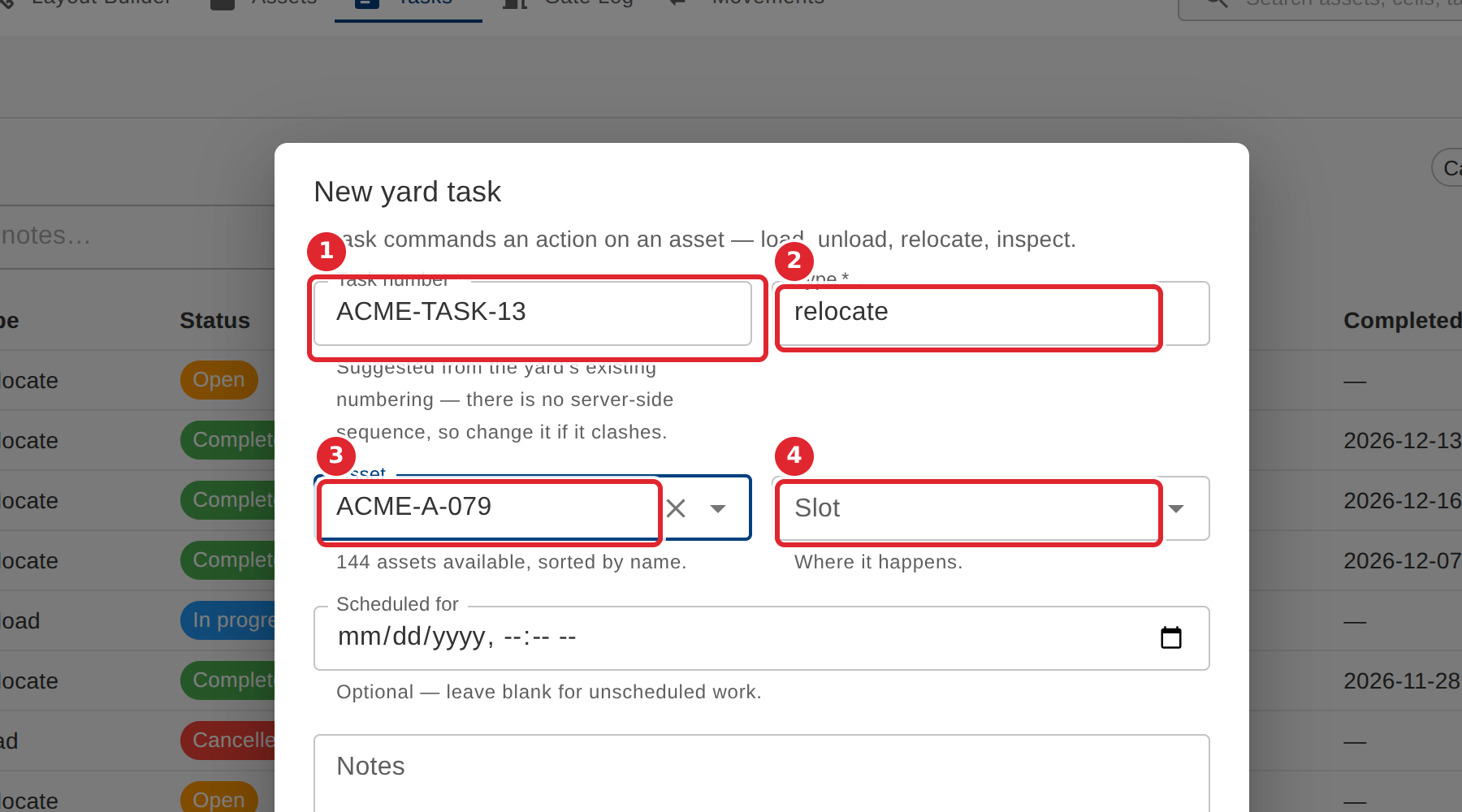
Check the suggested Task number, then enter the Type, such as load, unload, relocate or inspect, and choose the Asset and the Slot.
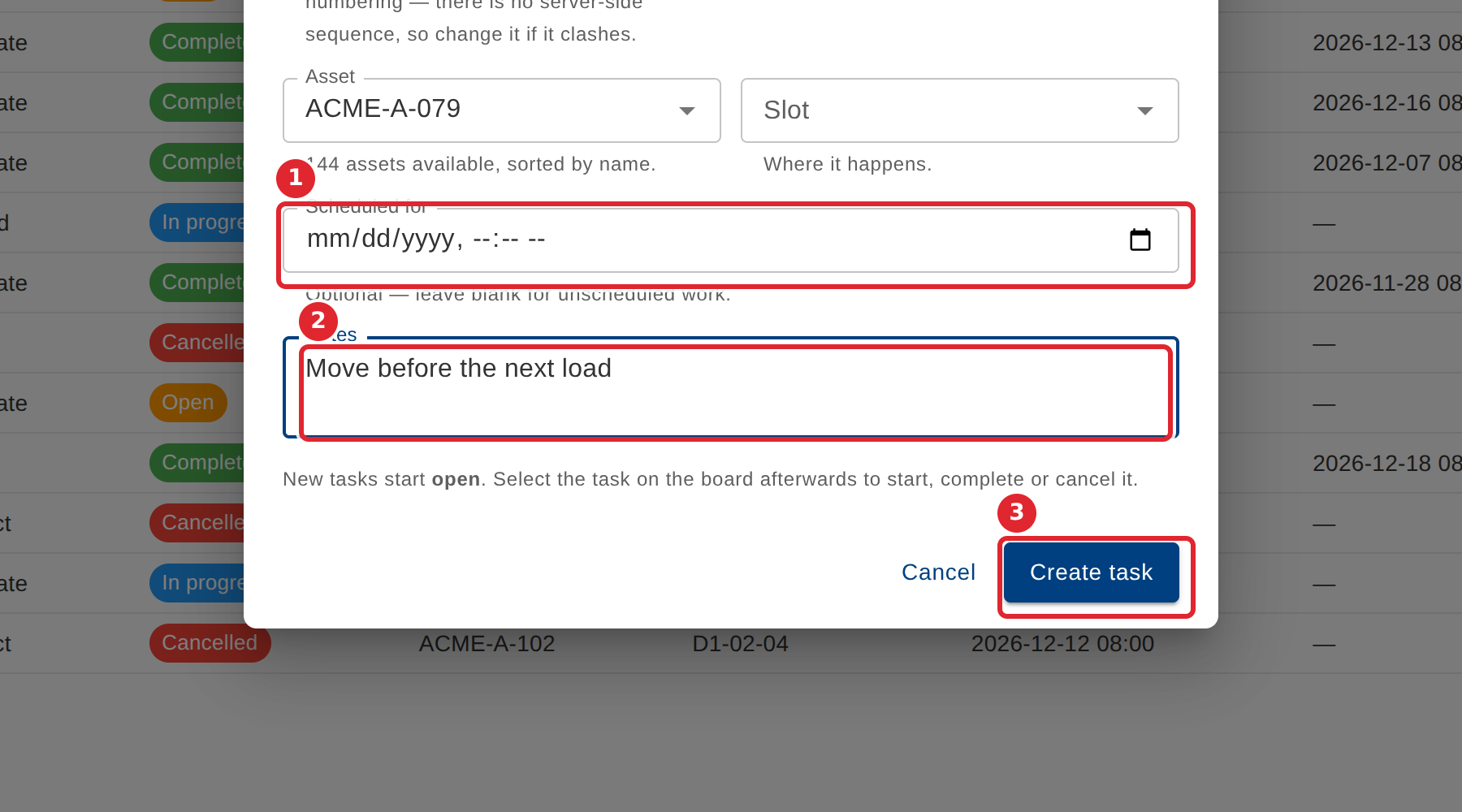
Set Scheduled for and add Notes if needed, then select Create task. A new task starts as Open.
Tips
- A task needs a number and a type. The suggested number follows the yard's existing numbering, so change it if it clashes.
- Leave Scheduled for blank for unscheduled work.
- Notes can be up to 500 characters.