Yard Management guide · section 29 of 44
Start, complete or cancel a task
Keep the task list true to what is happening in the yard.
Steps
In the pictures, a numbered red box marks where to click or type. Where a picture has more than one box, the numbers give the order.
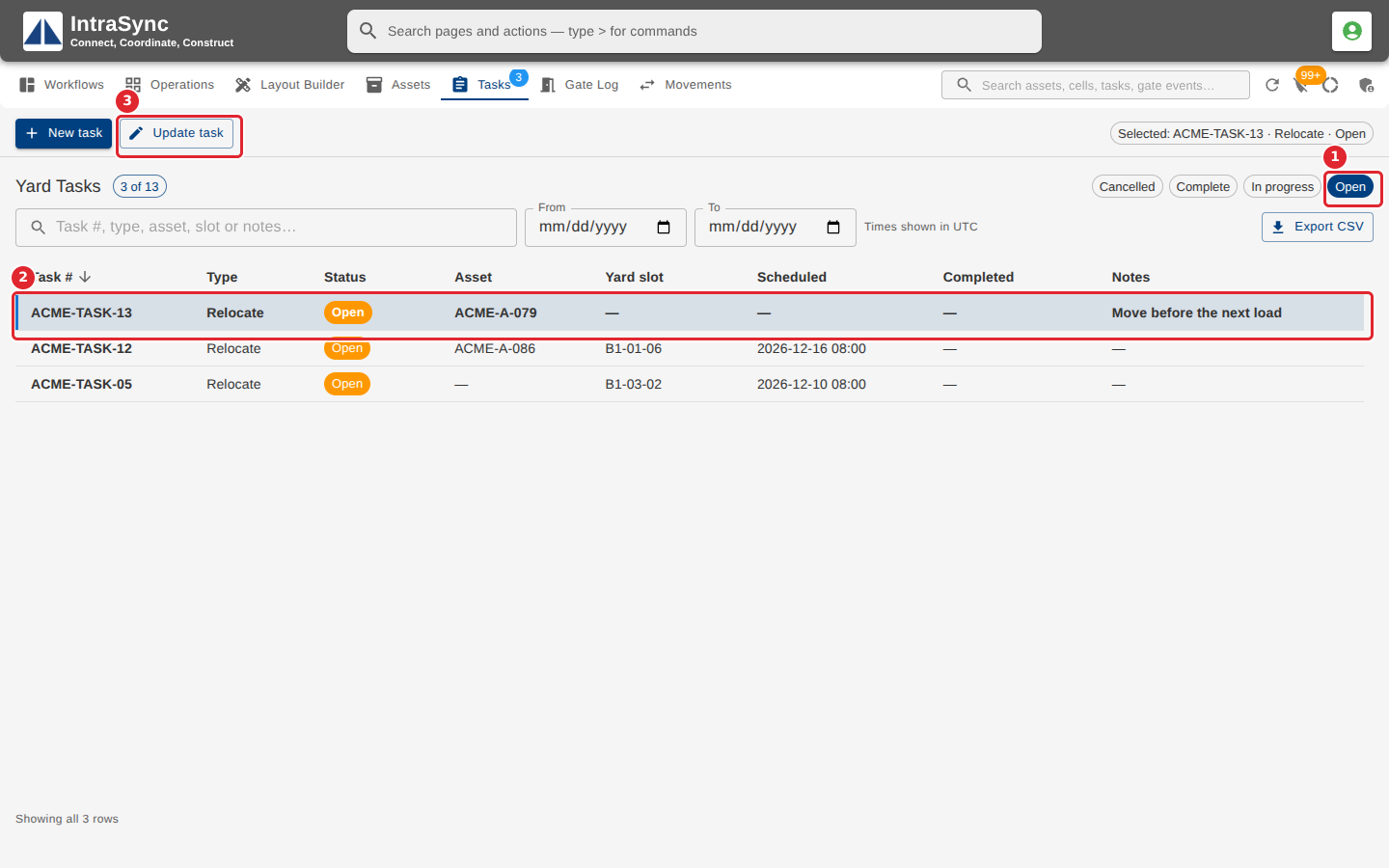
Select the Open chip to see the work still to do, select a task's row, then Update task.
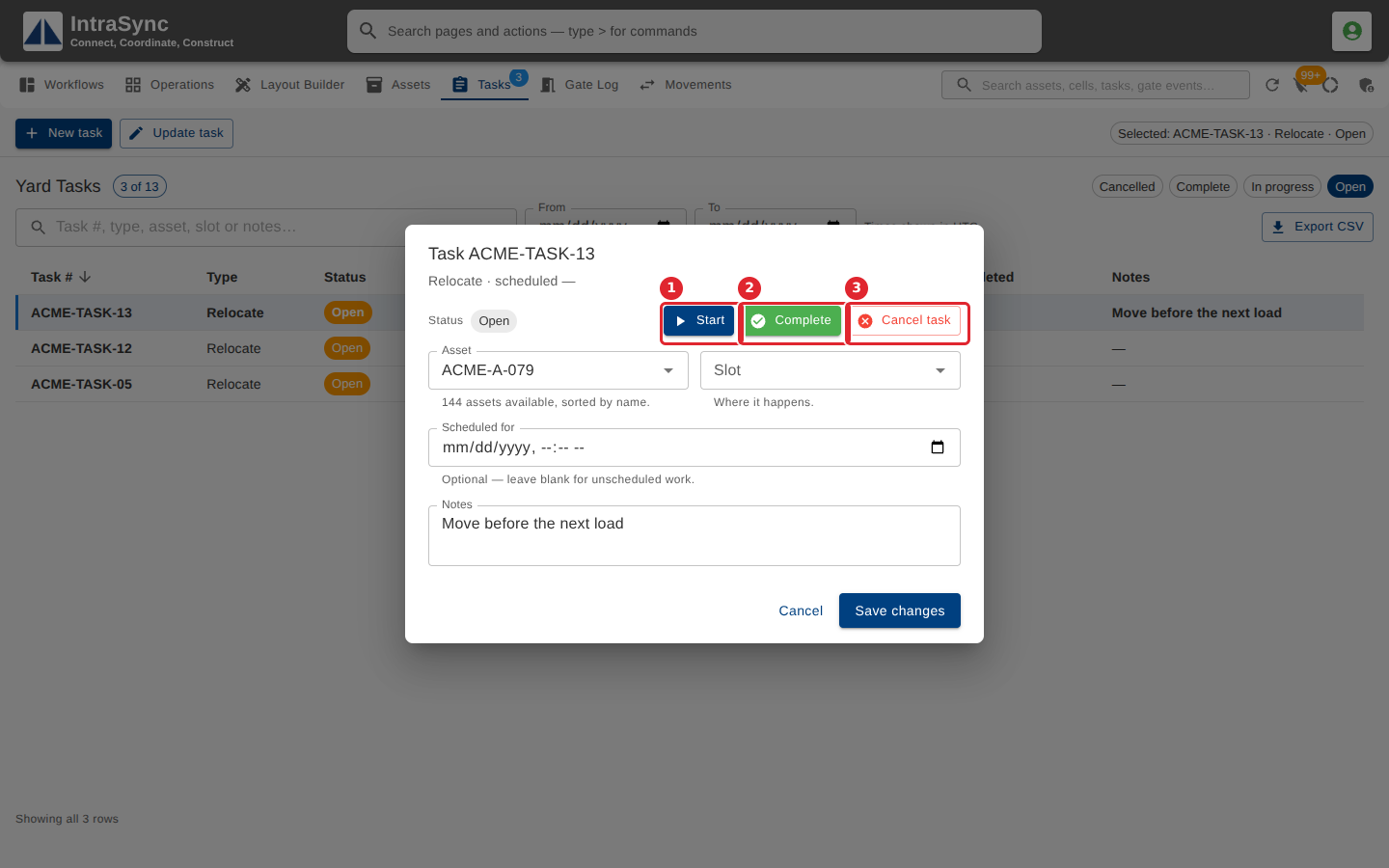
Select Start when the work begins and Complete when it is done. Cancel task asks before it cancels. To reschedule, change Scheduled for and select Save changes.
Tips
- Only an open task can be started.
- Cancel task asks first. Keep it open leaves the task as it was.