Yard Management guide · section 26 of 44
Log a truck in or out at the gate
Record every arrival and departure through the yard gate.
Watch this in the video (1:40)
Steps
In the pictures, a numbered red box marks where to click or type. Where a picture has more than one box, the numbers give the order.
Open the Gate Log tab. It records every arrival and departure through the yard gate.
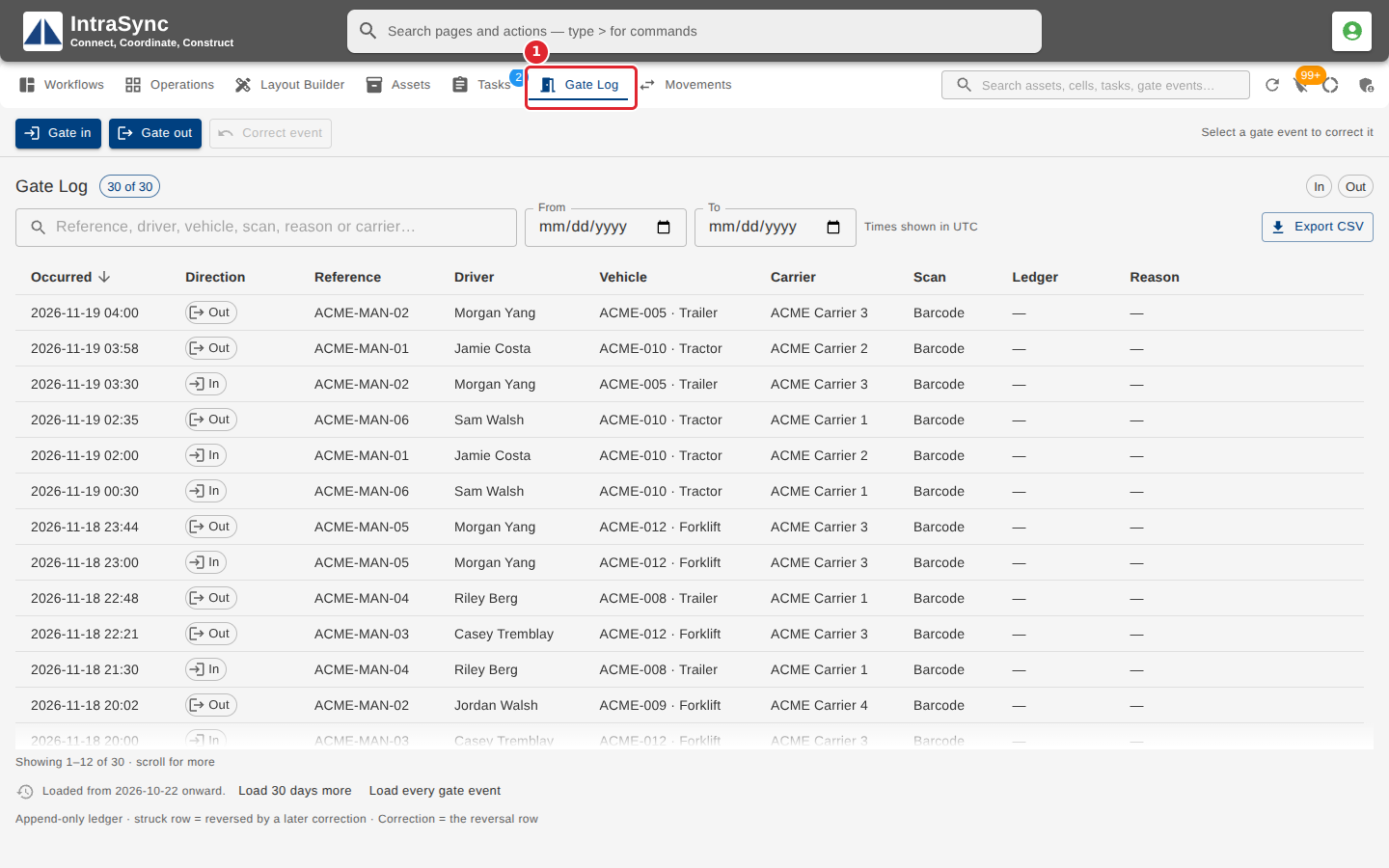
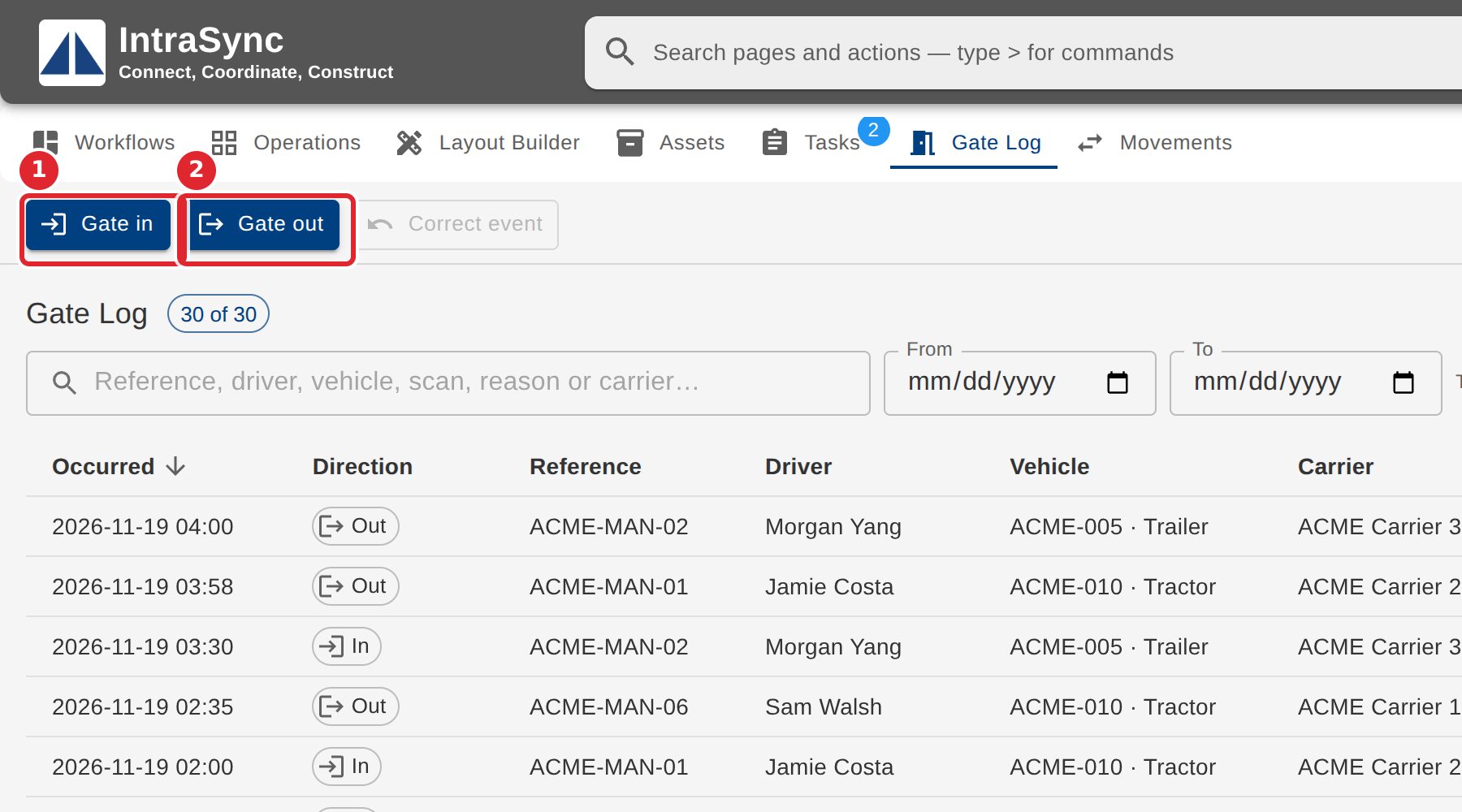
Select Gate in for an arrival or Gate out for a departure.
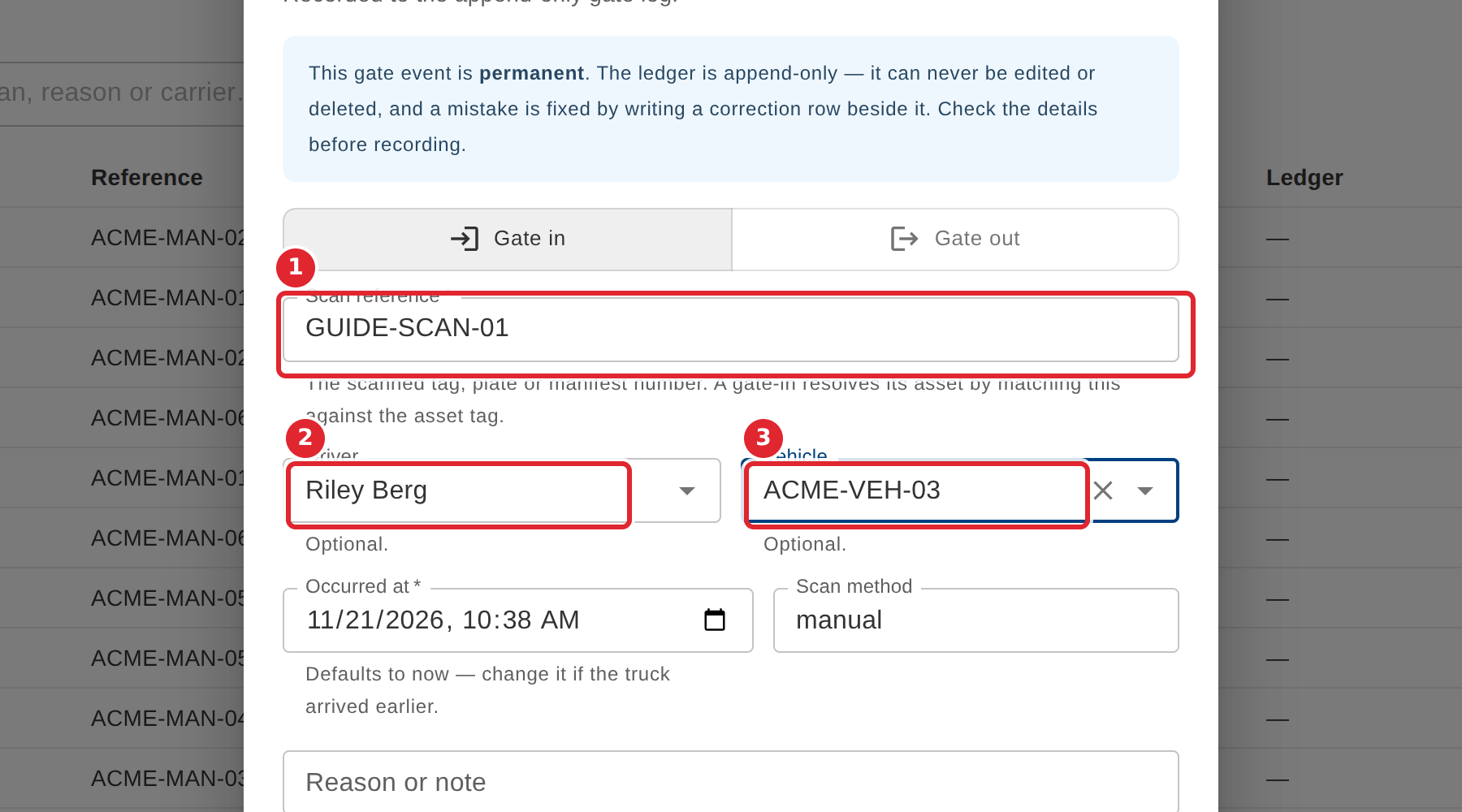
Enter the Scan reference, then choose the Driver and the Vehicle if you know them.
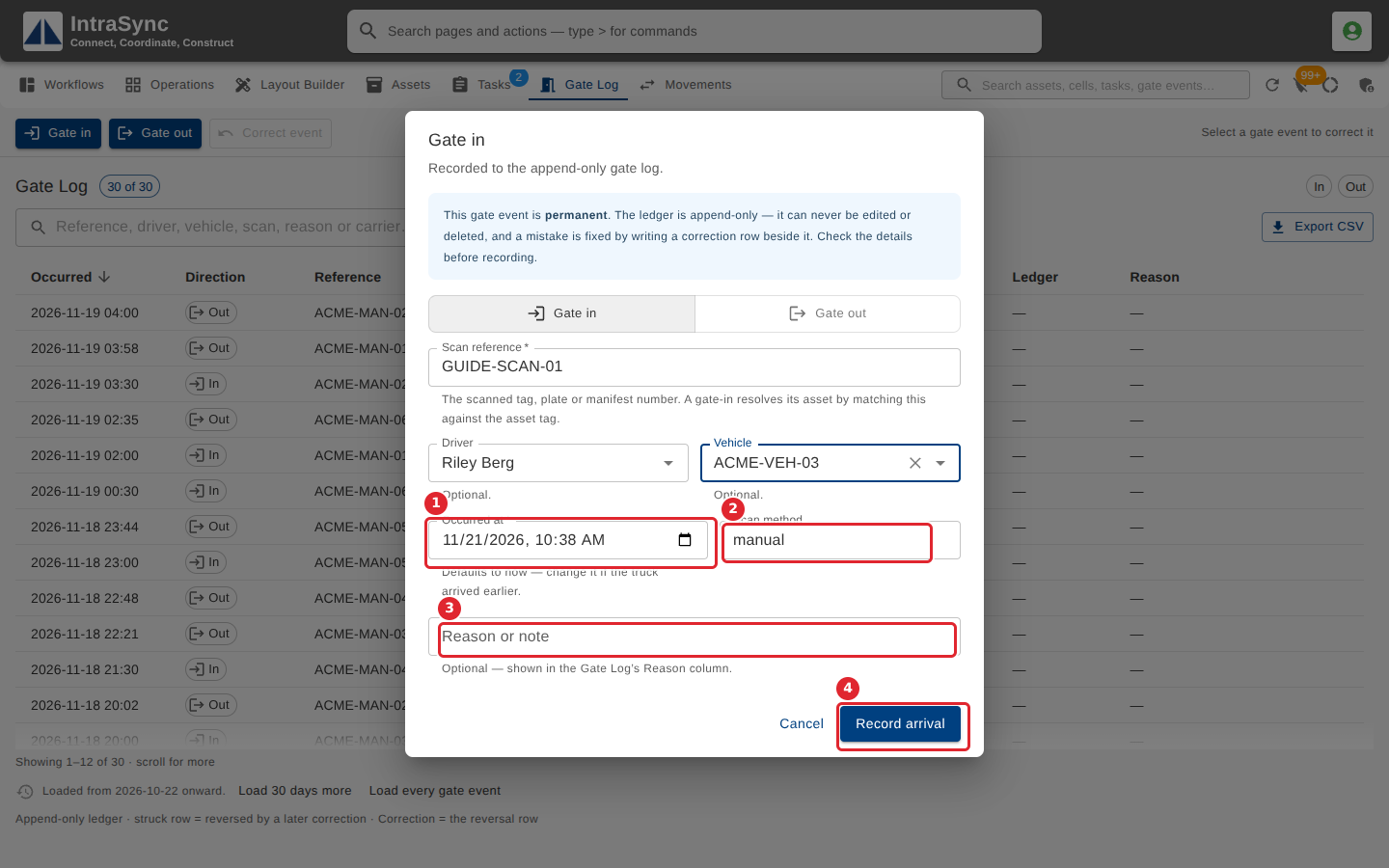
Check Occurred at, which starts at now, and the Scan method, add a note if needed, then select Record arrival (or Record departure).
Tips
- The Scan reference is required. It is the scanned tag, plate or manifest number, and a gate-in finds its asset by matching it against the asset tag.
- Occurred at cannot be in the future.
- If a scan looks like a repeat of a recent one, you are asked whether to record it anyway.
- A gate event is permanent. A mistake is put right with a correction, never by editing.