Yard Management guide · section 25 of 44
Reverse a movement
Put right a movement that was recorded by mistake, while keeping the original on record.
Steps
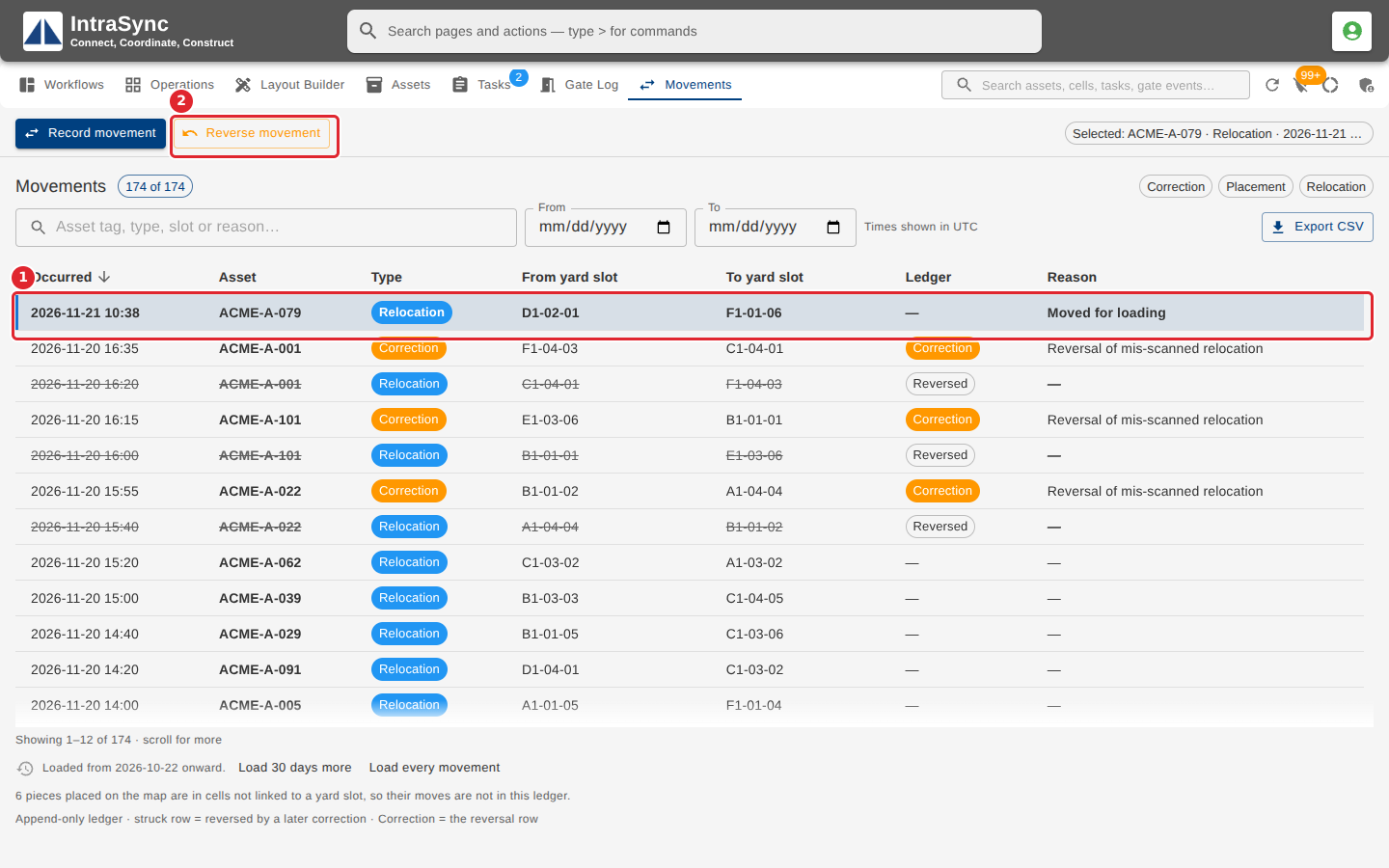
In the pictures, a numbered red box marks where to click or type. Where a picture has more than one box, the numbers give the order.
To undo a movement, select its row, then Reverse movement.
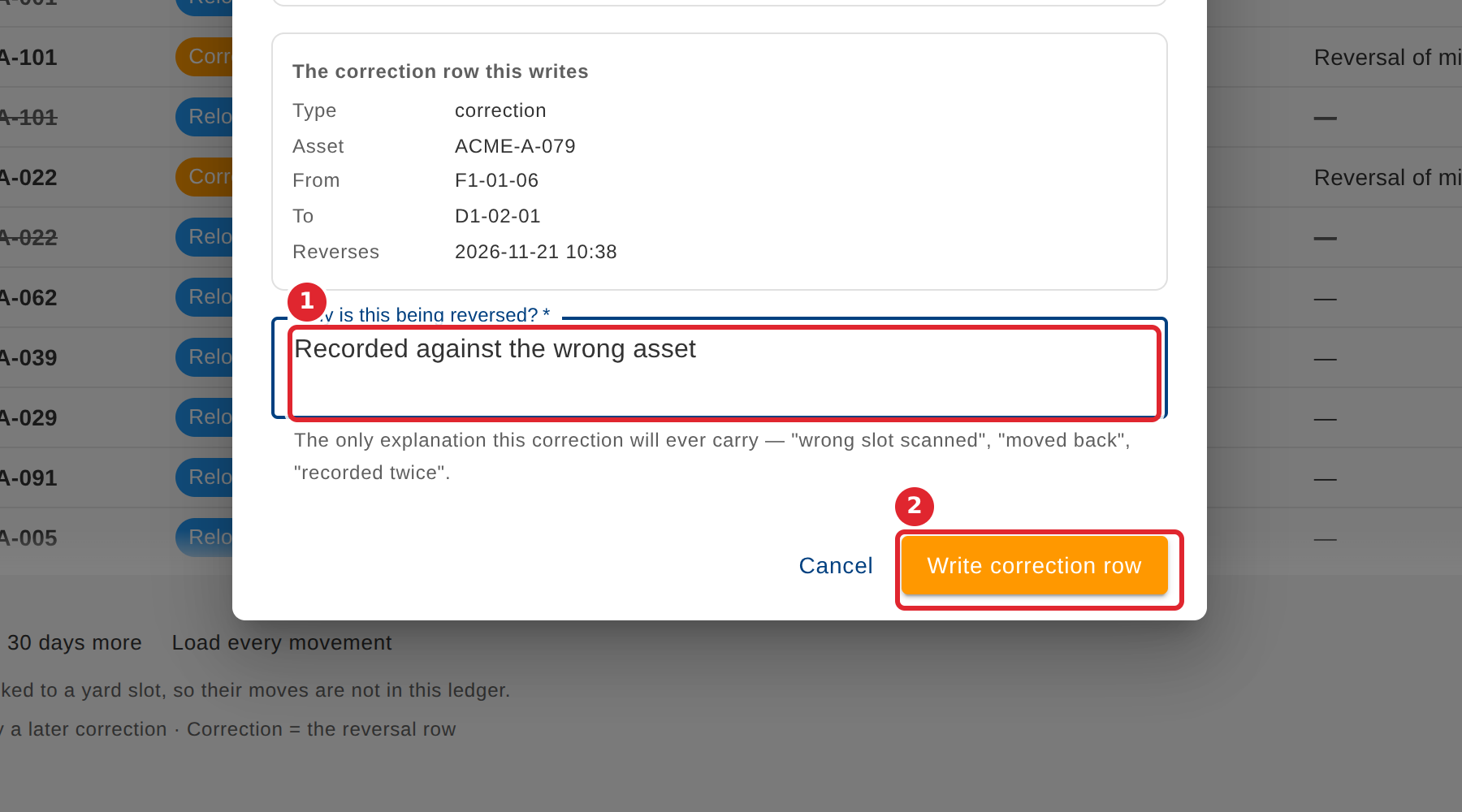
Say why it is being reversed, then select Write correction row.
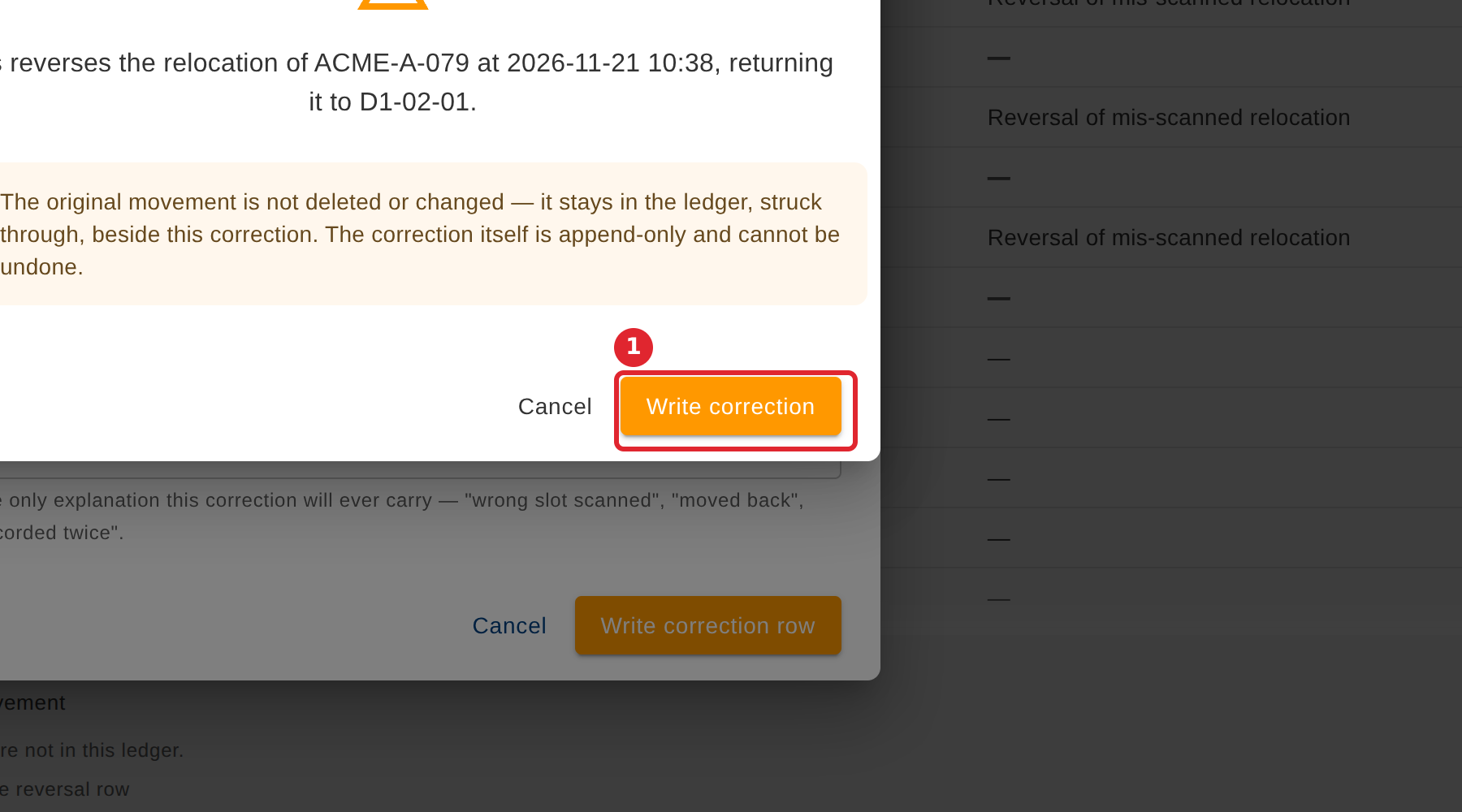
Select Write correction to confirm. The original row stays, struck through, and the correction is added beside it.
Tips
- The reason is the only explanation the correction will ever carry, so make it specific.
- A reversed row is struck through, and the correction row is listed with it.