Yard Management guide · section 18 of 44
Move a piece to another cell
Keep the yard record right when a piece is moved.
Steps
In the pictures, a numbered red box marks where to click or type. Where a picture has more than one box, the numbers give the order.
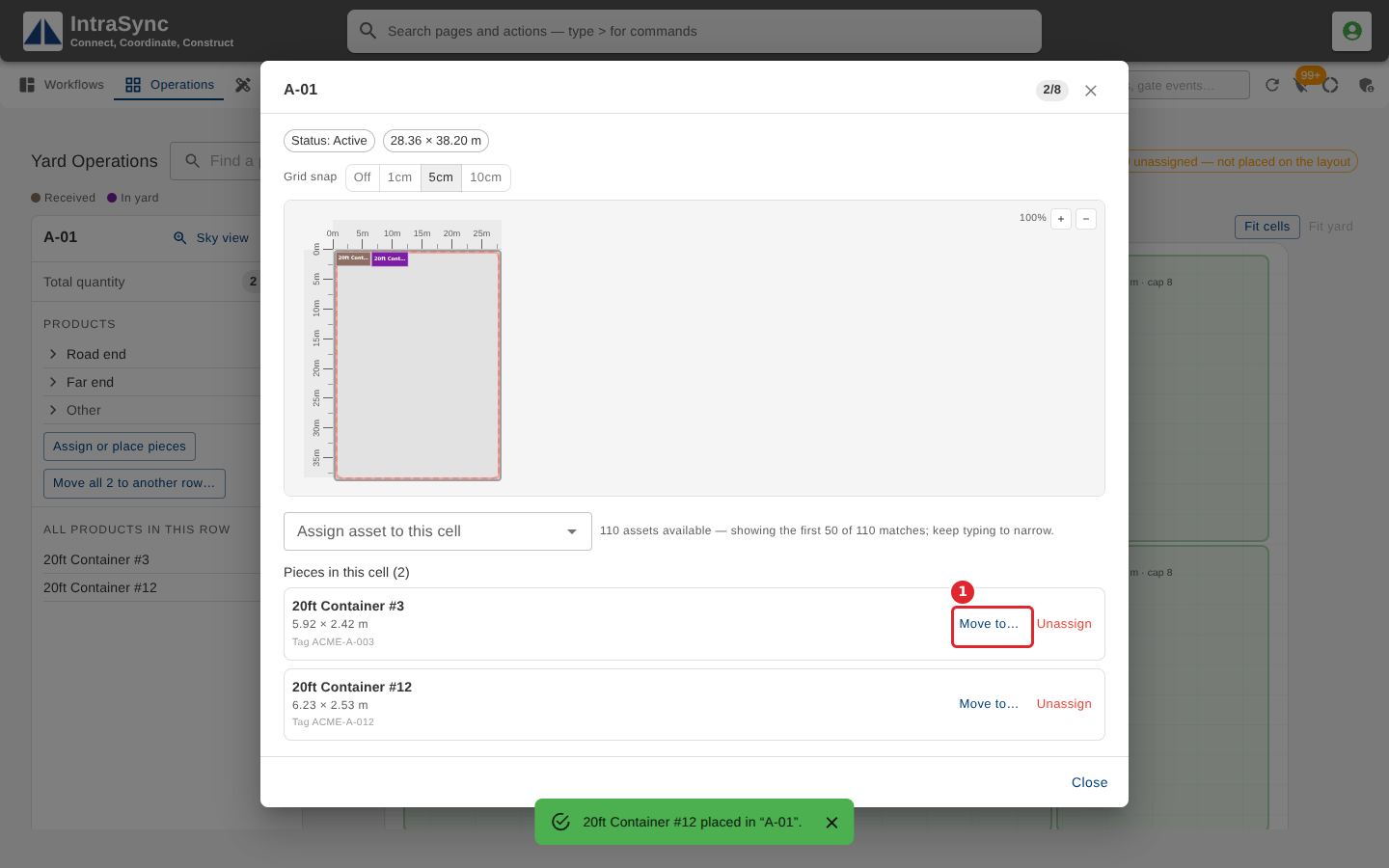
To move a piece to another cell, select Move to… beside it in the list.
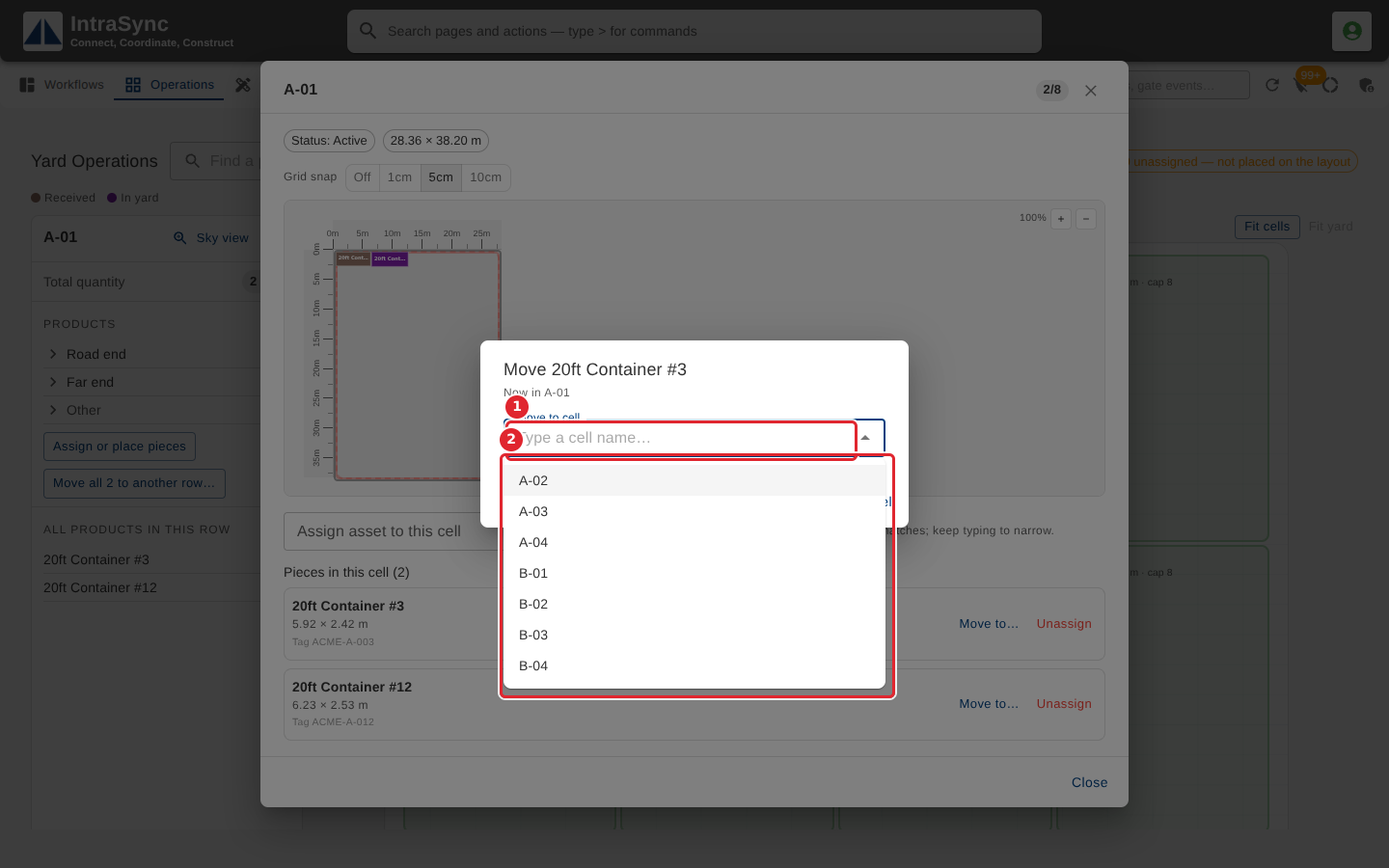
Type or choose the cell to move it to. It moves as soon as you choose; Cancel leaves it where it is.
Tips
- To move everything in a cell at once, select Move all to another row… on the cell's summary beside the map.