Yard Management guide · section 19 of 44
Take a piece out of its cell
Return a piece to the unassigned list when it has left its cell but not gone into another one.
Steps
In the pictures, a numbered red box marks where to click or type. Where a picture has more than one box, the numbers give the order.
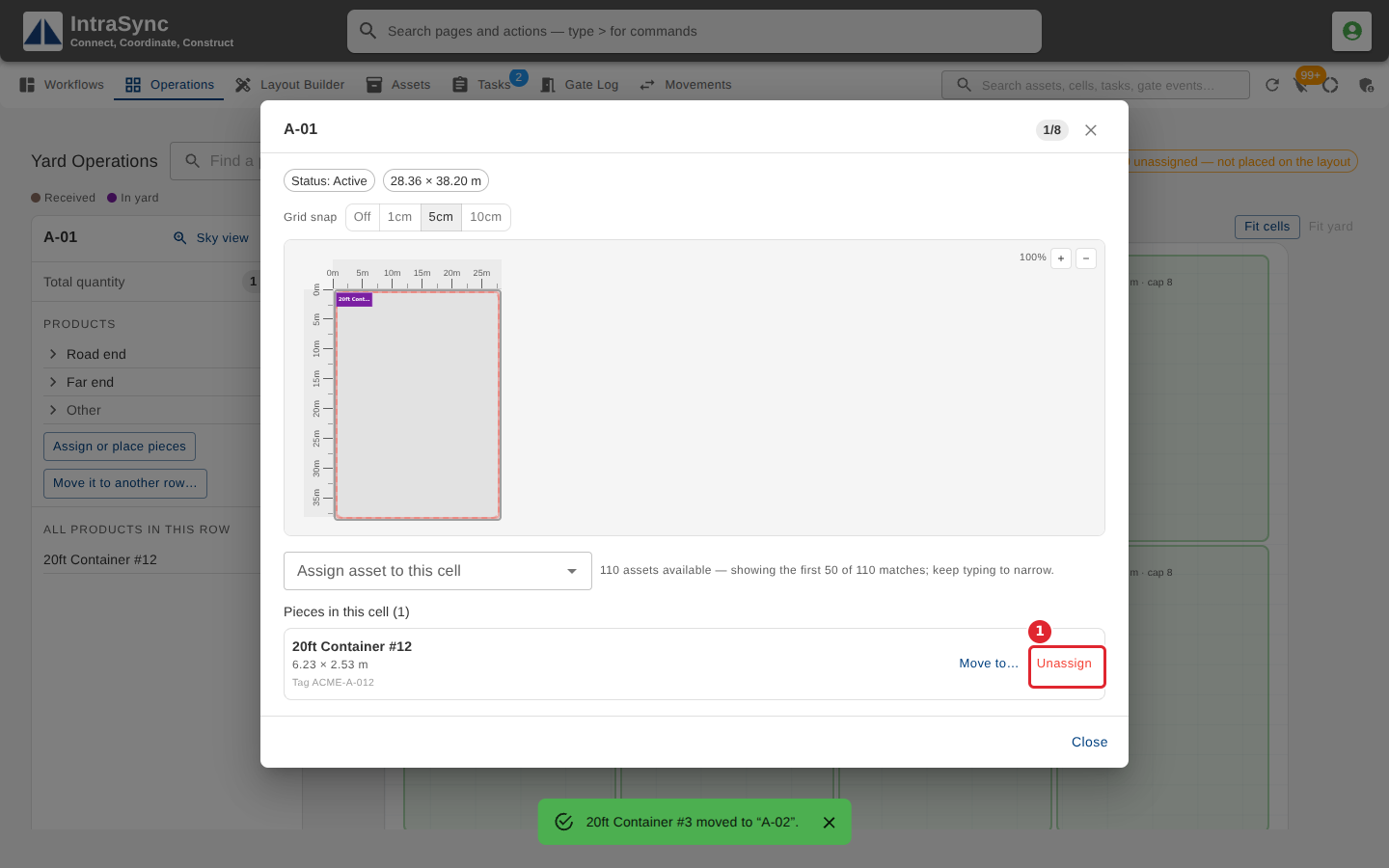
To take a piece out of a cell without moving it anywhere, select its Unassign button.
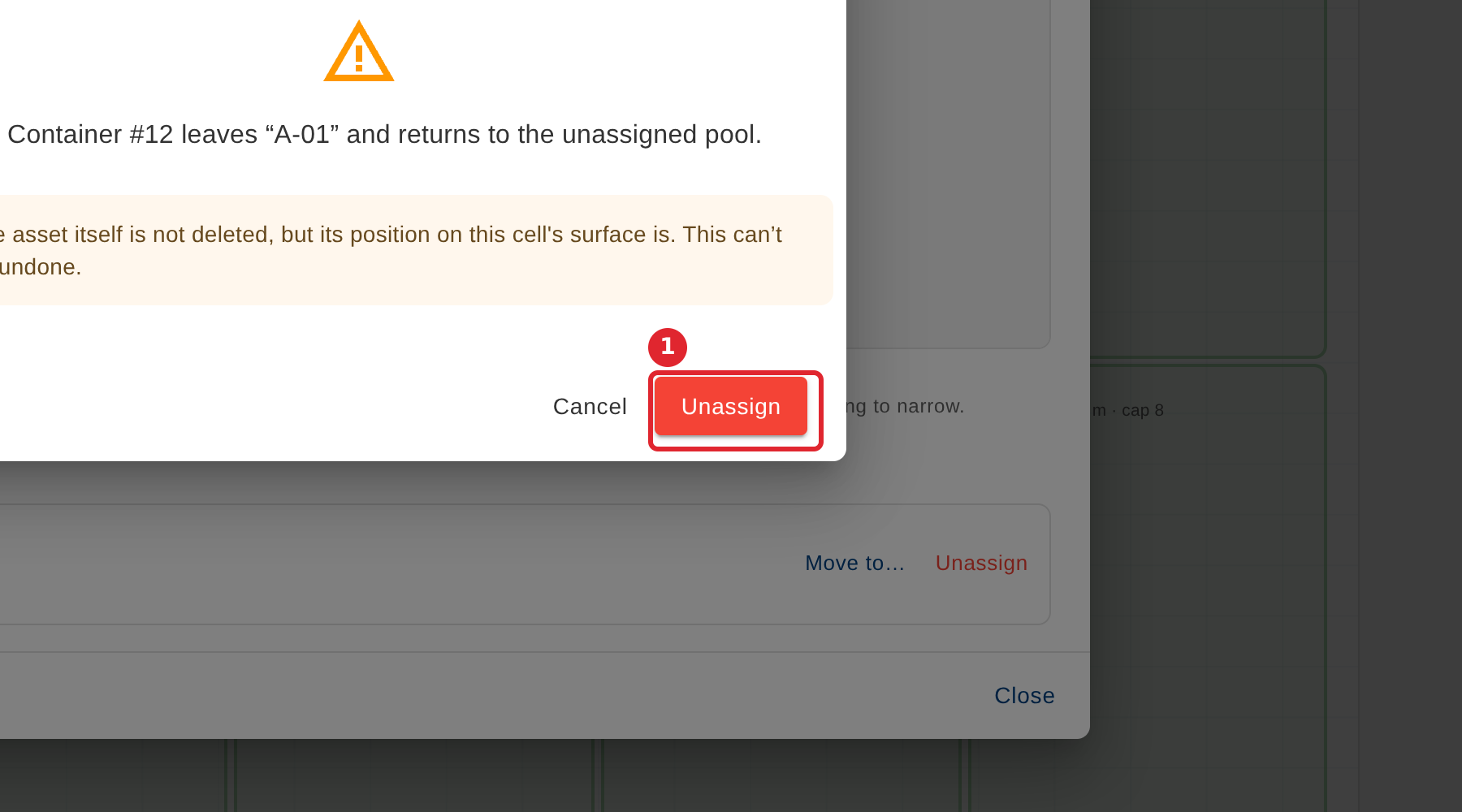
Select Unassign to confirm. The asset goes back to the unassigned list, ready to be placed again.
Tips
- The asset itself is not deleted, only its place in the cell.
- Unassigning cannot be undone. If it was a mistake, place the piece again.