Yard Management guide · section 16 of 44
Place a piece in a cell
Record where a piece sits, so anyone can find it.
Watch this in the video (0:59)
Before you start
- A layout is active, and the asset has no cell yet.
Steps
In the pictures, a numbered red box marks where to click or type. Where a picture has more than one box, the numbers give the order.
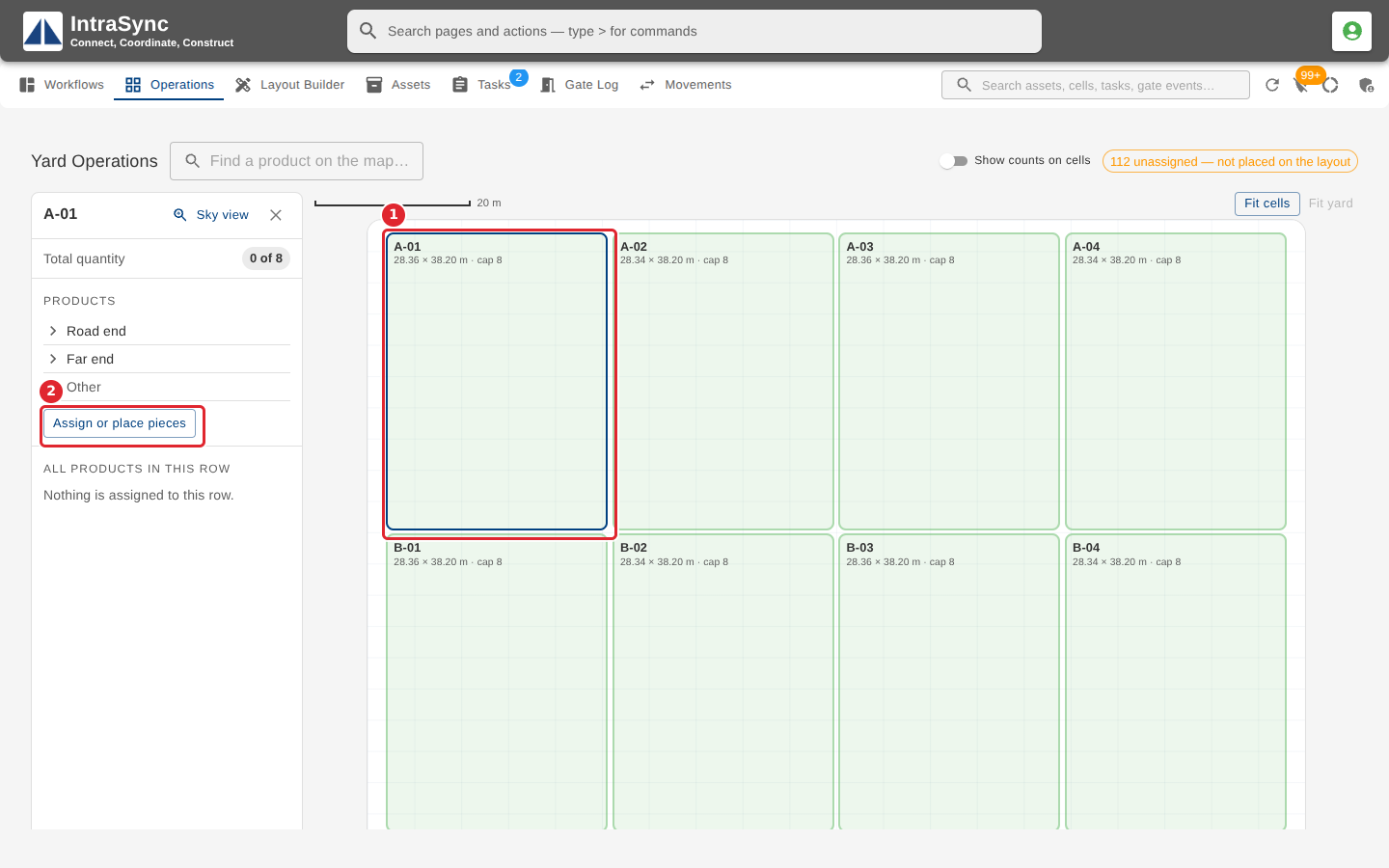
Select a cell on the map. Its summary opens beside the map. Select Assign or place pieces.
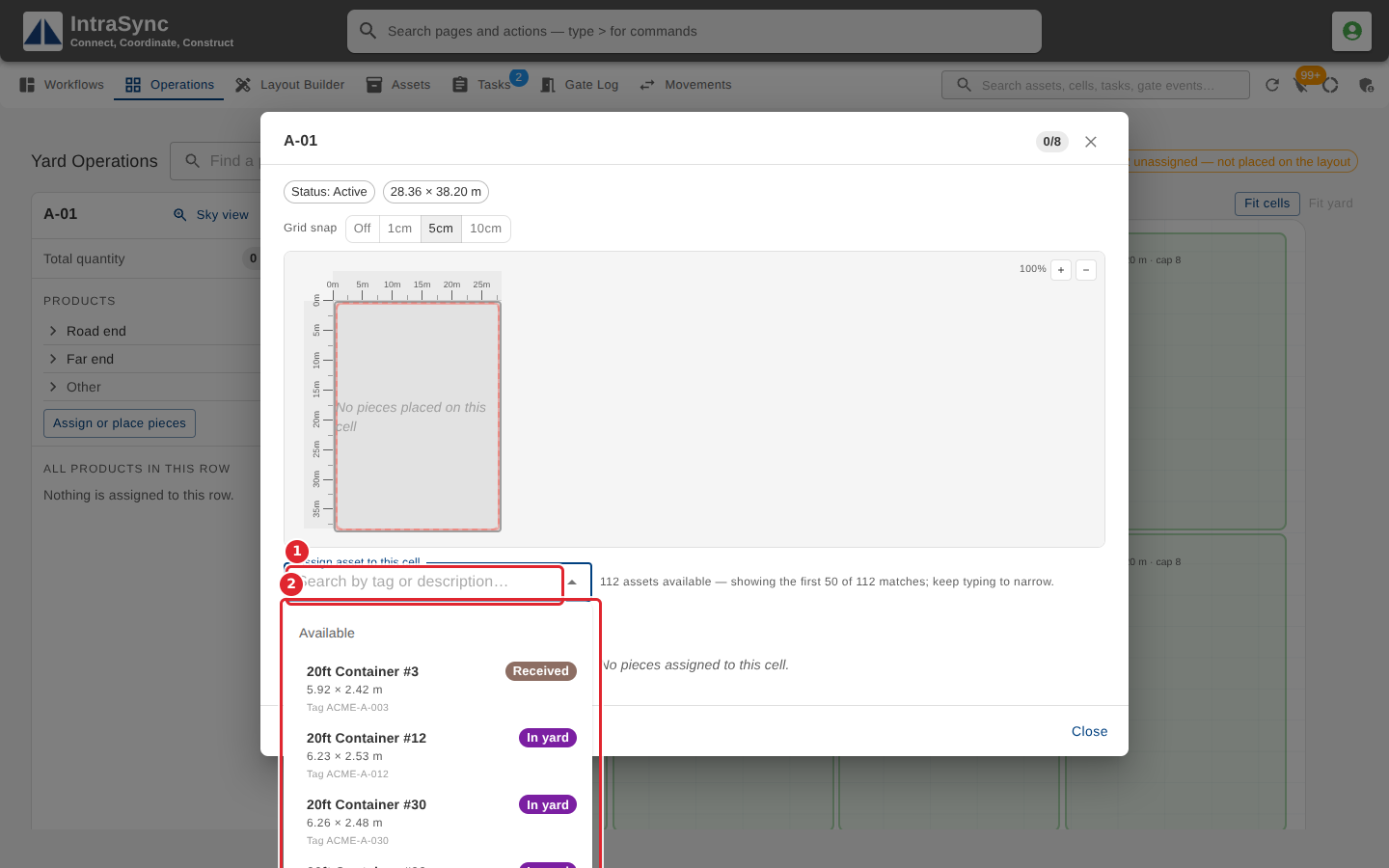
In Assign asset to this cell, type part of a tag or description, then choose the asset from the list.
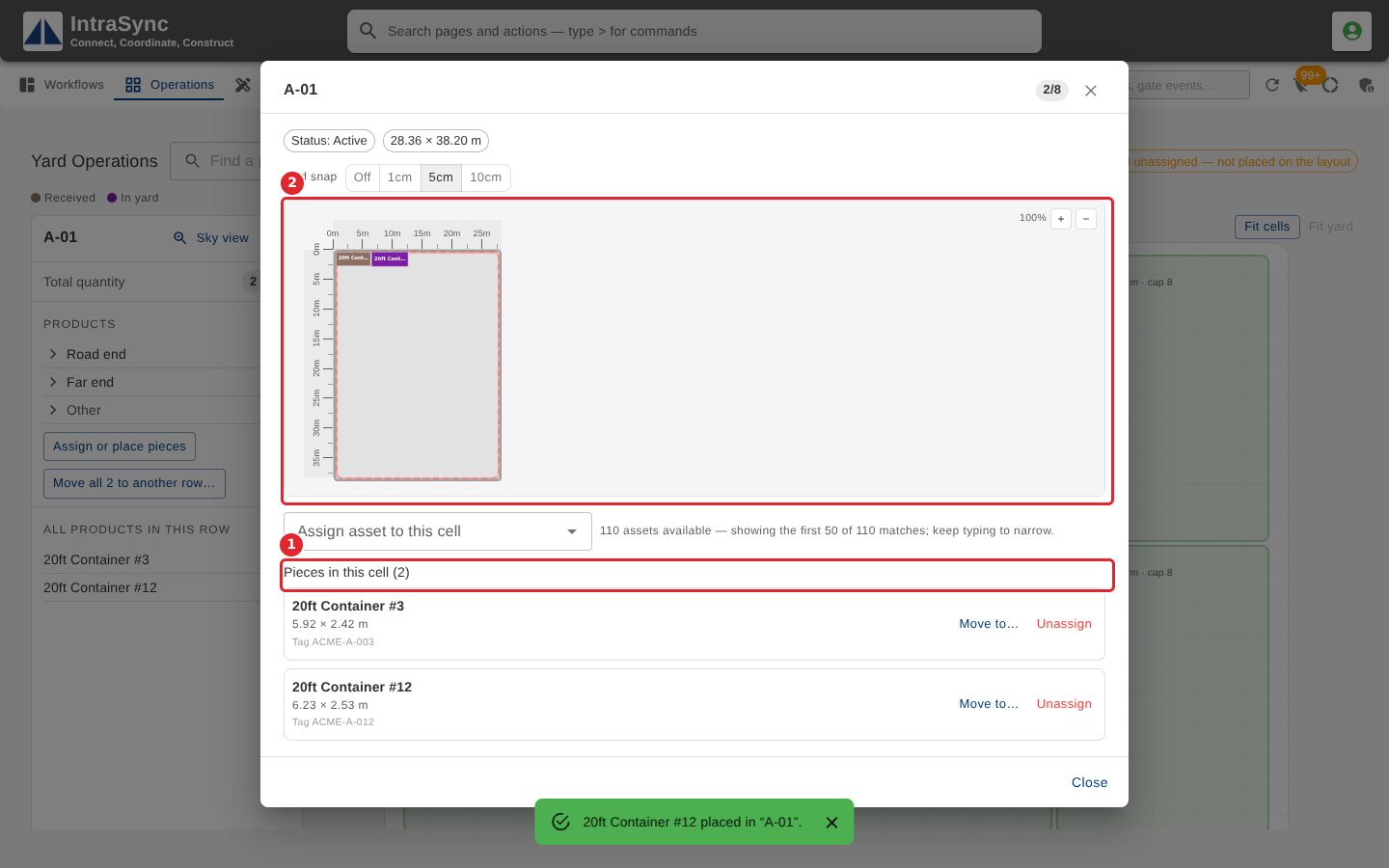
The piece is listed under Pieces in this cell and drawn inside the cell to scale. Drag it on the drawing to its exact spot; the Grid snap setting rounds where it lands.
Tips
- Only assets with no cell are offered. When the cell is full, the field reads Cell is full.
- Grid snap rounds where a dragged piece lands to 1, 5 or 10 centimetres, or not at all.
- Right-click a piece in the list for Move to another cell… and Unassign.