Yard Management guide · section 10 of 44
Look at a row from above
See a row as it lies in the yard: its sections in order, what is in place in each, and how a forklift reaches it from the road.
Before you start
- A layout is active. Forklift access is set in the row's Sections window on the Layout Builder tab.
Steps
In the pictures, a numbered red box marks where to click or type. Where a picture has more than one box, the numbers give the order.
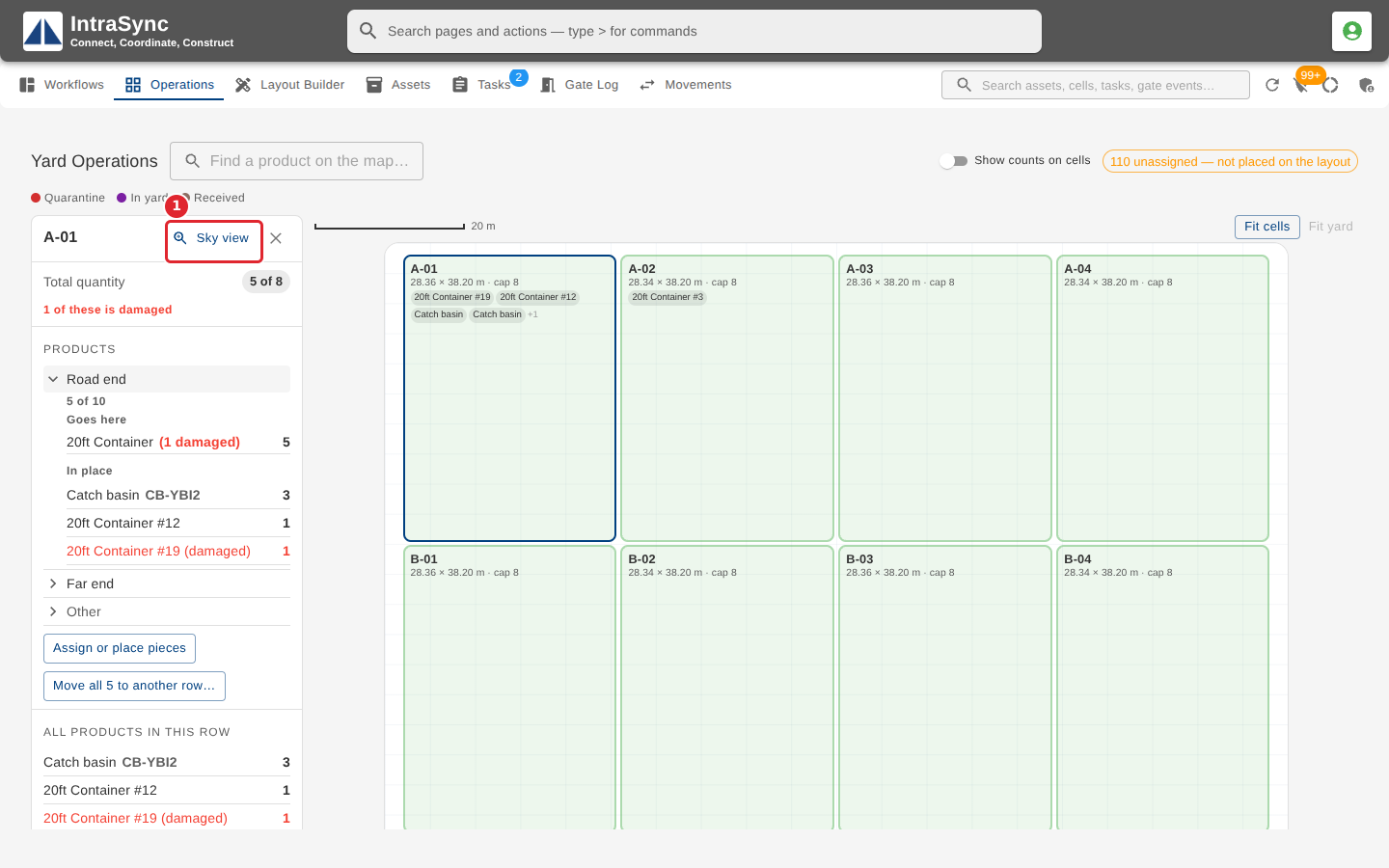
On the Operations tab, select the row, then select Sky view in its summary.
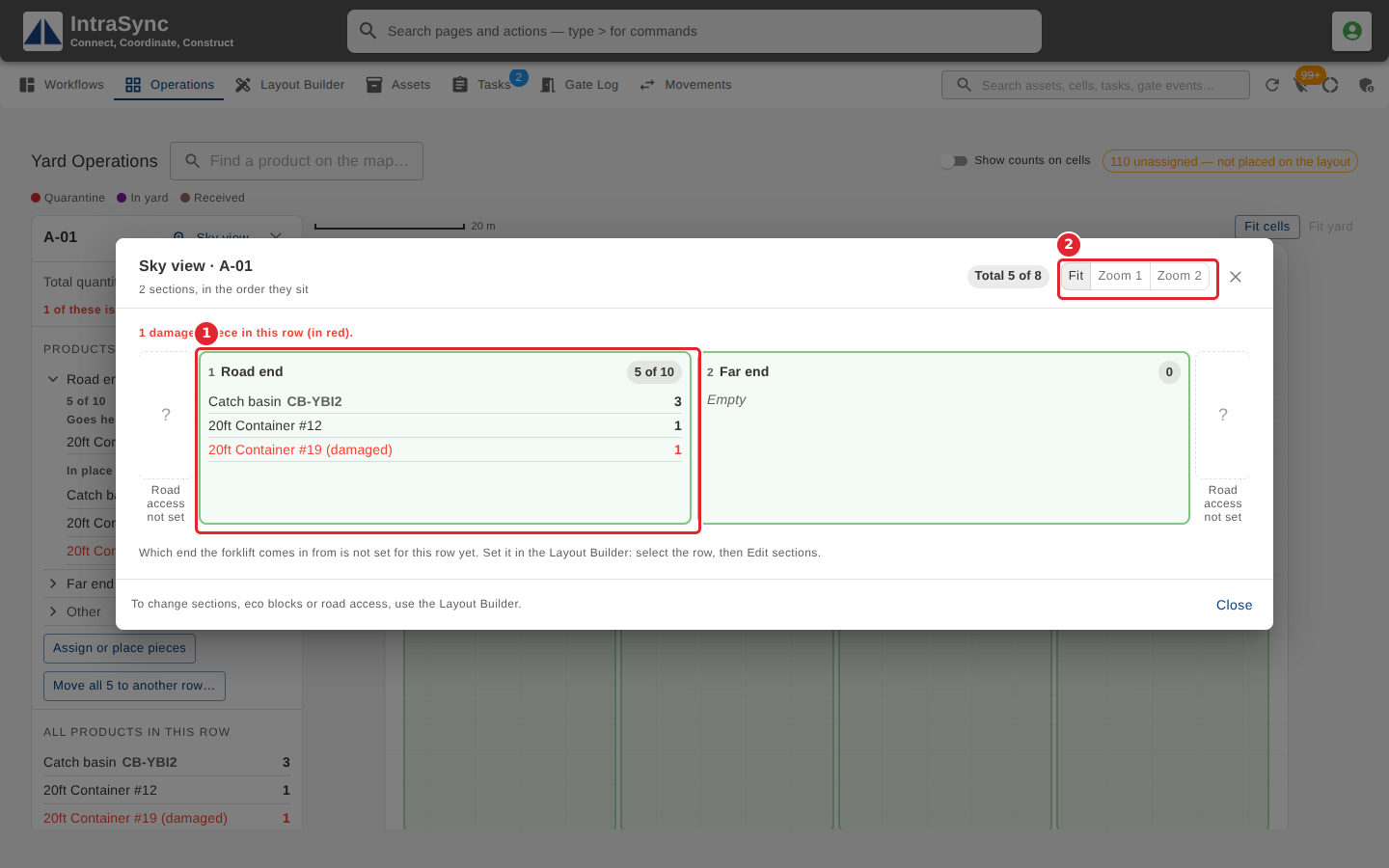
The Sky view draws the row from above: each section in order with what is in place there, and how a forklift reaches the row from the road. Use the zoom buttons at the top to fit the whole row on screen or look closer.
Tips
- Where forklift access has not been set for the row, the Sky view says so.
- A section holding more than its capacity has its count marked as a warning.
- The Sky view only shows the row. To change its sections, products or access, use the Layout Builder.