Yard Management guide · section 9 of 44
Read the yard map
See where everything is: the active layout as a map, cell by cell.
Watch this in the video (0:55)
Steps
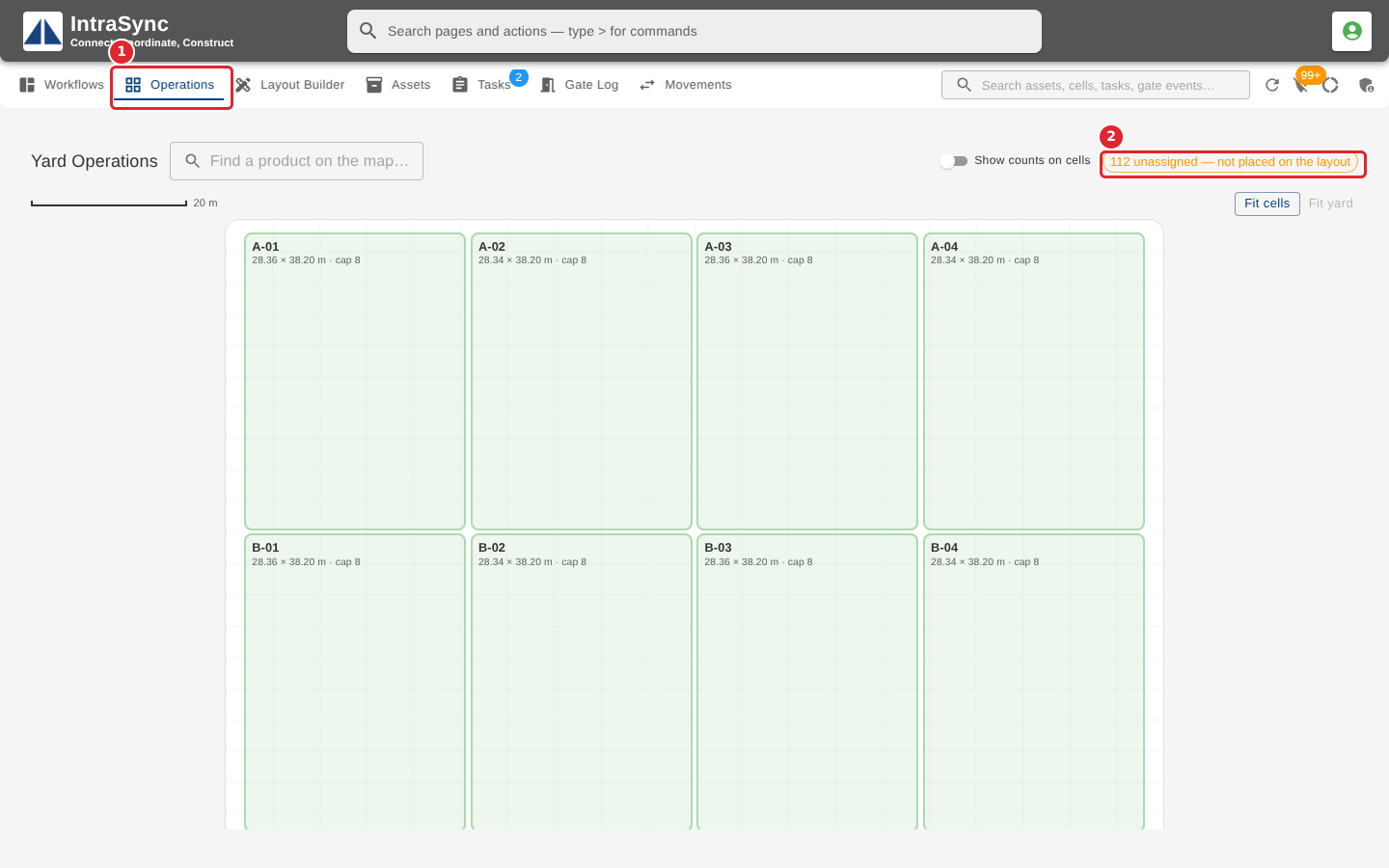
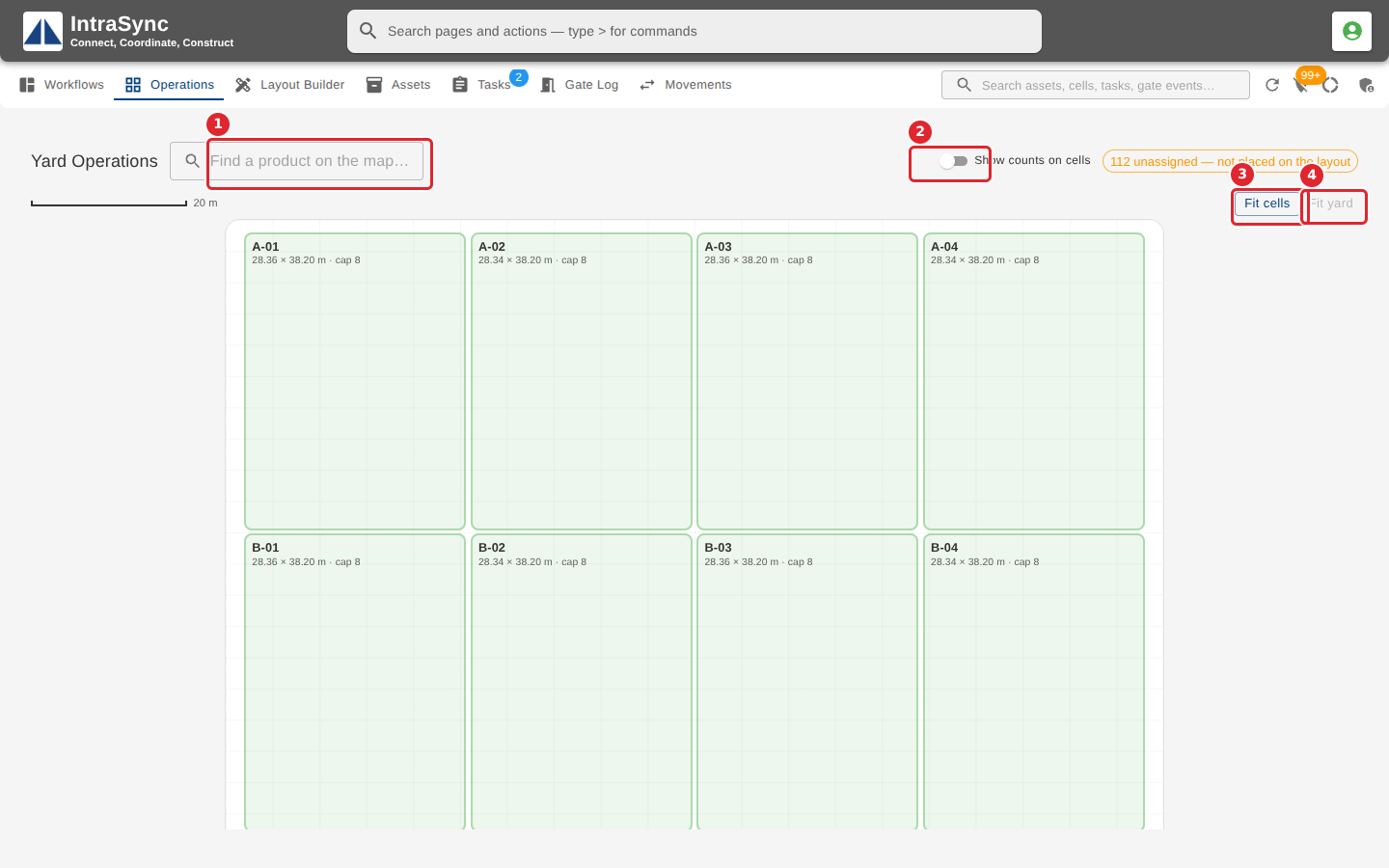
In the pictures, a numbered red box marks where to click or type. Where a picture has more than one box, the numbers give the order.
Open the Operations tab. It shows the active layout as a map of the yard, and how many assets are not yet placed.
Type in Find a product on the map to light up the cells that hold it. Switch on Show counts on cells to see each cell's count, and use Fit cells or Fit yard to zoom the map.
Tips
- If the map says there is no active yard layout, set one active on the Layout Builder tab.
- The chip at the top counts the assets not placed on the layout. Select Unassigned assets in the header to place them.