Yard Management guide · section 30 of 44
Search the whole yard
Find anything in the yard from one box, wherever you are in Yard Management.
Watch this in the video (3:04)
Steps
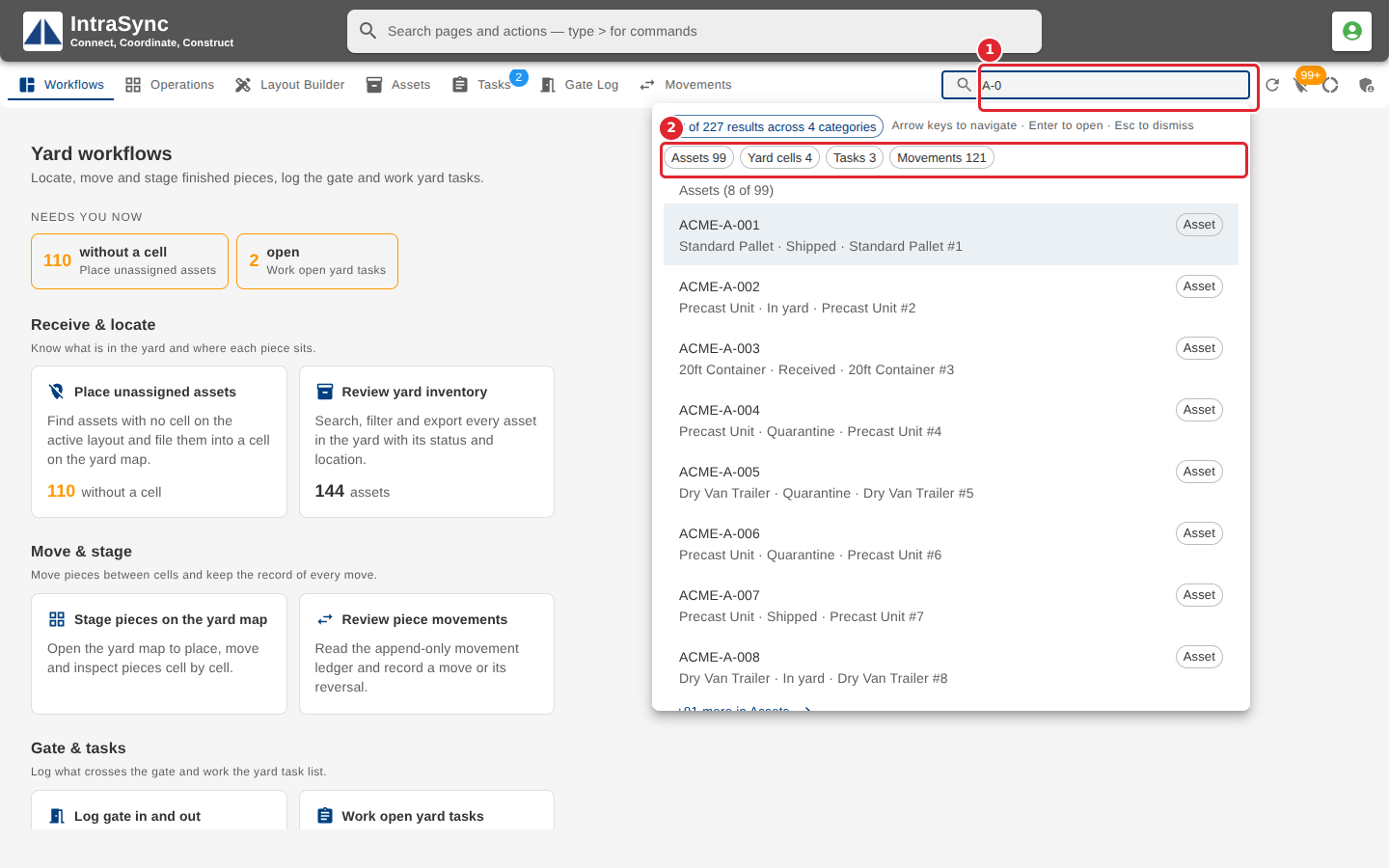
In the pictures, a numbered red box marks where to click or type. Where a picture has more than one box, the numbers give the order.
Type in Search the yard to search everything loaded: assets, cells, tasks, gate events and movements. Results are grouped by kind; select a group's chip to jump to it.
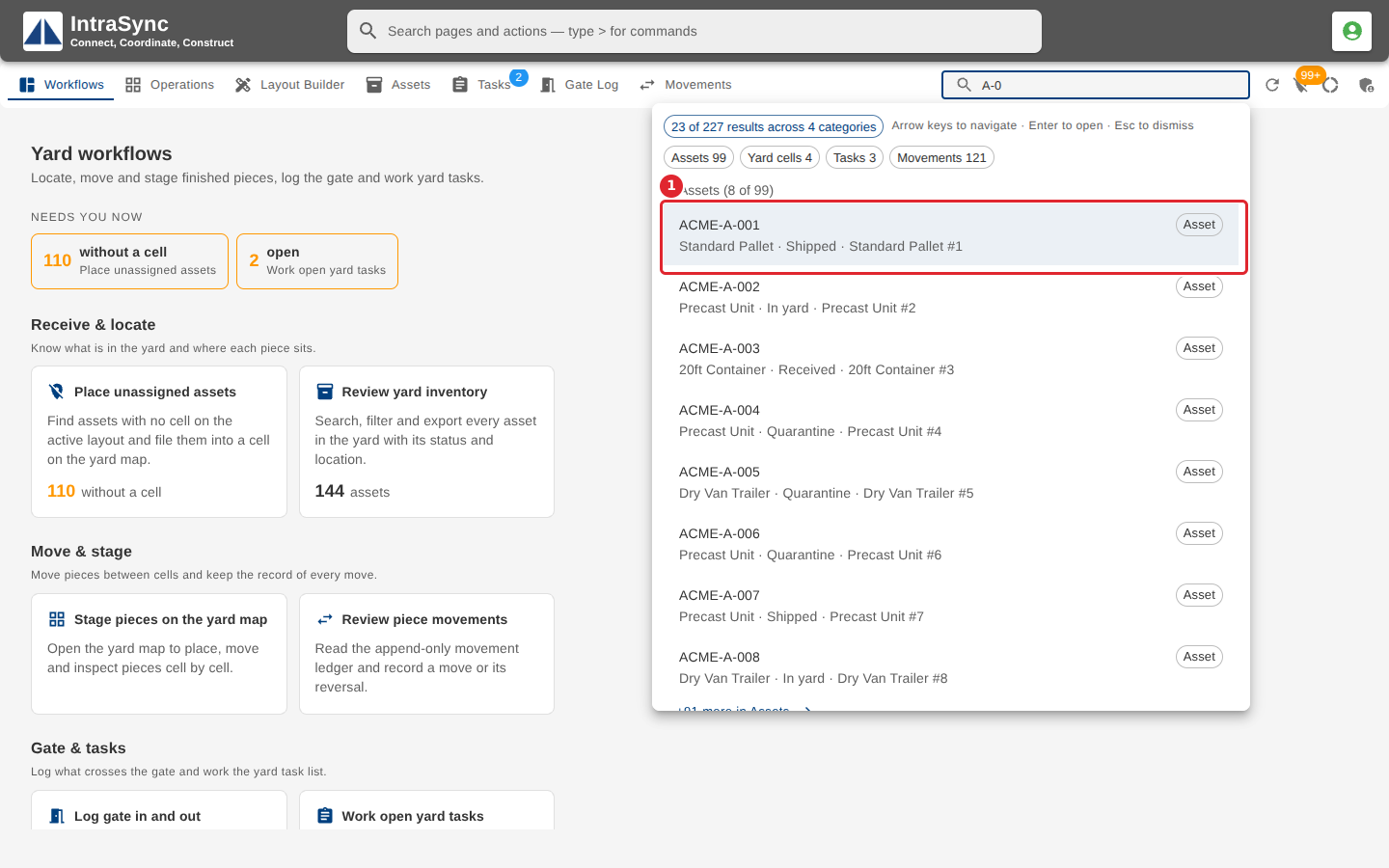
Select a result, or use the arrow keys and Enter. You go to the tab that owns it, with the search carried into that tab's filter.
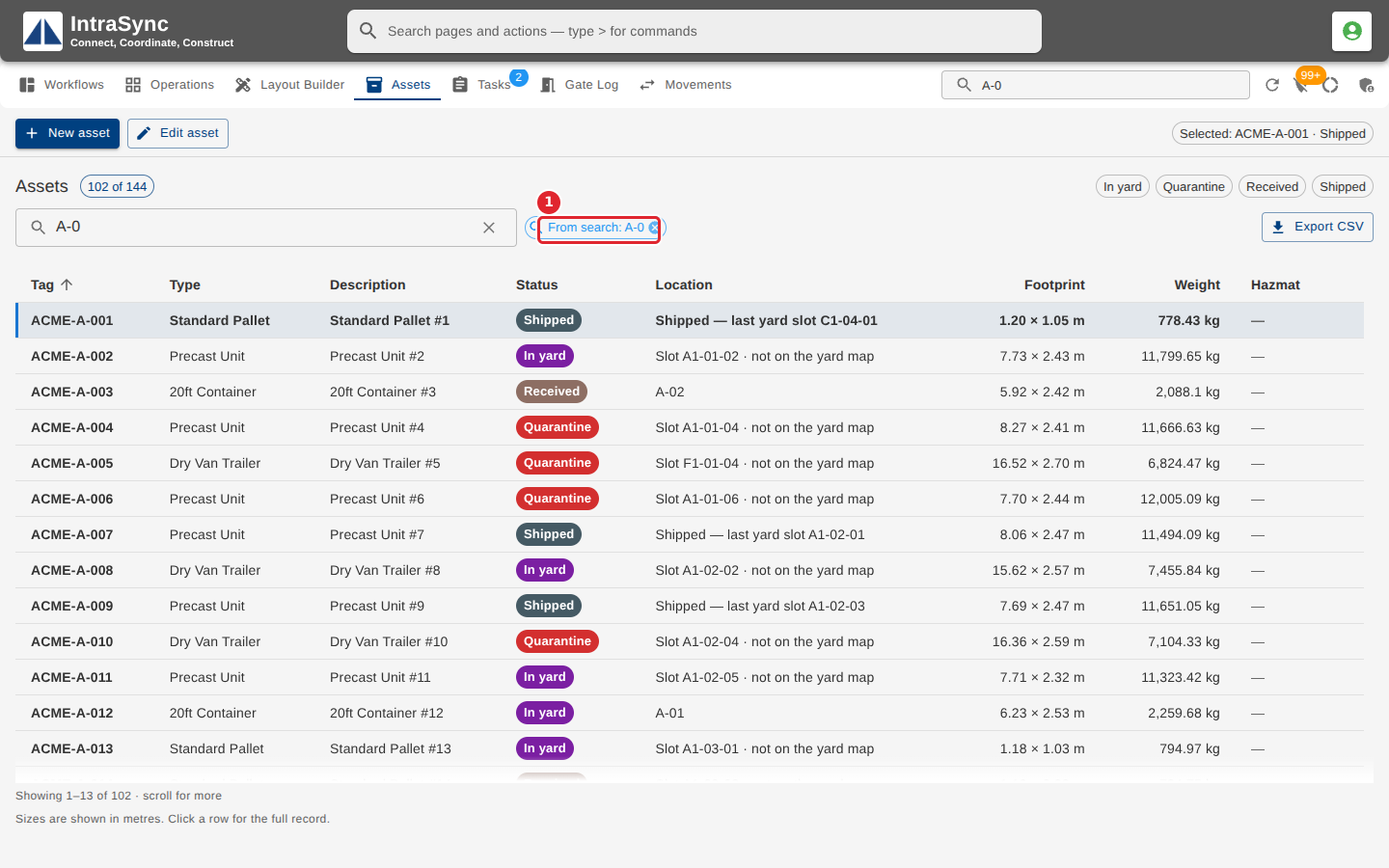
A chip shows the filter came from your search. Clear the search box to clear it.
Tips
- Use the arrow keys to move through the results, Enter to open one and Esc to close the list.
- A long group shows its first results. Select the link at its foot to see the rest.