Yard Management guide · section 12 of 44
Look at one section from above
See one section on its own, with a place for each product it lists, to find where every piece of each product sits.
Before you start
- Your company has turned on the section sky view. Without it, there is no View button beside a section.
- The section lists the products that go in it. See List what goes in each section of a row.
Steps
In the pictures, a numbered red box marks where to click or type. Where a picture has more than one box, the numbers give the order.
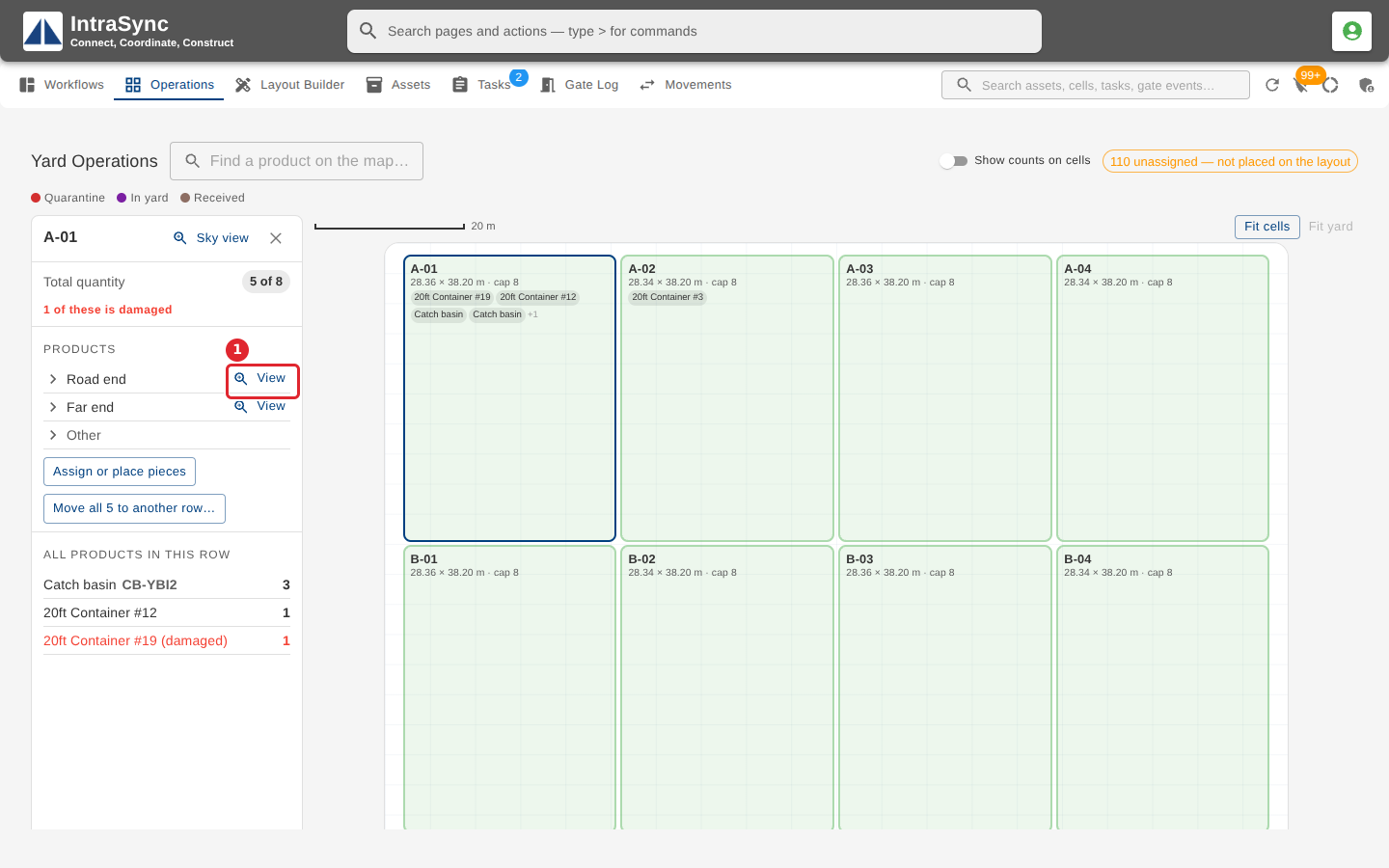
In the row's summary on the Operations tab, select View beside a section.
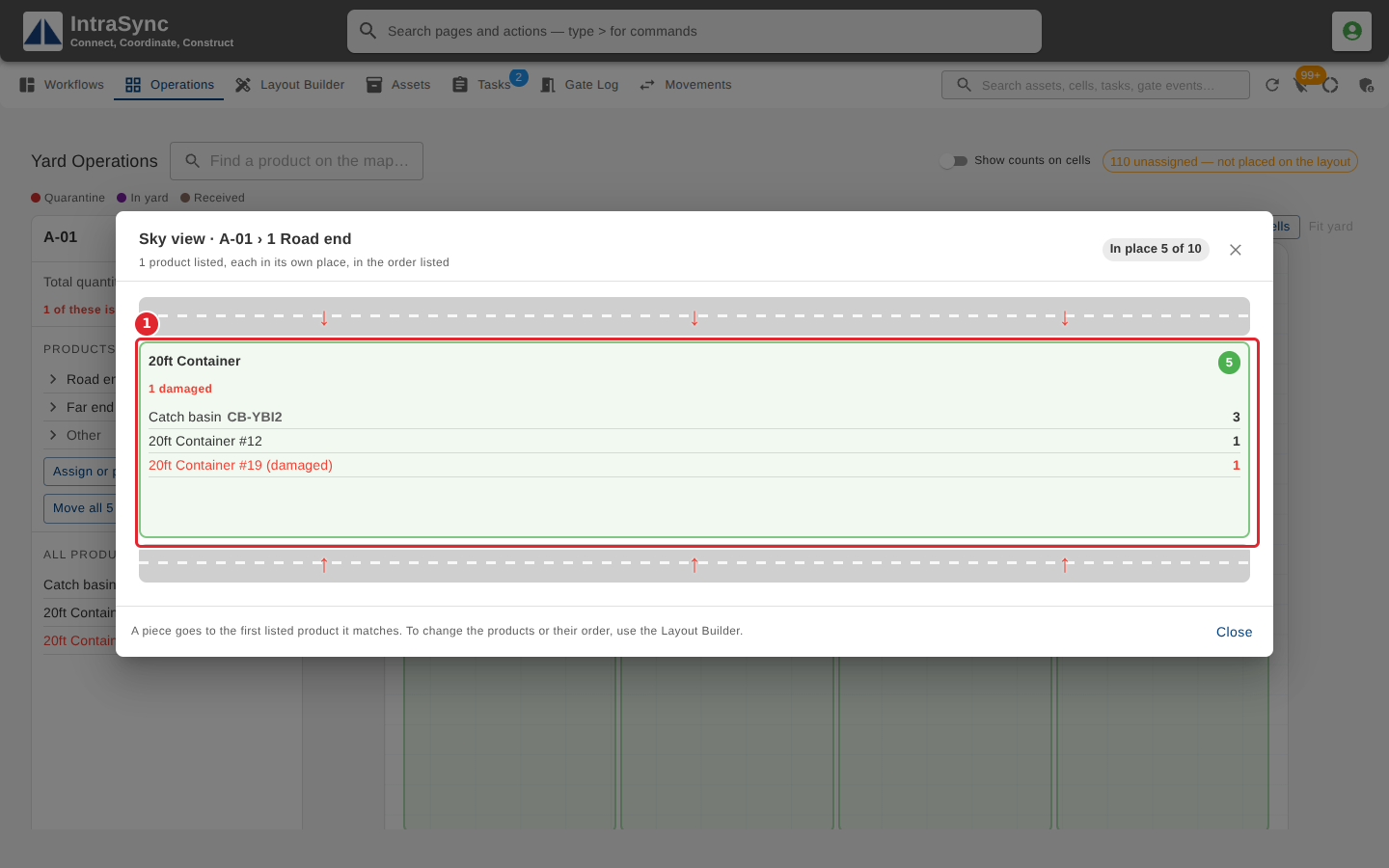
The section's sky view gives each product it lists its own place, in the order listed, with the pieces in place there. A piece goes to the first listed product it matches.
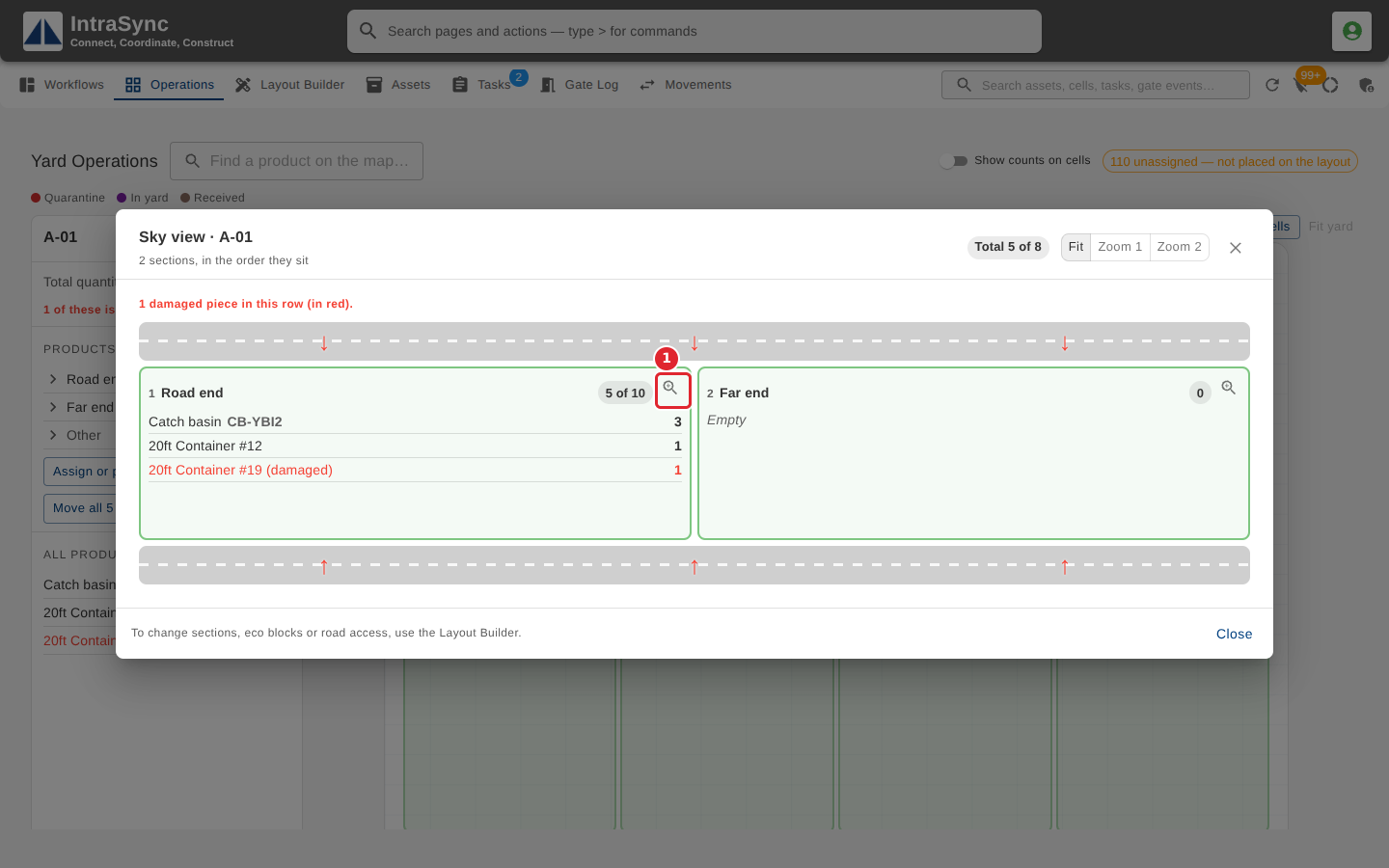
You can also open it from the row's Sky view: select the magnifier on a section.
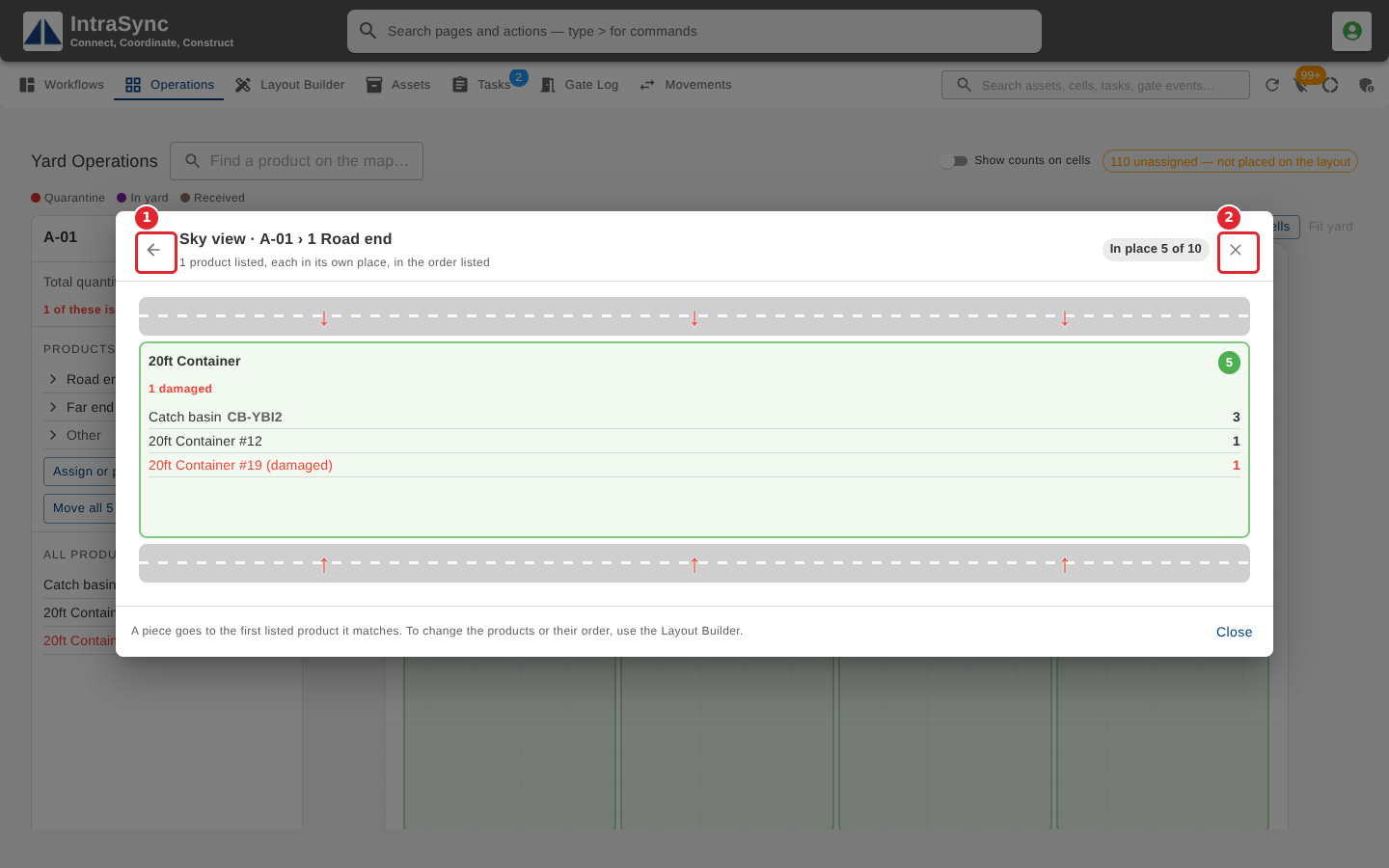
Select the back arrow to return to the row's Sky view, or the cross to close it.
Tips
- A piece goes to the first listed product it matches. To change the products or their order, use the Layout Builder.
- A product with nothing in place reads None here.
- A section that lists no products is drawn as one place for the whole section.