Engineering guide · section 16 of 25
Assign a new job to a firm
Start engineering work on a job by assigning it to an in-house drafter or an outside firm.
Watch this in the video (3:58)
Before you start
- Access to the Engineering hub (its page permission).
- The firm is set up under Engineering admin > Engineering firms.
Steps
In the pictures, a numbered red box marks where to click or type. Where a picture has more than one box, the numbers give the order.
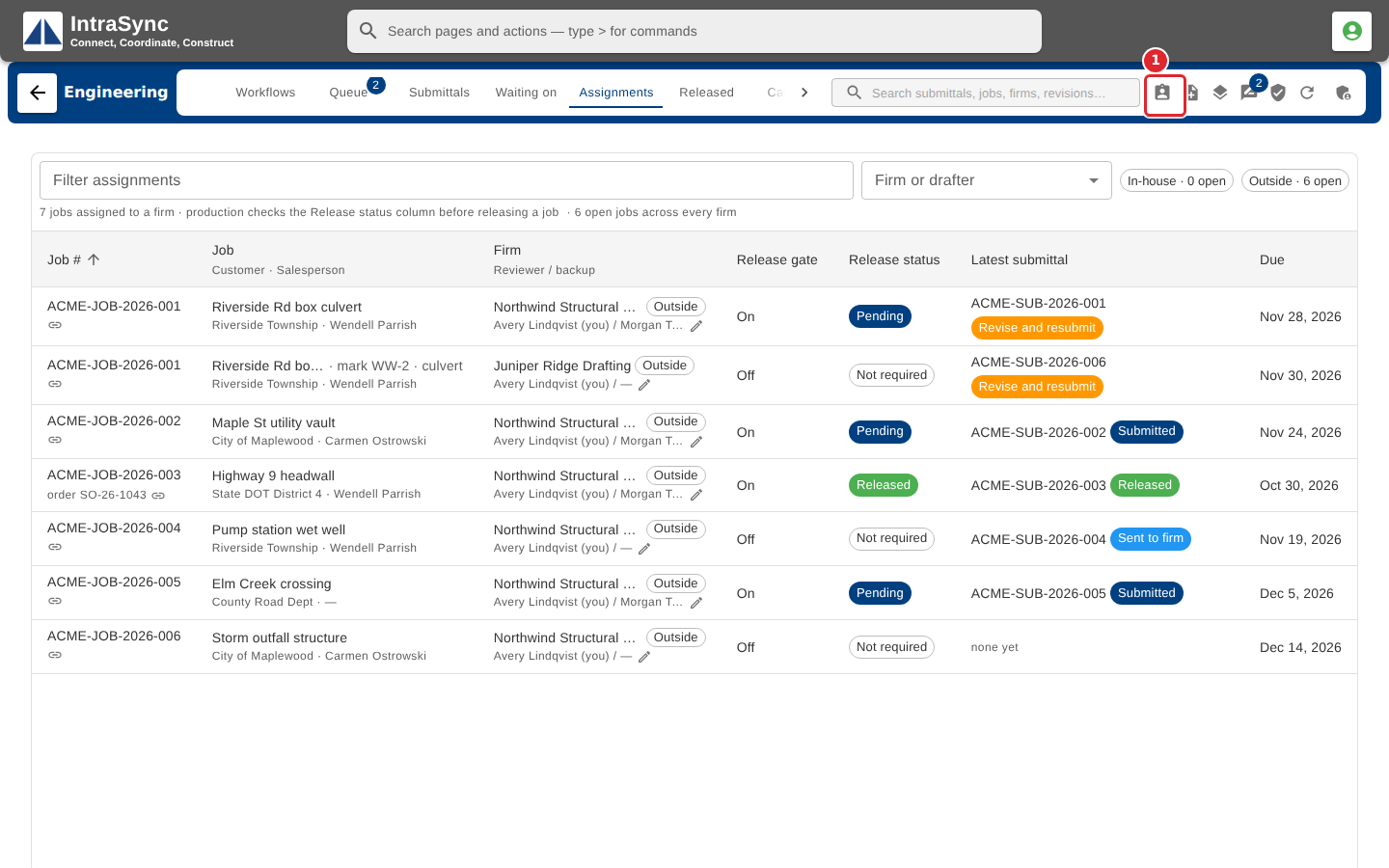
Select New assignment.
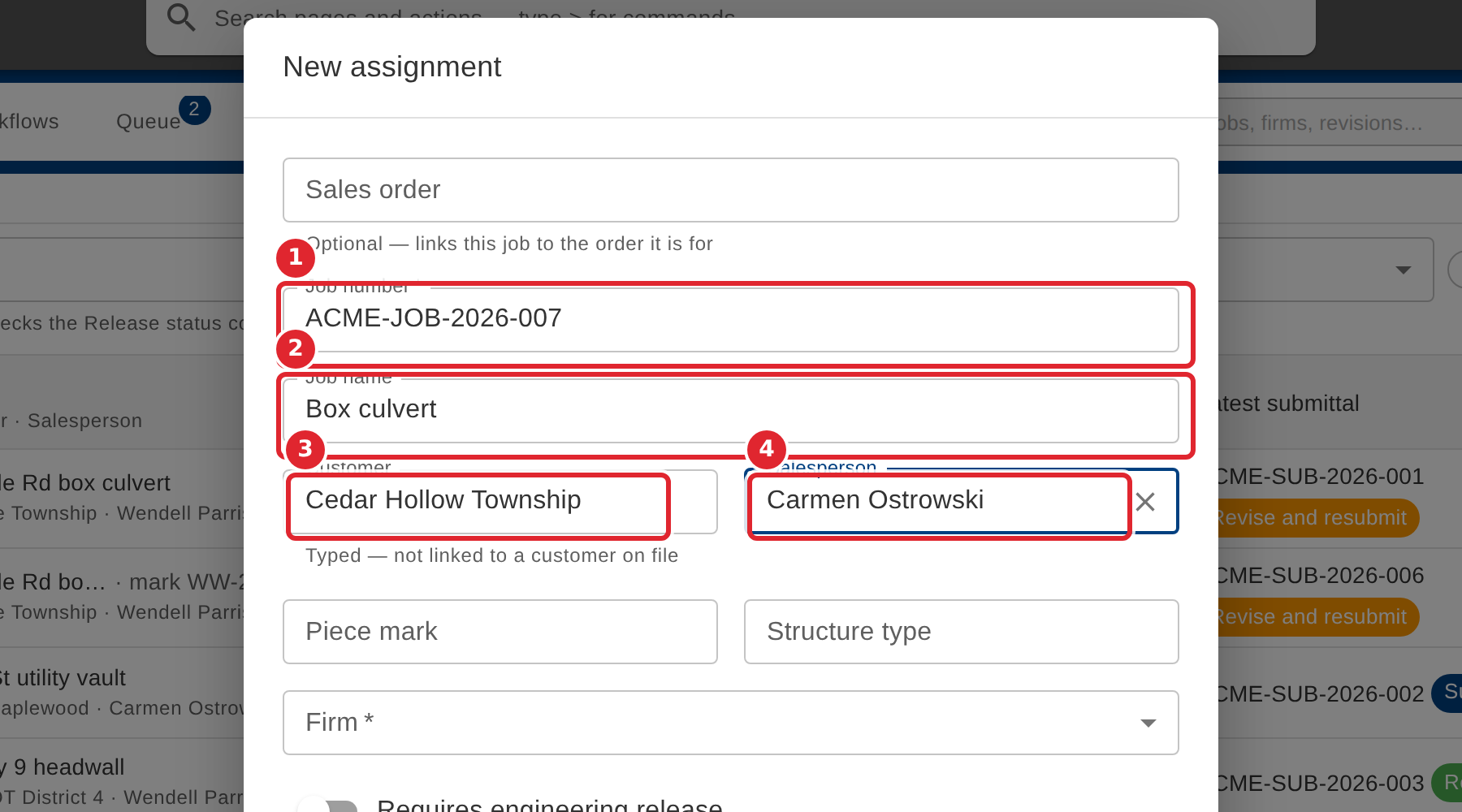
Enter the job number and job name. Customer and Salesperson suggest the ones already on your jobs; type a new one if it is not listed.
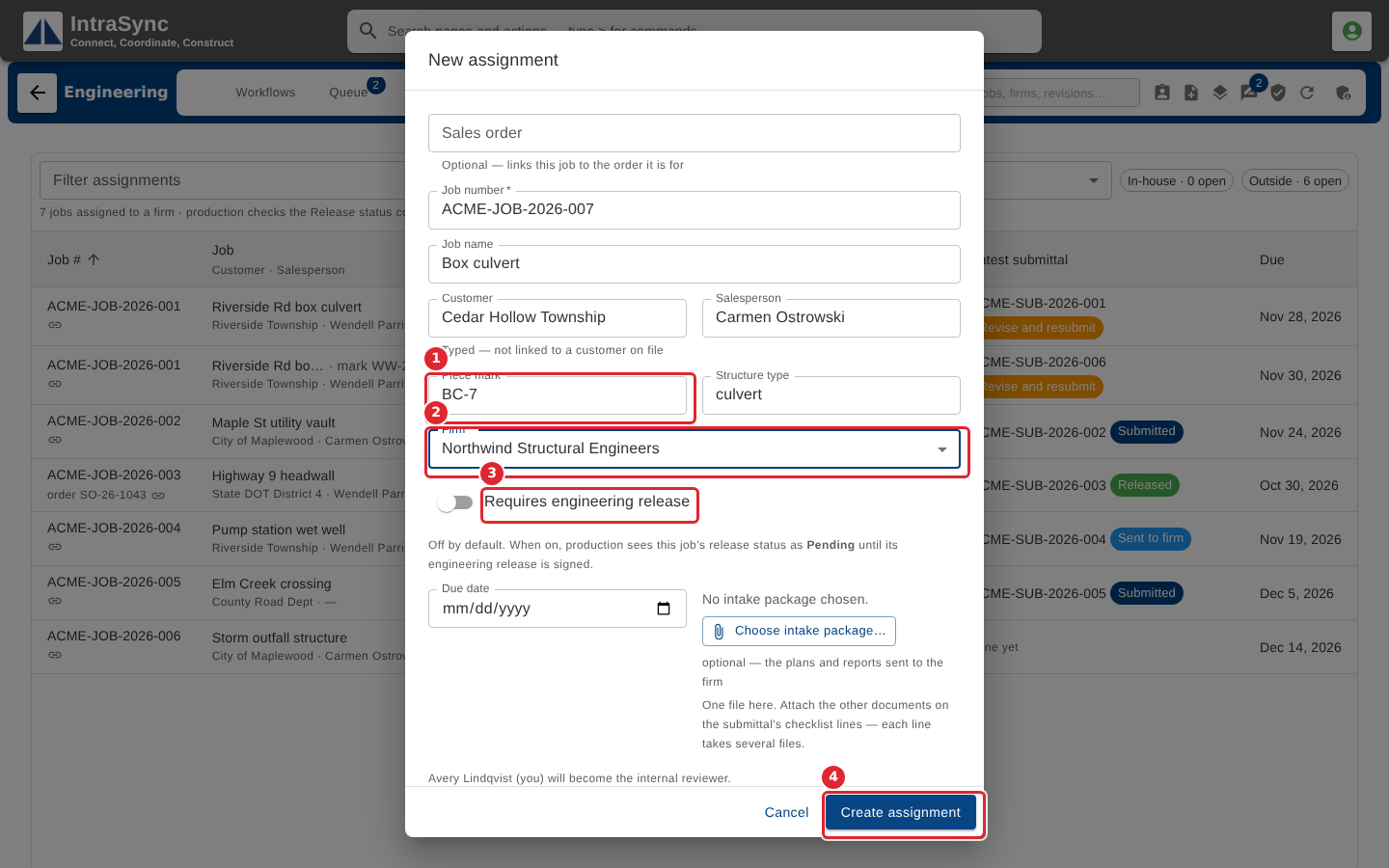
Add the piece mark and structure type, and pick the firm. Turn on Requires engineering release if production must wait for a signoff. Then select Create assignment.
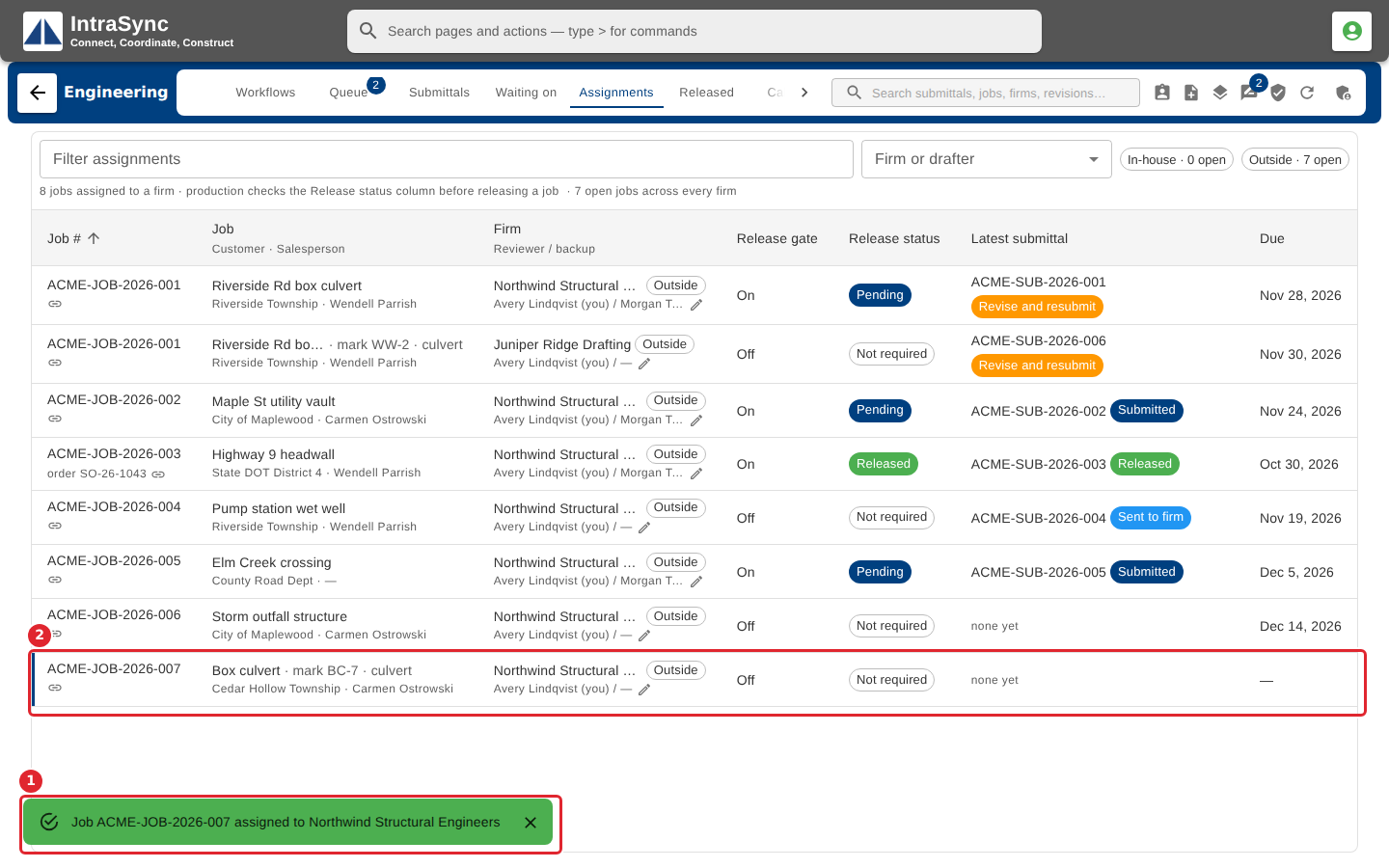
The job is added to the Assignments list.
Tips
- When more than one firm is active, none is picked for you, and Create assignment waits until you pick one.
- Requires engineering release is off by default. Off, the job's release status reads Not required.
- A firm marked as needing a purchase order asks for the reference before work starts.