Engineering guide · section 15 of 25
Link a job to its sales order
Tie the job to the order it is for, so other parts of the system can ask about that order's engineering status.
Watch this in the video (3:49)
Before you start
- Access to the Engineering hub (its page permission).
- Sales order linking is switched on for your system.
Steps
In the pictures, a numbered red box marks where to click or type. Where a picture has more than one box, the numbers give the order.
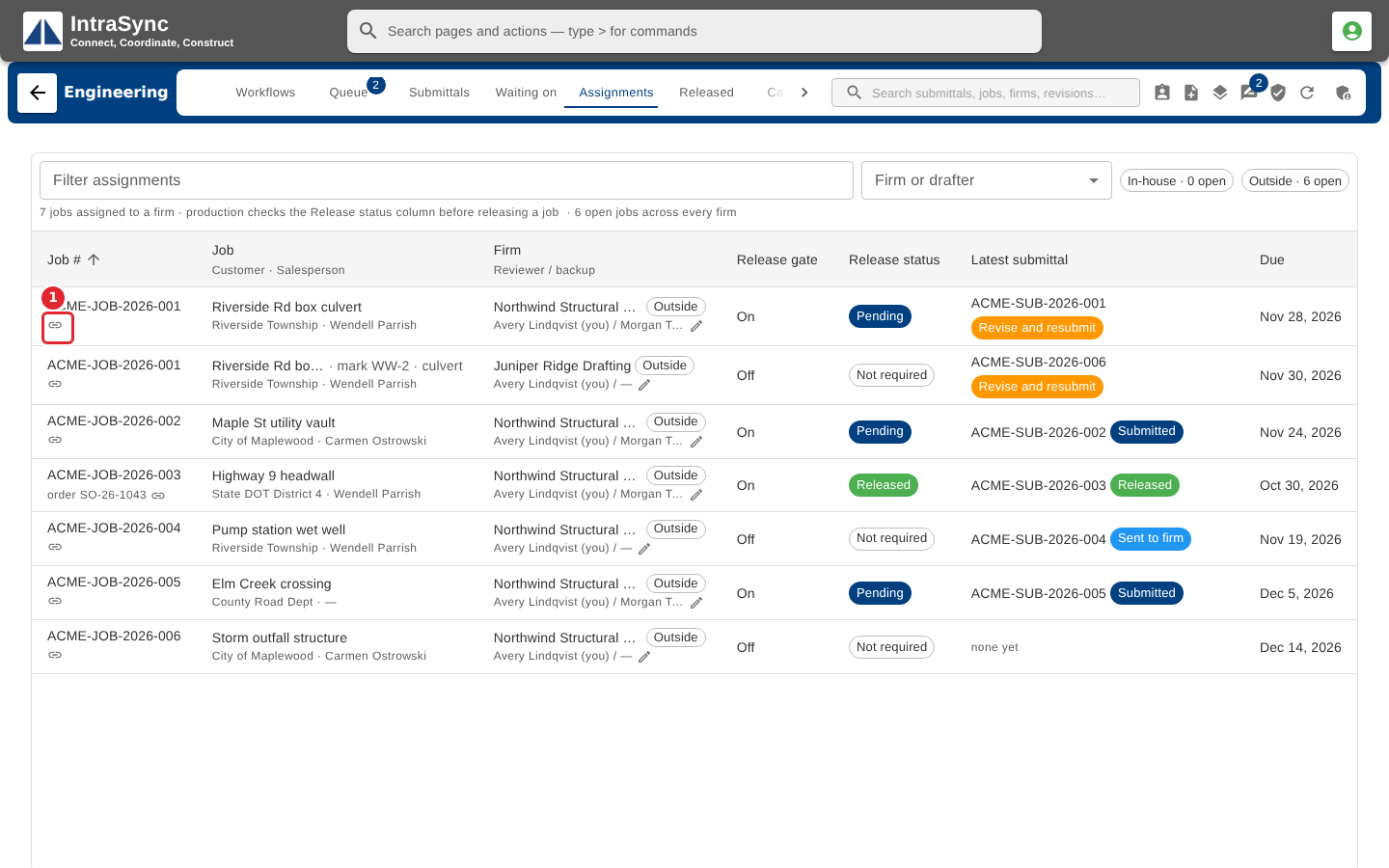
On the Assignments tab, find a job with no sales order and select the edit button on its order line.
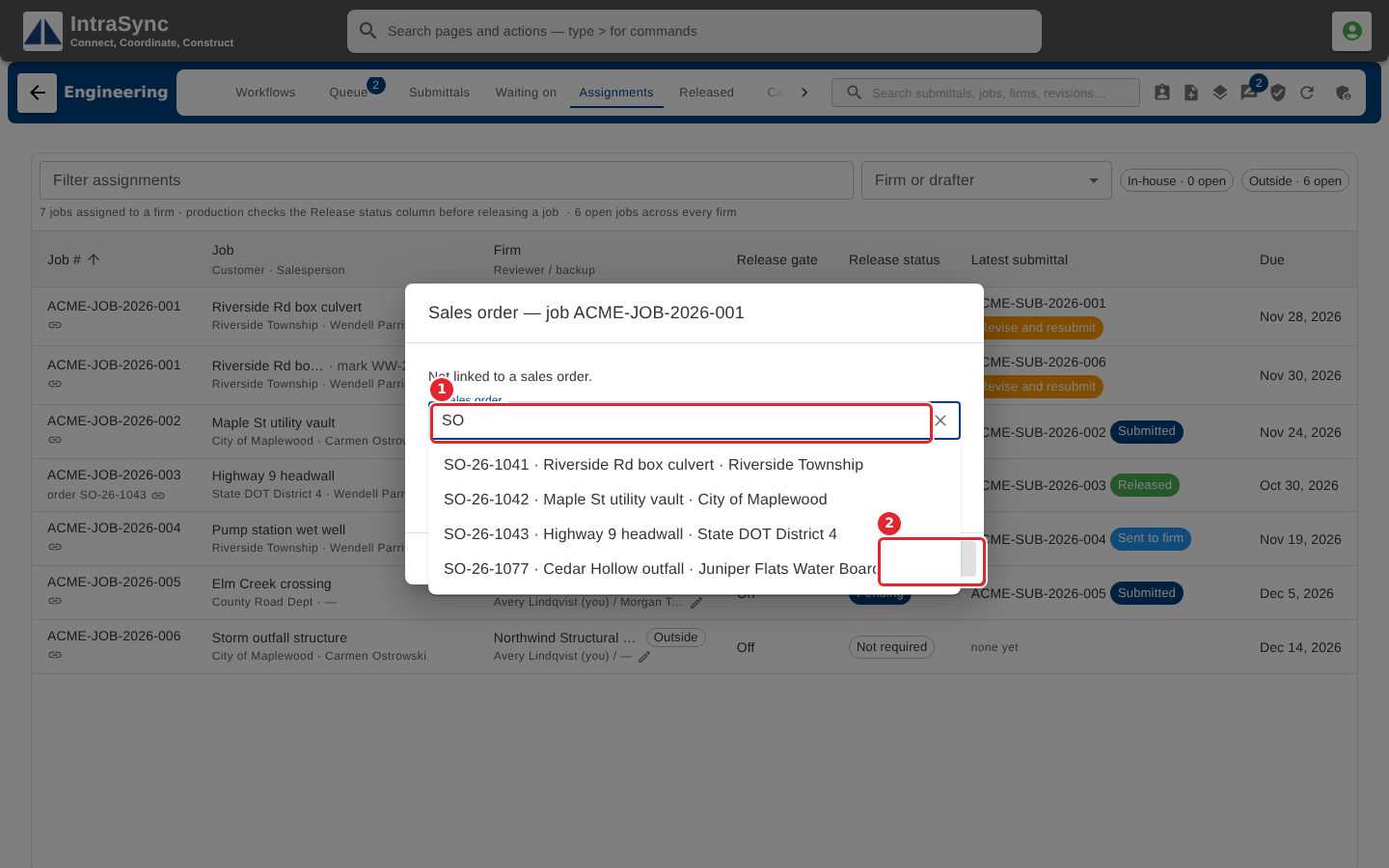
Search for the order by number or customer, pick it from the list, then select Link order.
Tips
- You can also link the order when you create the assignment.