Engineering guide · section 5 of 25
Find a submittal
Get to any submittal quickly, whatever stage it is in.
Watch this in the video (0:20)
Before you start
- Access to the Engineering hub (its page permission).
Steps
In the pictures, a numbered red box marks where to click or type. Where a picture has more than one box, the numbers give the order.
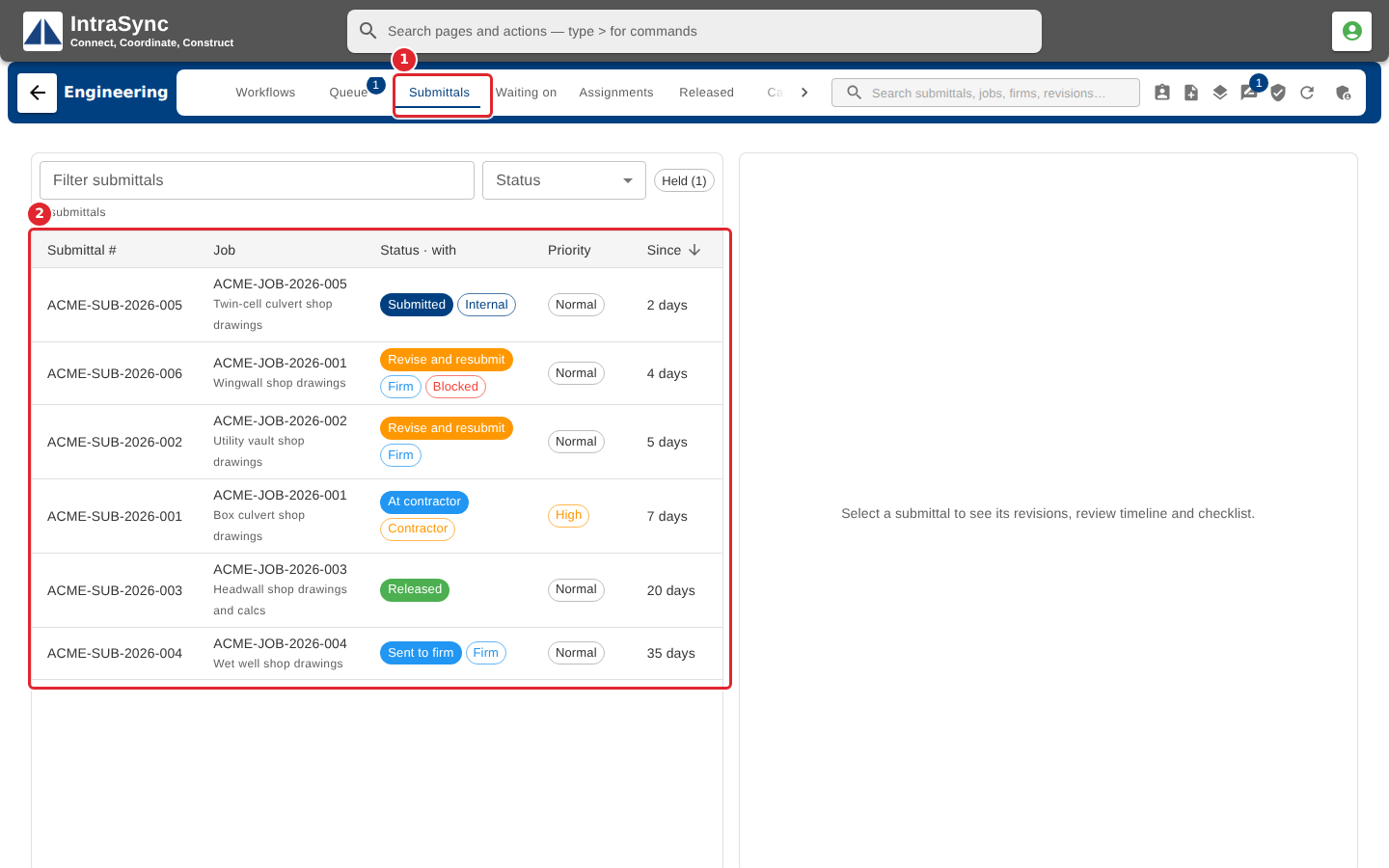
Select the Submittals tab to see every submittal, with its status, who it is with, its priority and how long it has been there.
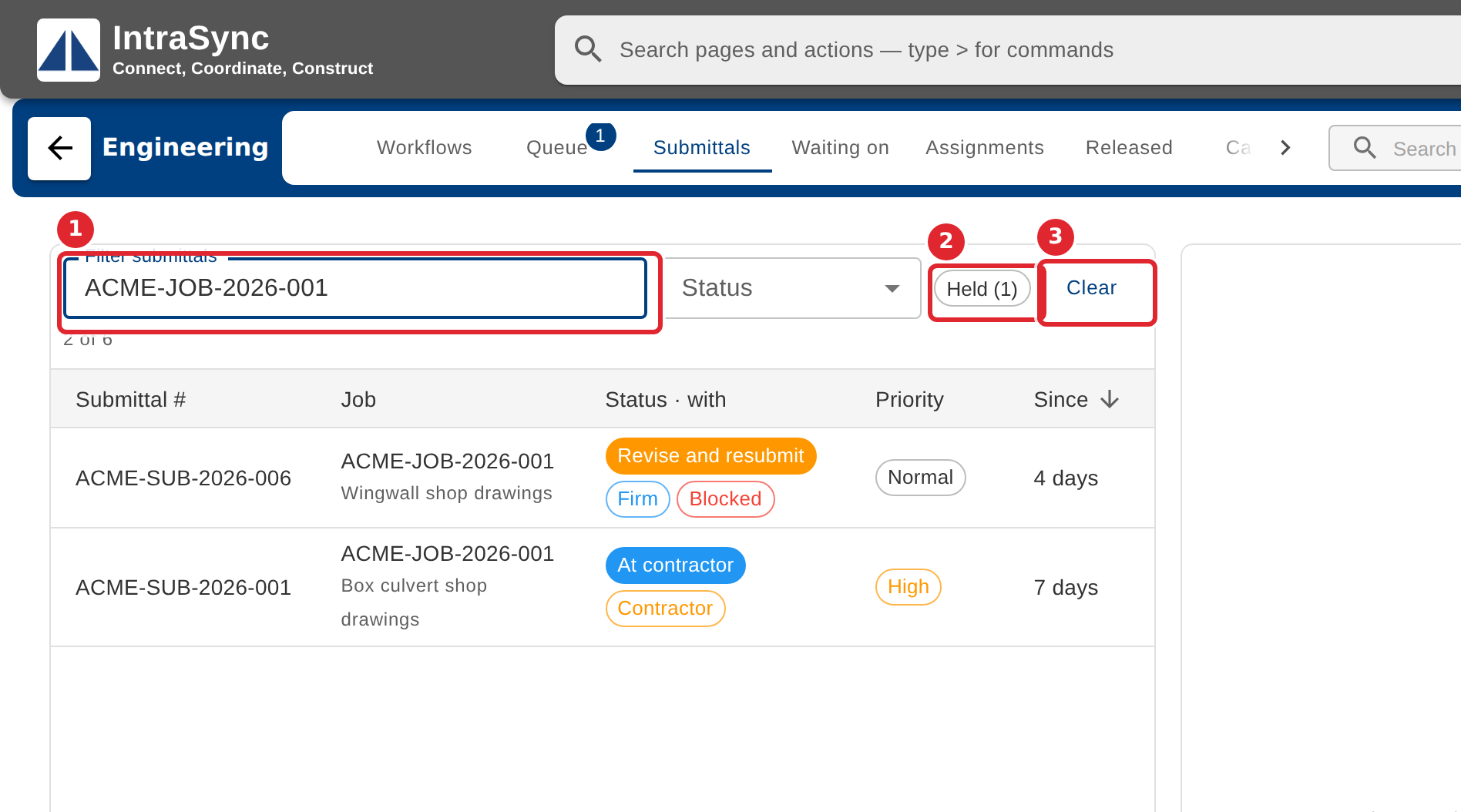
Type a submittal number, job number, firm or person in the filter. Narrow further with Status, or select Held to show only submittals on hold. Select Clear to see them all again.
Tips
- Every list's filter matches across its columns, so a salesperson's or firm's name works as well as a number.