Engineering guide · section 6 of 25
See who each submittal is waiting on
Know whose court the ball is in, how long it has waited and which submittals have been escalated.
Watch this in the video (0:39)
Before you start
- Access to the Engineering hub (its page permission).
Steps
In the pictures, a numbered red box marks where to click or type. Where a picture has more than one box, the numbers give the order.
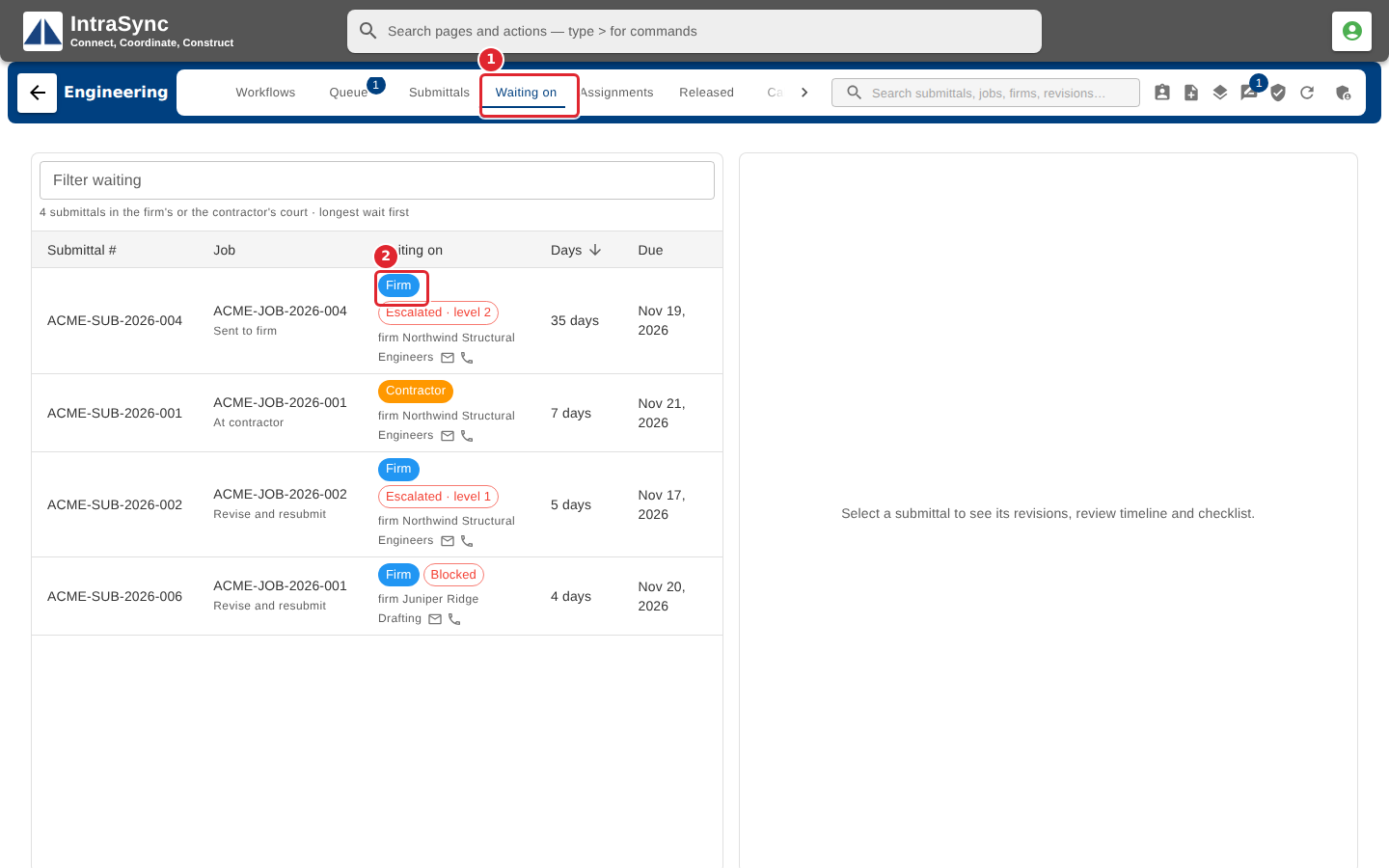
Select the Waiting on tab. Each row says who the submittal is waiting on (the firm or the contractor), how many days it has waited, when it is due, and any escalation level.
Tips
- Select a row to open the submittal's detail and act on it from there.