Engineering guide · section 14 of 25
Track jobs on the Assignments tab
See every job assigned to a firm, its latest submittal and the release status production checks.
Watch this in the video (1:47)
Before you start
- Access to the Engineering hub (its page permission).
Steps
In the pictures, a numbered red box marks where to click or type. Where a picture has more than one box, the numbers give the order.
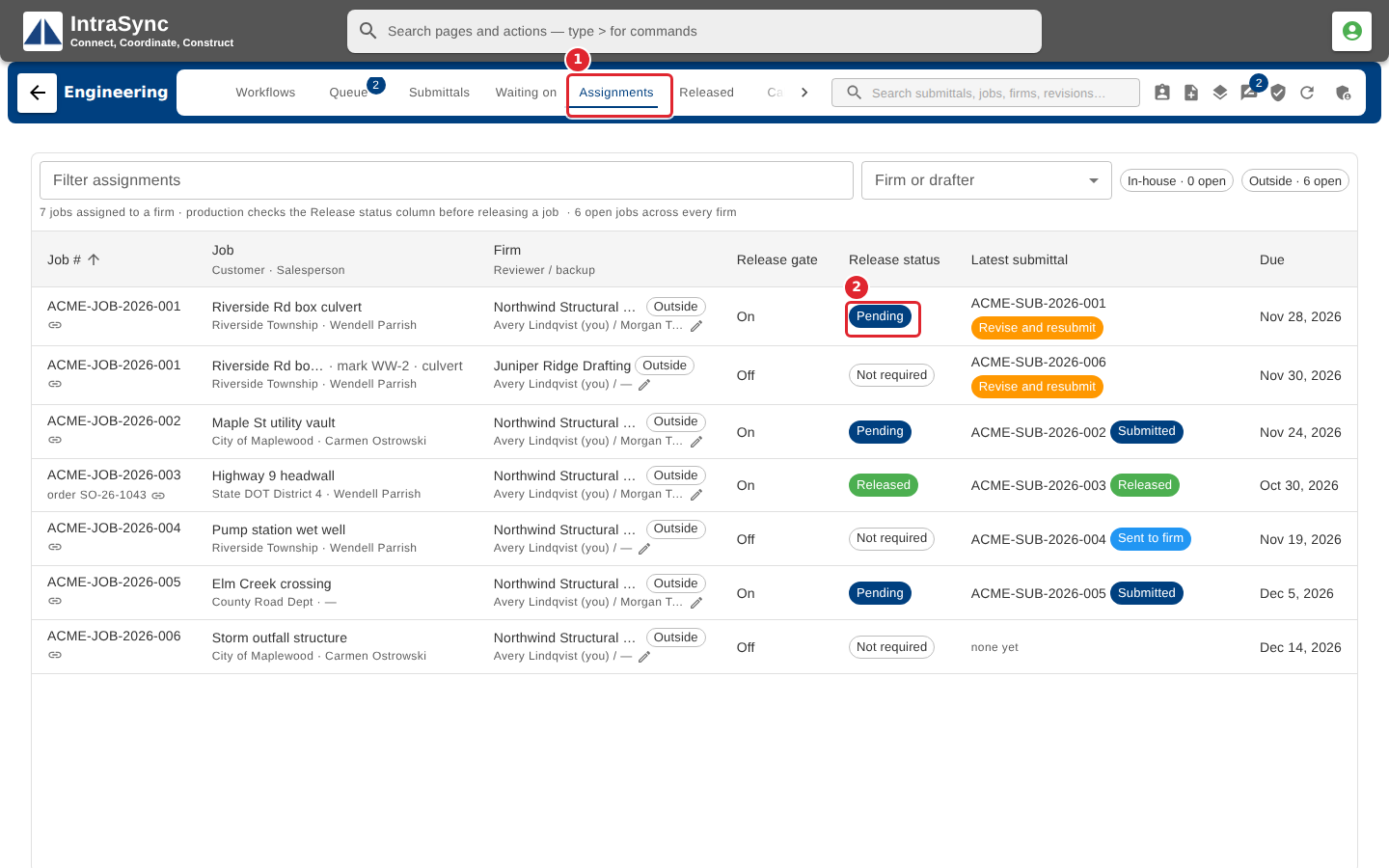
Select the Assignments tab. Each job shows its customer and salesperson, firm, whether it uses the release gate, its release status, its latest submittal and its due date.
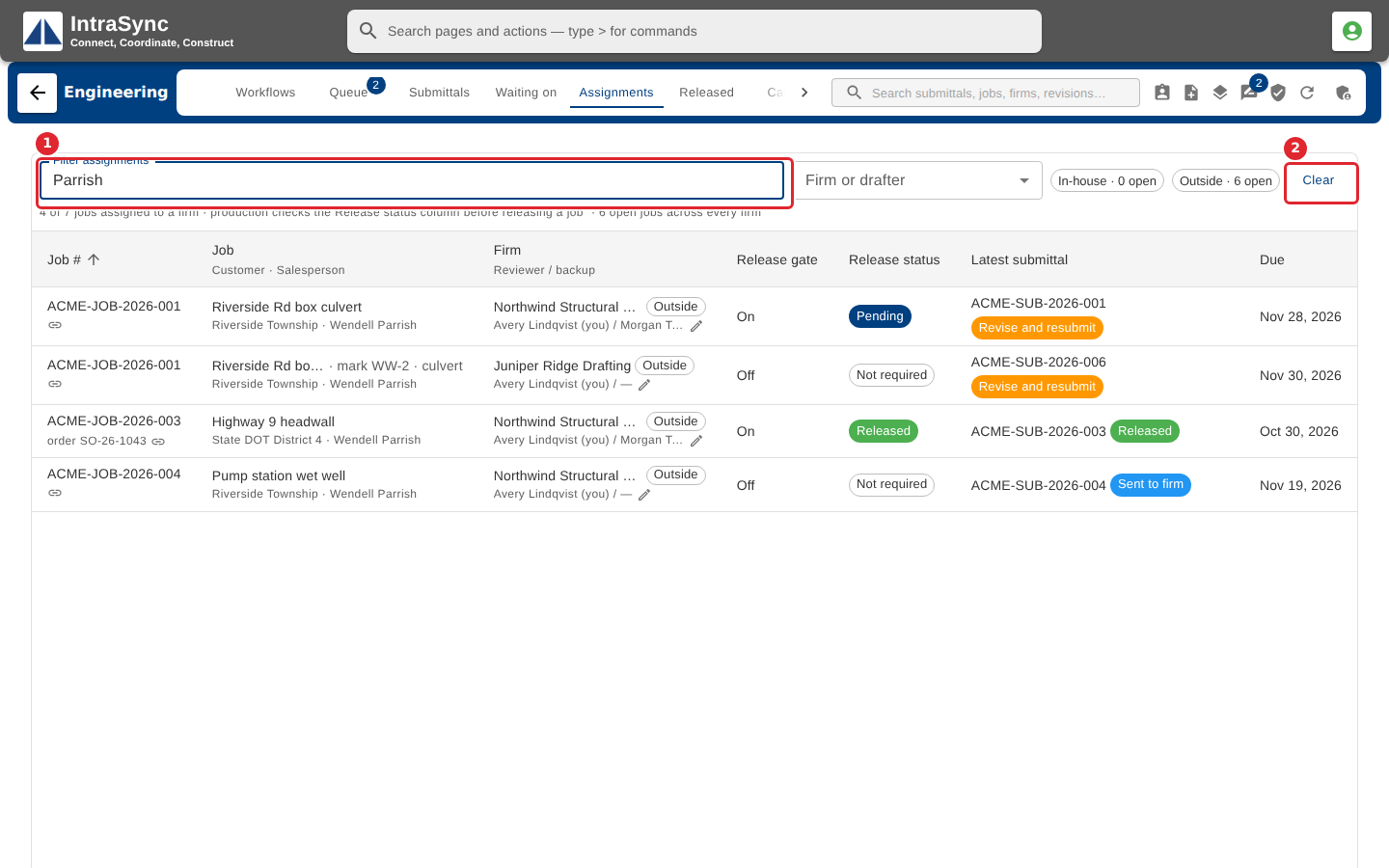
Filter by job number, firm, customer or salesperson. Select Clear to see every job again.
Tips
- Release status reads Released, Pending, Blocked or Not required. Production checks it before releasing a job.
- Use the in-house and outside chips to see the two workloads apart.