Engineering guide · section 23 of 25
Set up pre-submission checklists
Decide what a firm is asked for before and after it sends its package, per structure type.
Before you start
- An administrator account: the Engineering admin menu is shown to administrators only.
Steps
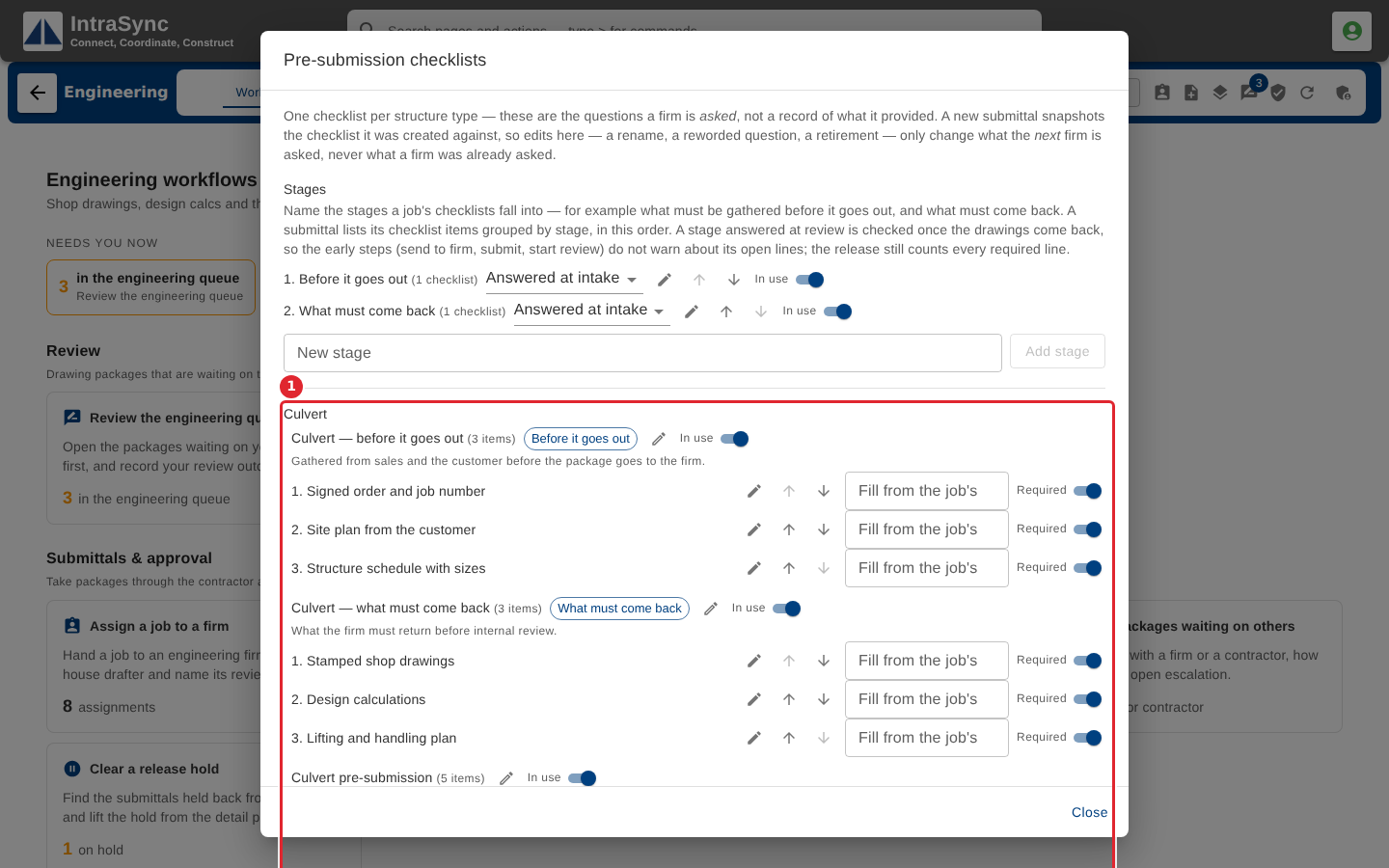
In the pictures, a numbered red box marks where to click or type. Where a picture has more than one box, the numbers give the order.
Select Engineering admin > Pre-submission checklists. Set up the stages, then each checklist's items: whether an item is required, and which job document can fill it.
Tips
- A checklist's items are frozen into each submittal when it is created, so edits apply to new submittals only.
- Switch a checklist off to stop offering it without losing it.