Engineering guide · section 2 of 25
Work the internal engineer's queue
See every submittal waiting on the internal engineer and open one to act on it.
Watch this in the video (0:06)
Before you start
- Access to the Engineering hub (its page permission).
Steps
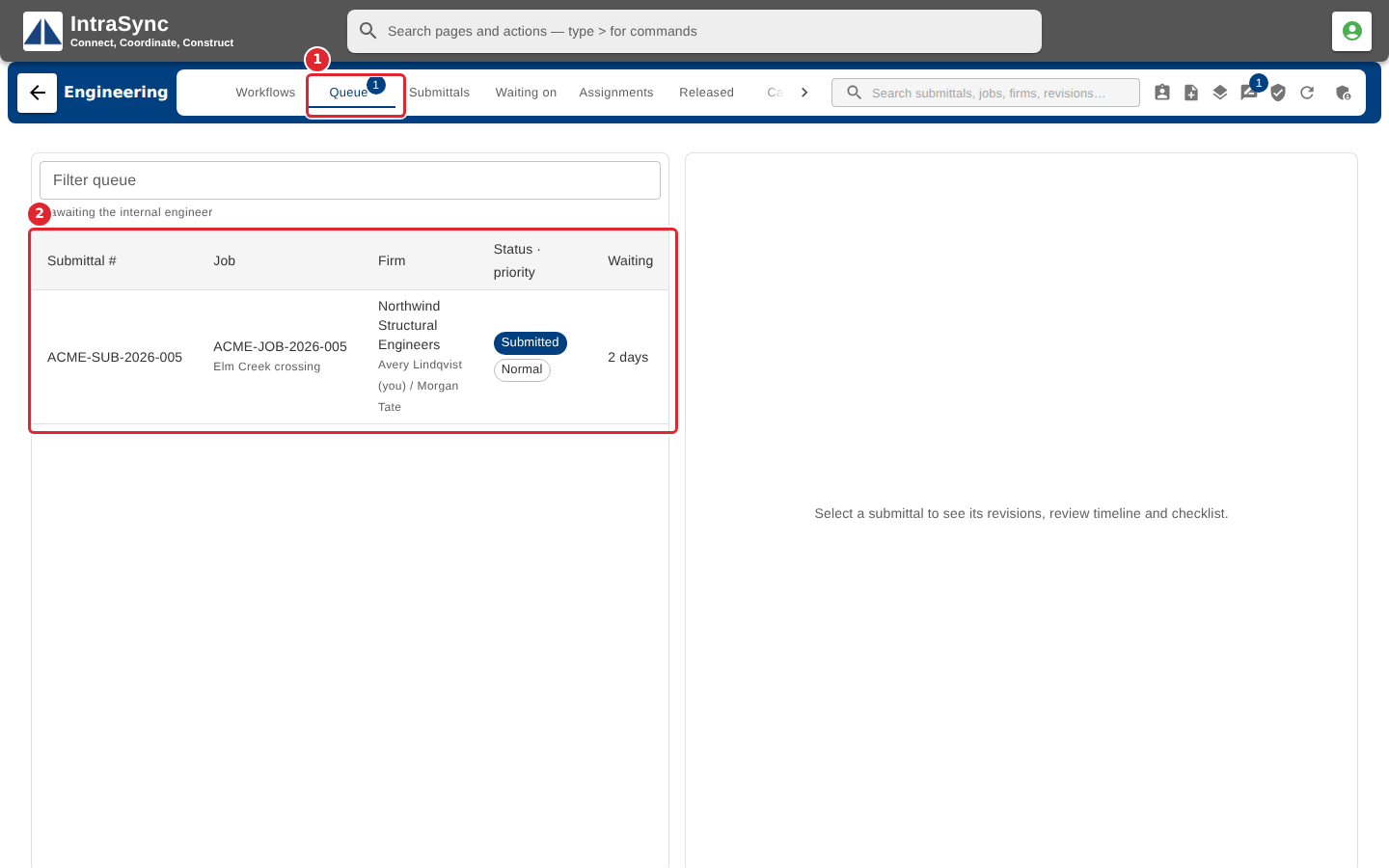
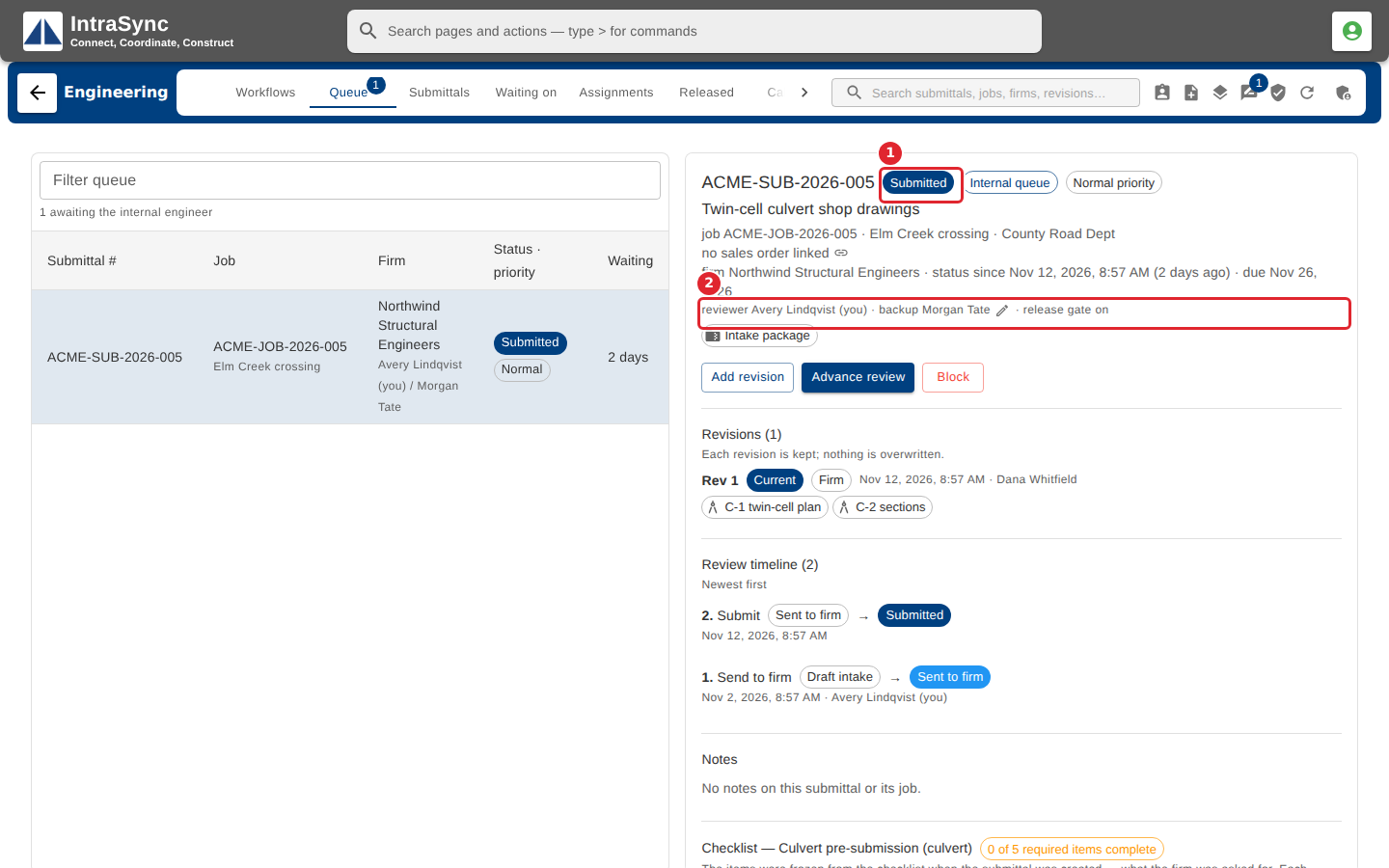
In the pictures, a numbered red box marks where to click or type. Where a picture has more than one box, the numbers give the order.
Select the Queue tab. It lists the submittals waiting on the internal engineer, with the firm, status and how long each has waited.
Select a submittal. Its detail opens beside the list: its current status, the reviewer and backup, its revisions, review timeline, notes and checklist.
Tips
- Type in the queue's filter to narrow the list by number, job, firm or person.