Review and sign off the structures found
Nothing read from a plan is used until a person has checked it. Review each structure against the plan, fill in what the plan does not print, and sign it off.
Watch this in the video (1:01)
Steps
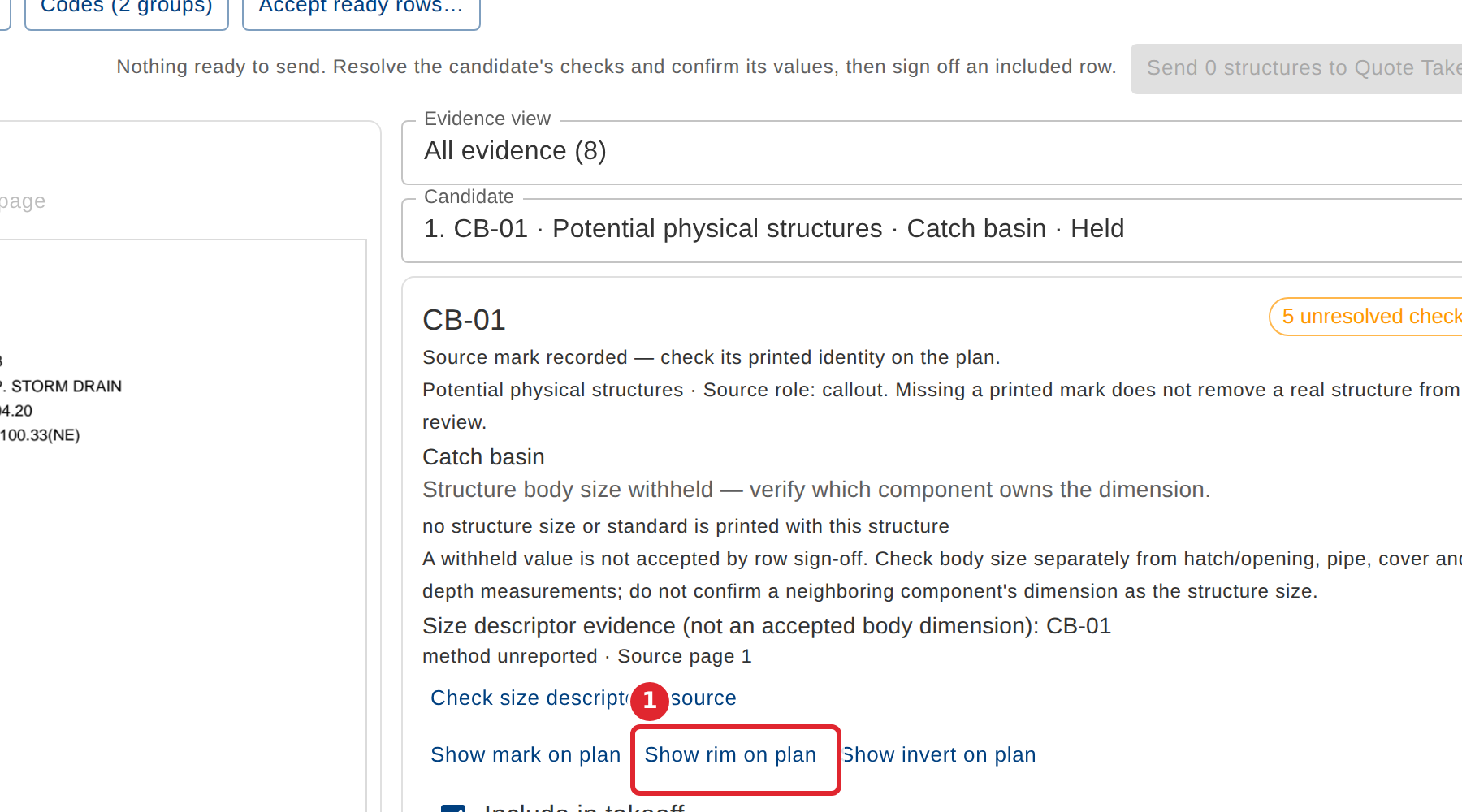
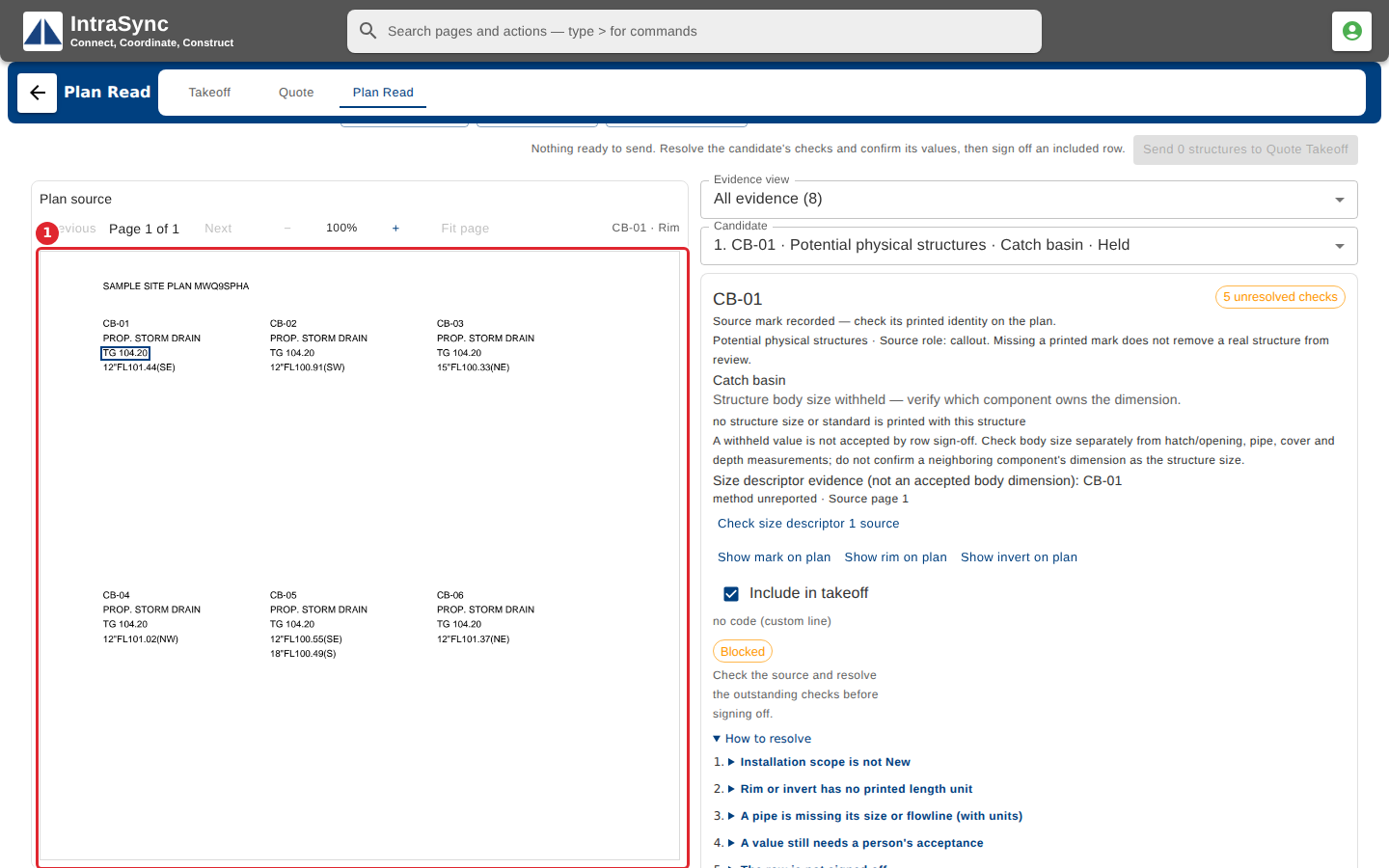
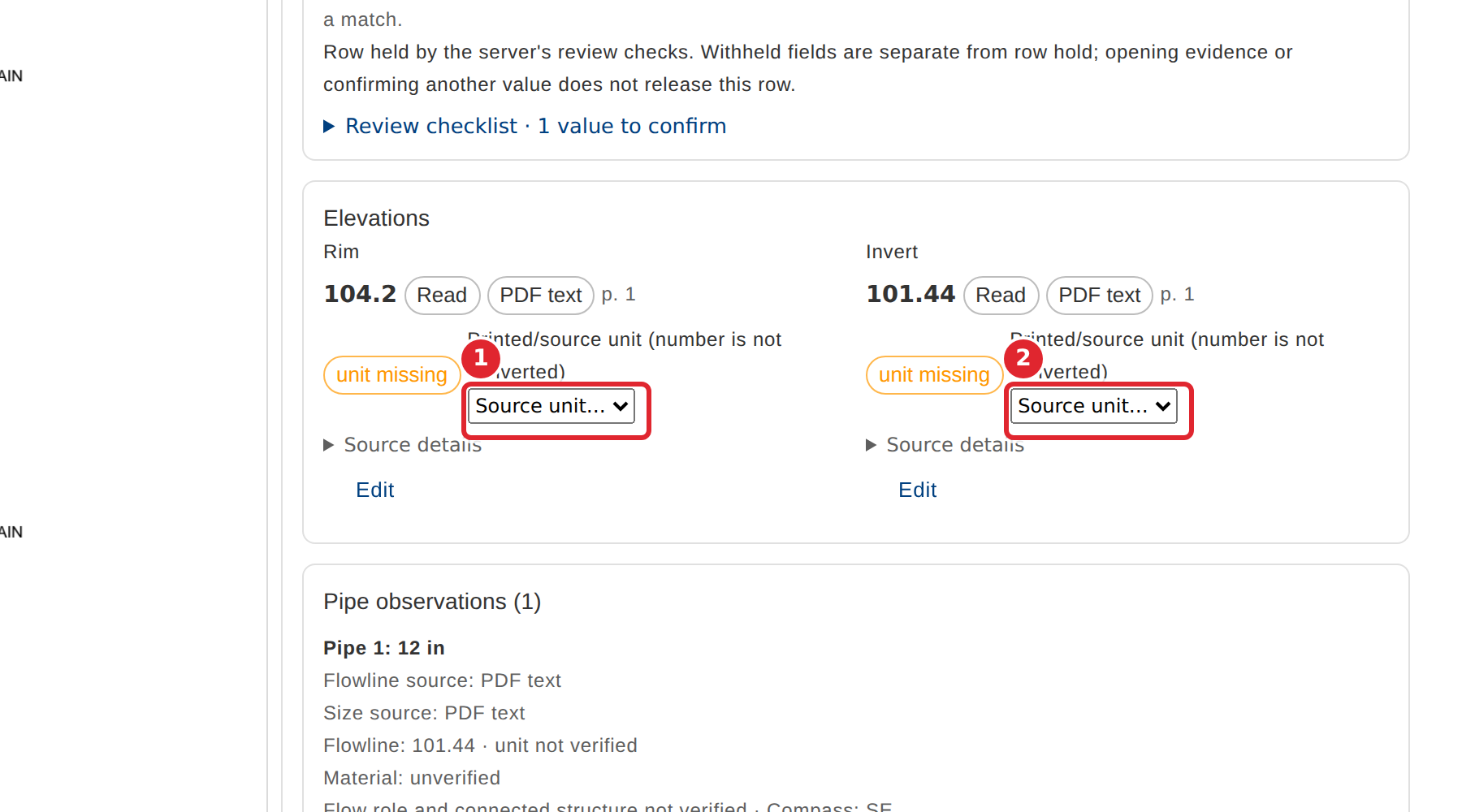
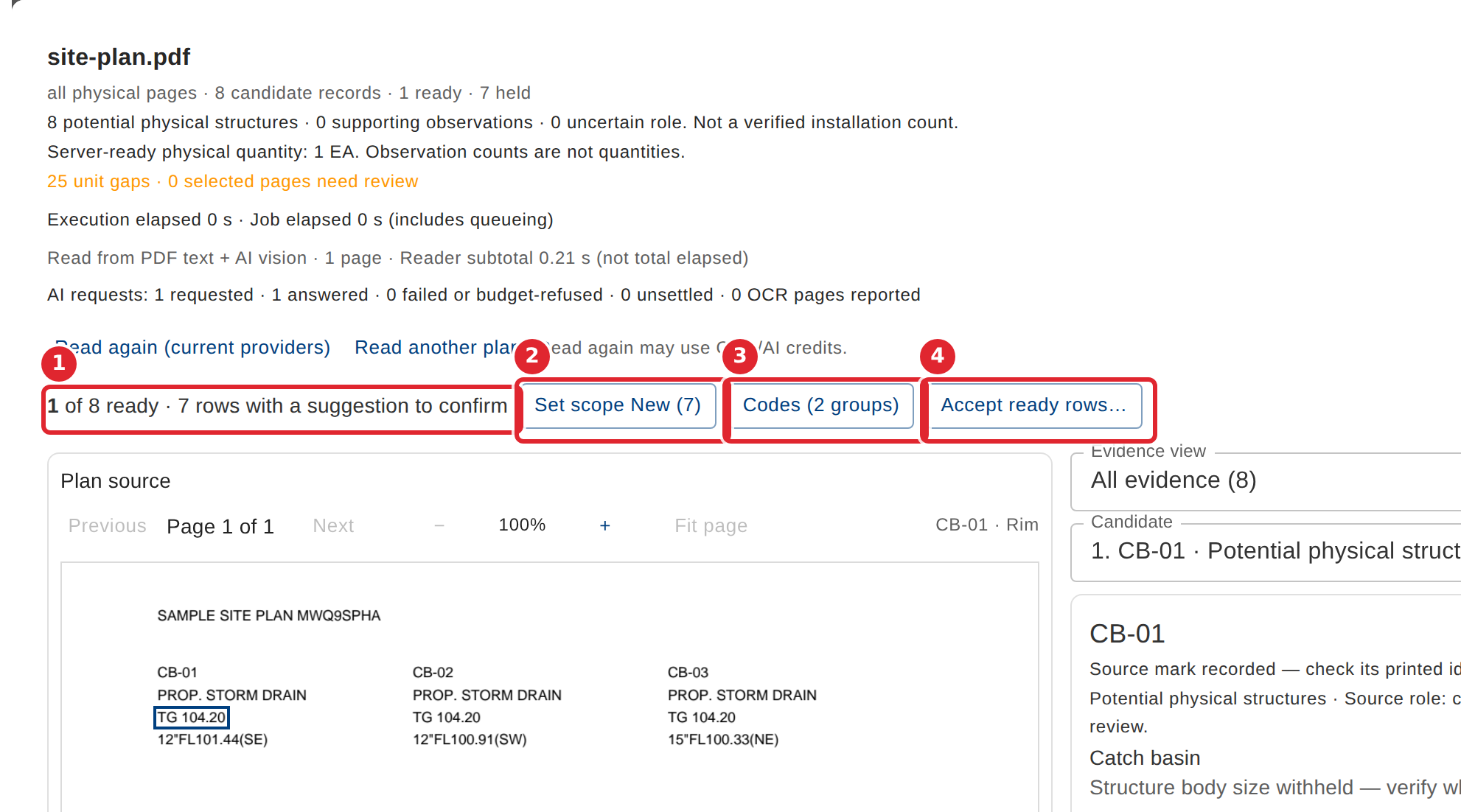
In the pictures, a numbered red box marks where to click or type. Where a picture has more than one box, the numbers give the order.
The plan is on the left. Pick a structure from the Candidate list on the right to review it.
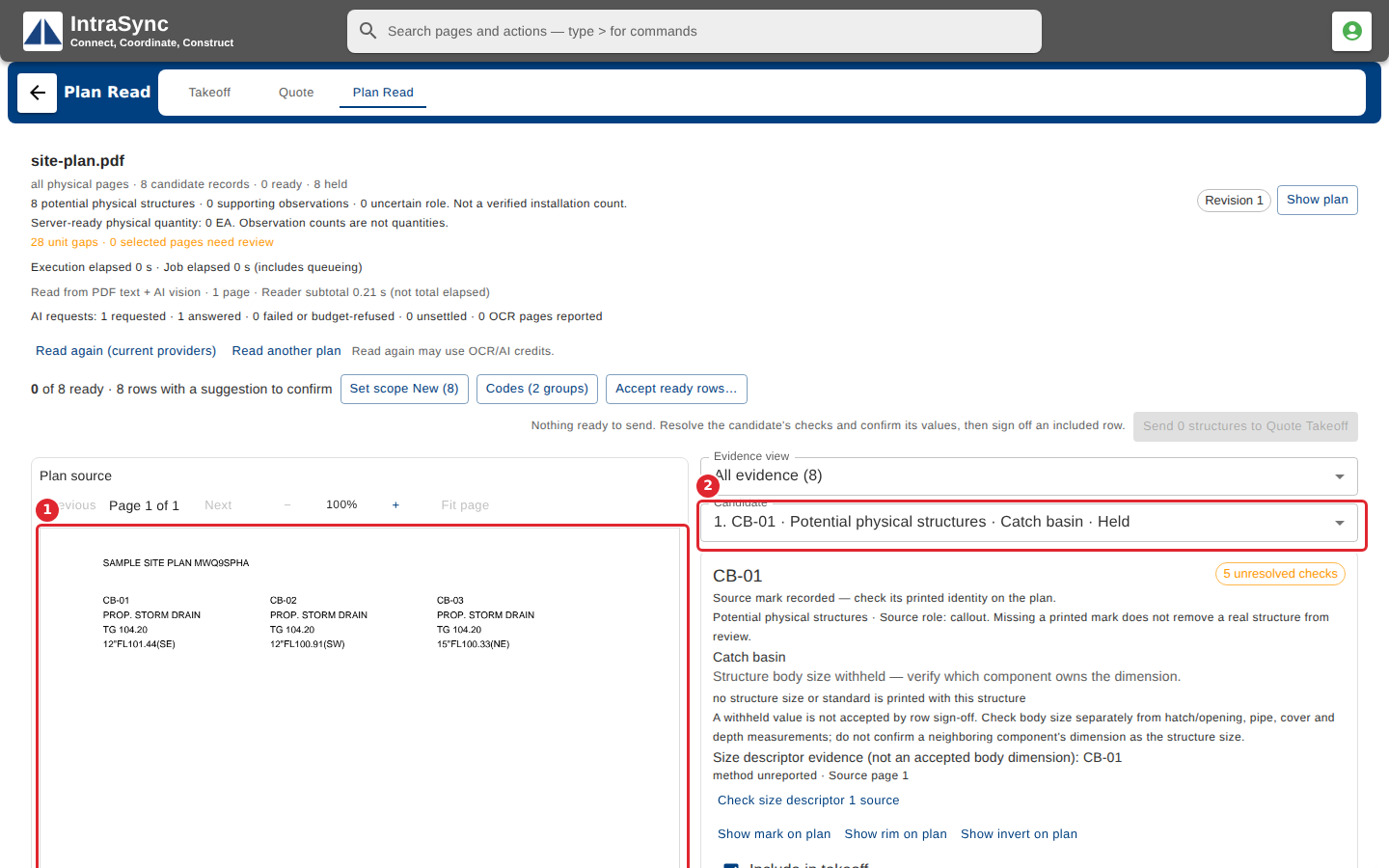
Each candidate lists its unresolved checks and where its values came from. Select Show rim on plan to see where the rim was read.
The value is outlined on the plan.
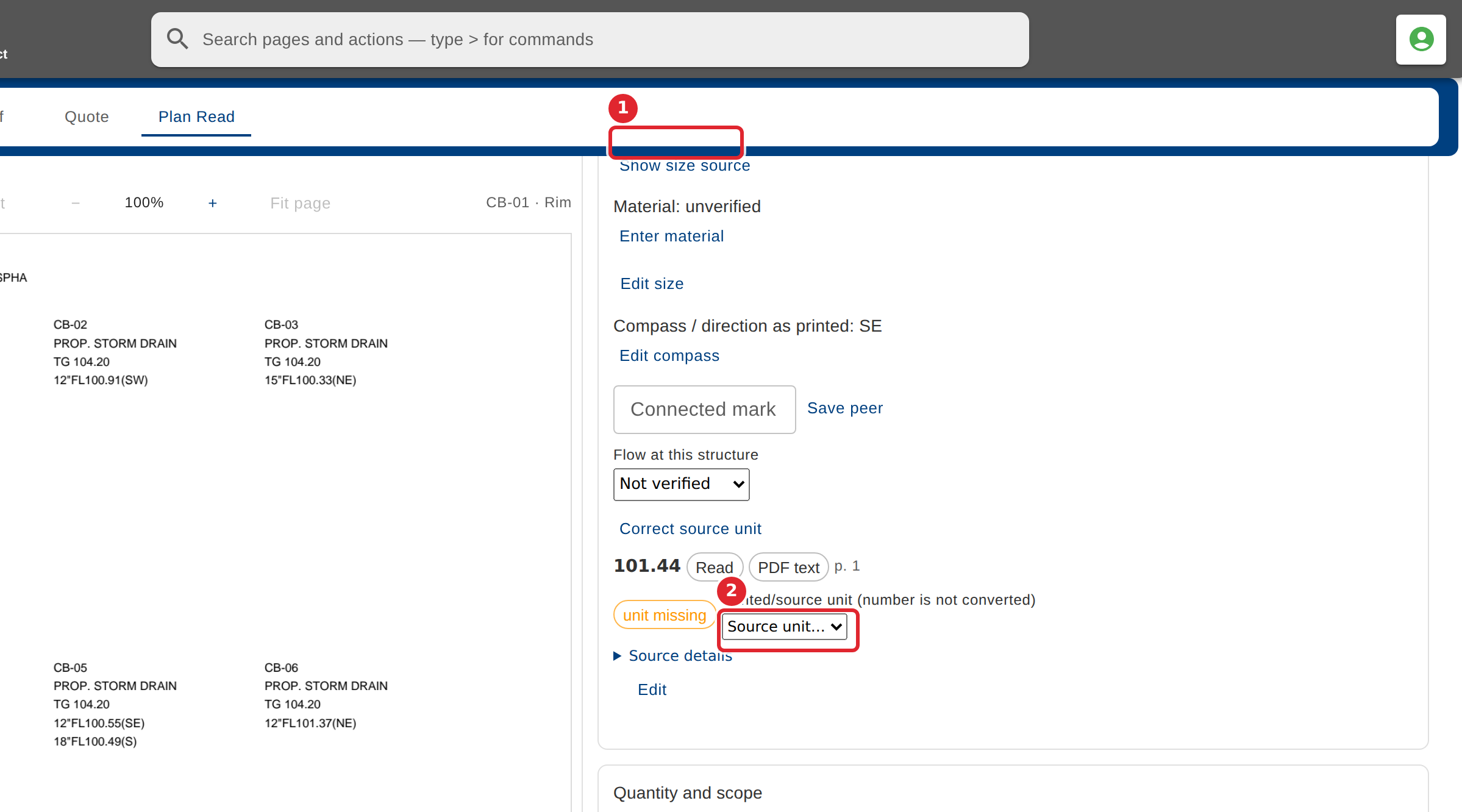
If the sheet prints no unit, choose the unit the sheet uses for the rim and the invert.
Set the structure's scope (New, Existing, Remove and so on) when the plan does not print it.
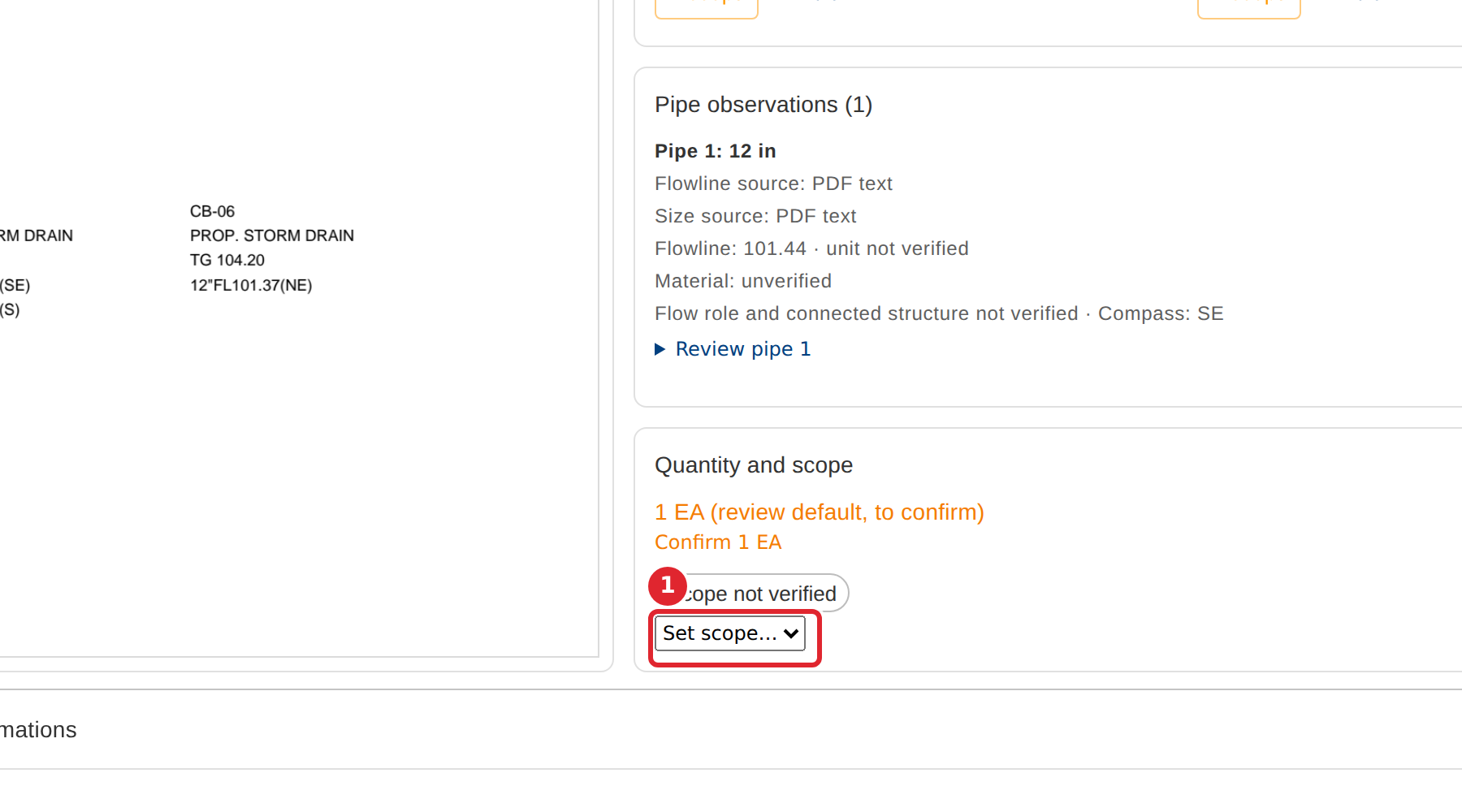
Open each pipe's review. Give its flowline a unit, and correct its material, size or direction if needed.
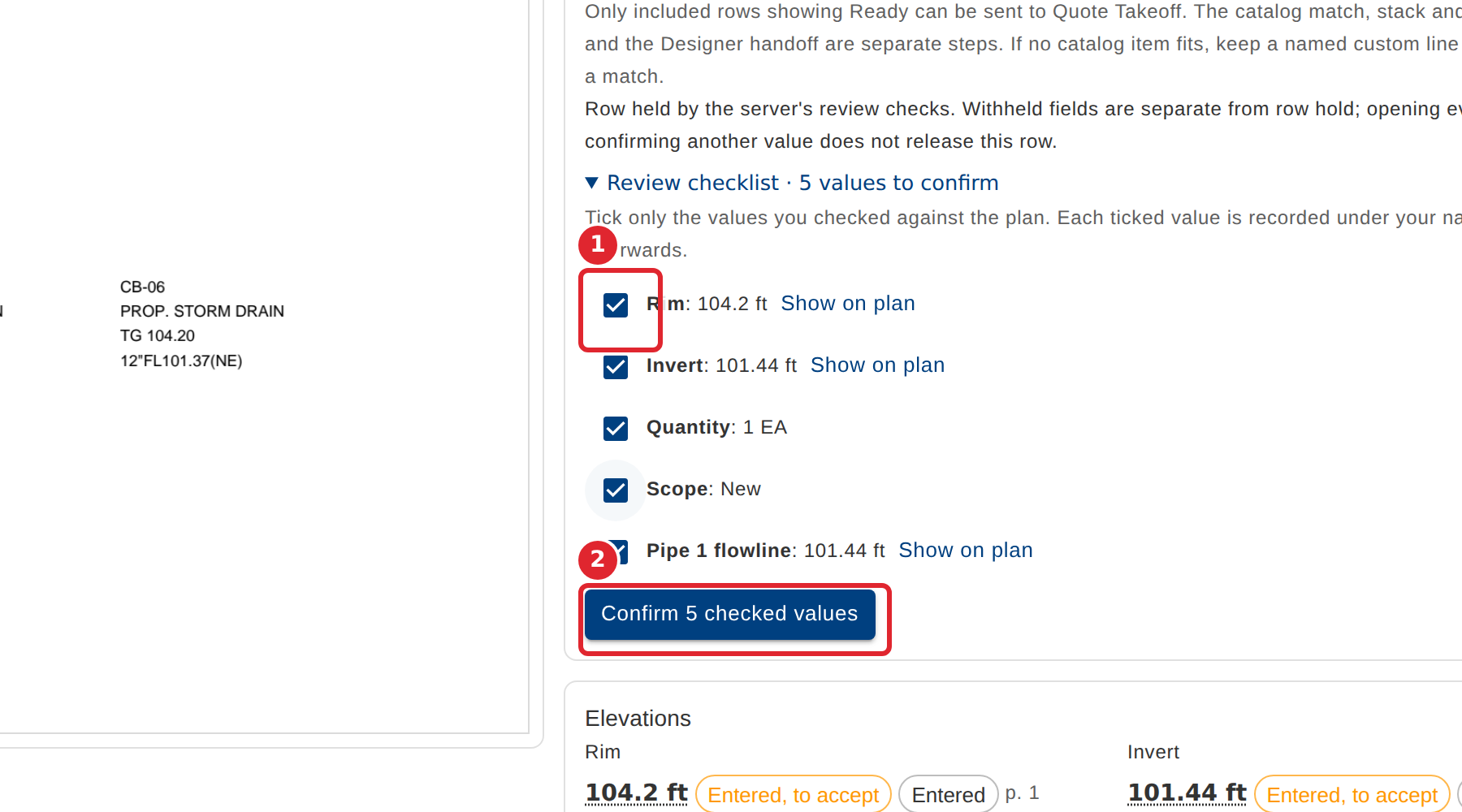
Open the Review checklist, tick only the values you checked against the plan, then select Confirm. Each is recorded under your name.
When nothing is left to resolve, select Sign off row.
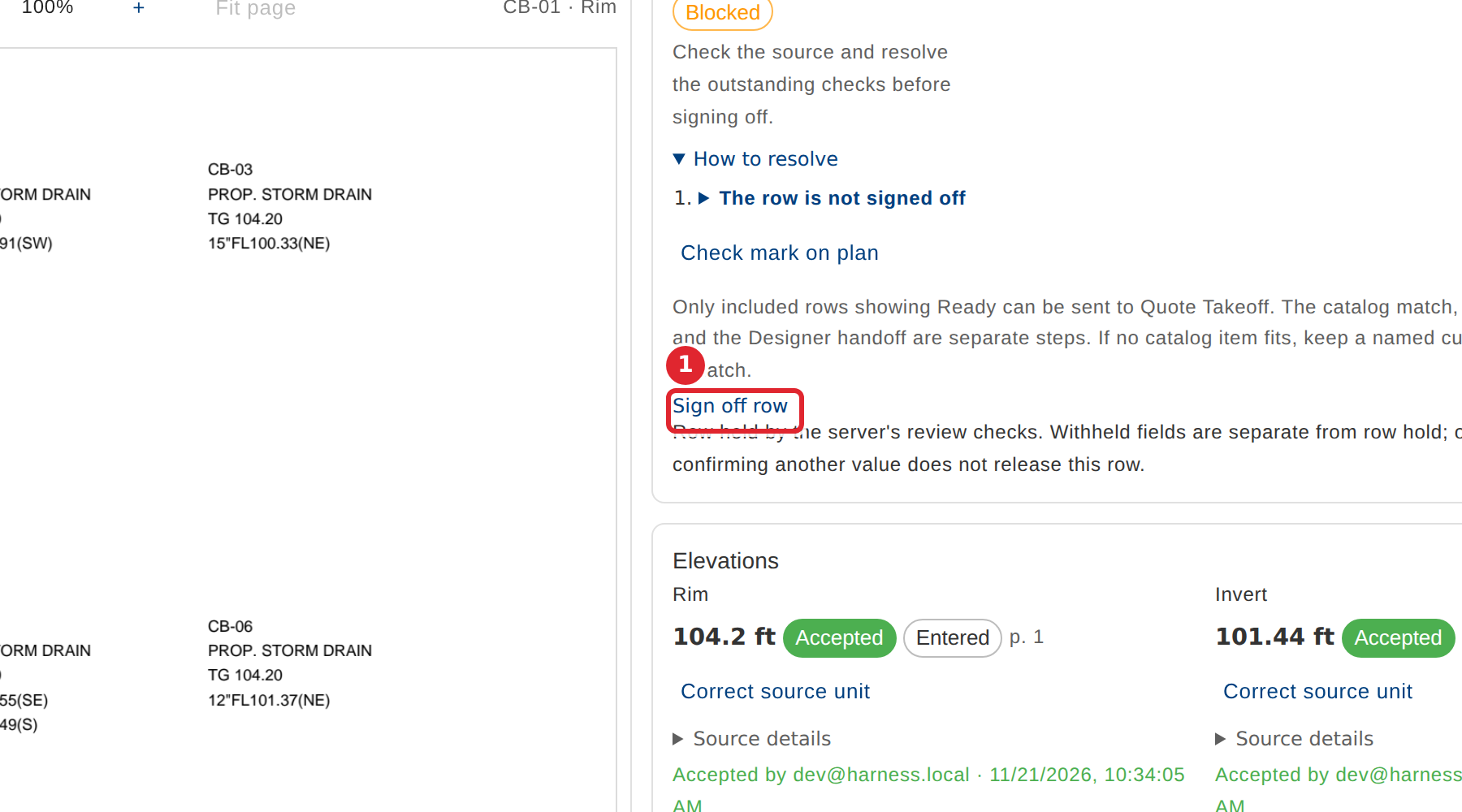
The row is now counted as ready. Set scope New, Codes and Accept ready rows work on many rows at once.
Tips
- Tick only the values you actually checked against the plan. Each confirmation is recorded under your name.
- A value suggested by AI stays a suggestion, and is not counted, until a person accepts it.
- A withheld value, such as a structure size the plan does not print, is not accepted by signing off the row.
- Only included rows showing Ready can be sent.