Yard Management guide · section 6 of 44
Make a layout the active one
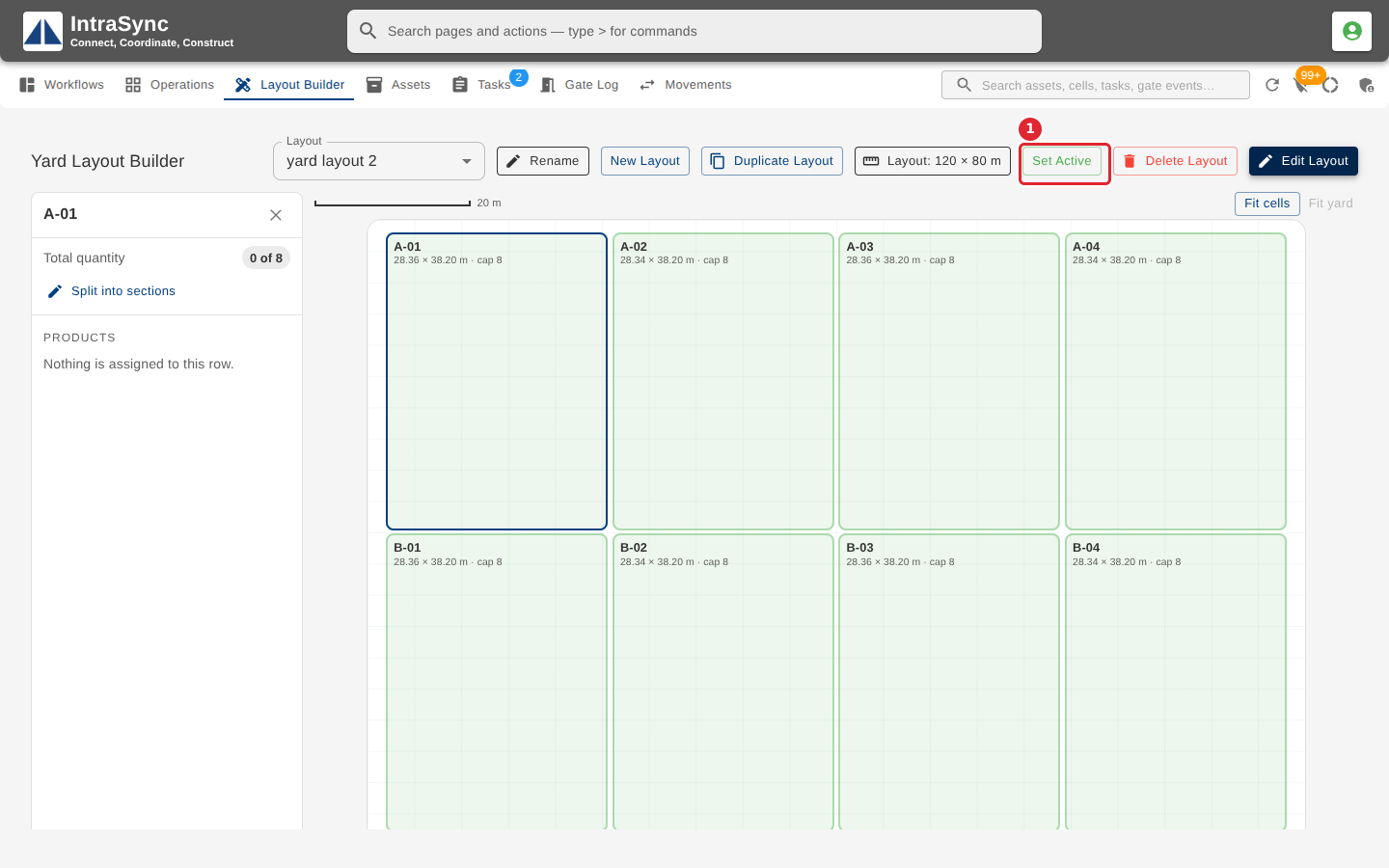
The active layout is the yard as it stands today. The Operations map, Unassigned assets and Cell capacity all work on it.
Watch this in the video (0:43)
Steps
In the pictures, a numbered red box marks where to click or type. Where a picture has more than one box, the numbers give the order.
Select Set Active. The active layout is the one the Operations map, placement and intake use; only one layout is active at a time.
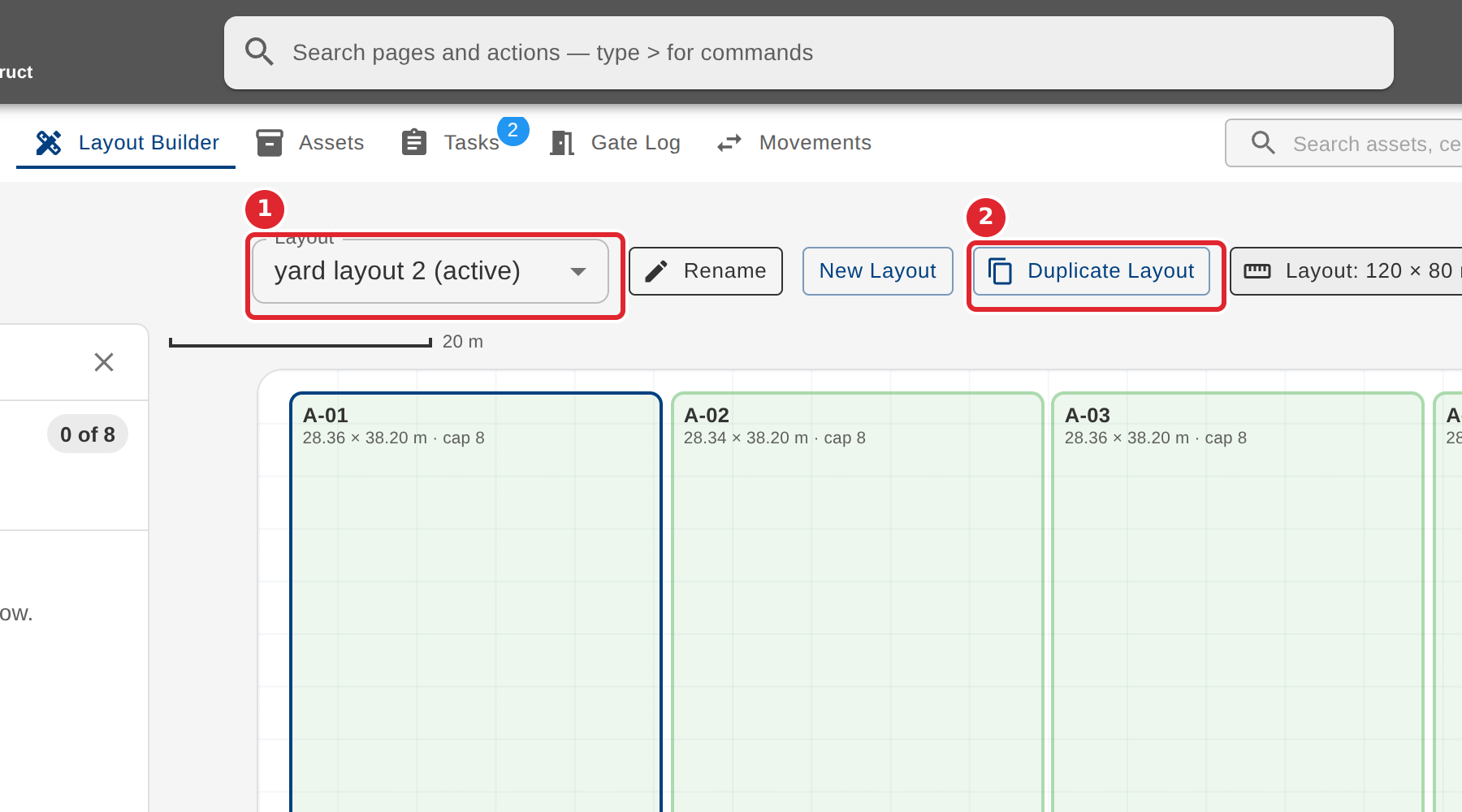
The Layout list marks it active. Duplicate Layout copies the layout and its cells, but not the pieces placed in them, which is a safe way to plan a change.
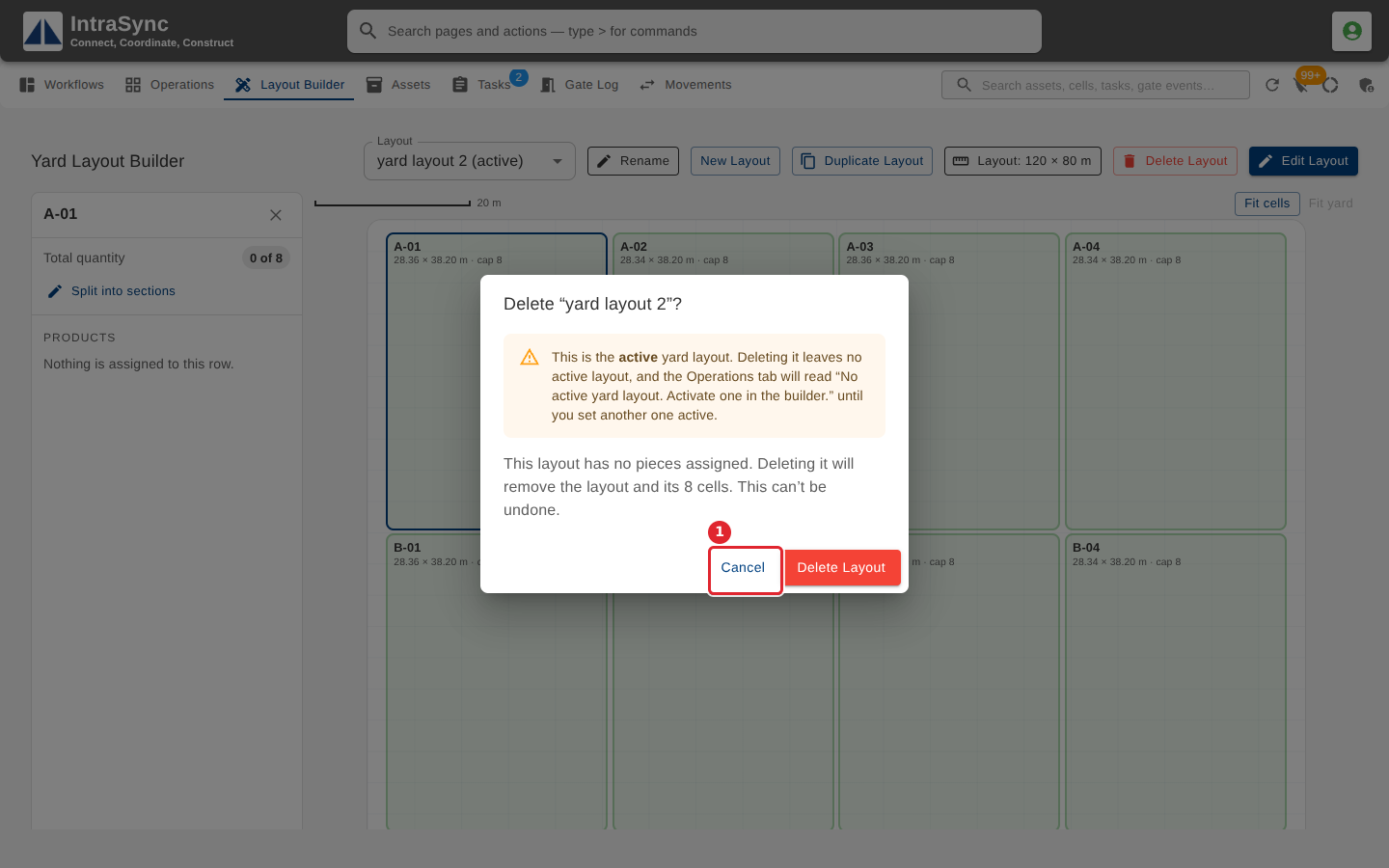
Delete Layout asks before it deletes, and warns when the layout is the active one or still holds pieces. Select Cancel to keep it.
Tips
- Set Active is only shown on a layout that is not already active.
- Deleting the active layout leaves the yard with no active layout until you set another one active.
- When a layout still holds pieces, the delete button says it will unassign them first, and they go back to the unassigned list.