Yard Management guide · section 41 of 44
Manage zones and location slots
Divide each yard into zones, and give each zone the location slots the Tasks and Movements tabs record against.
Watch this in the video (2:27)
Before you start
- You are a yard administrator.
Steps
In the pictures, a numbered red box marks where to click or type. Where a picture has more than one box, the numbers give the order.
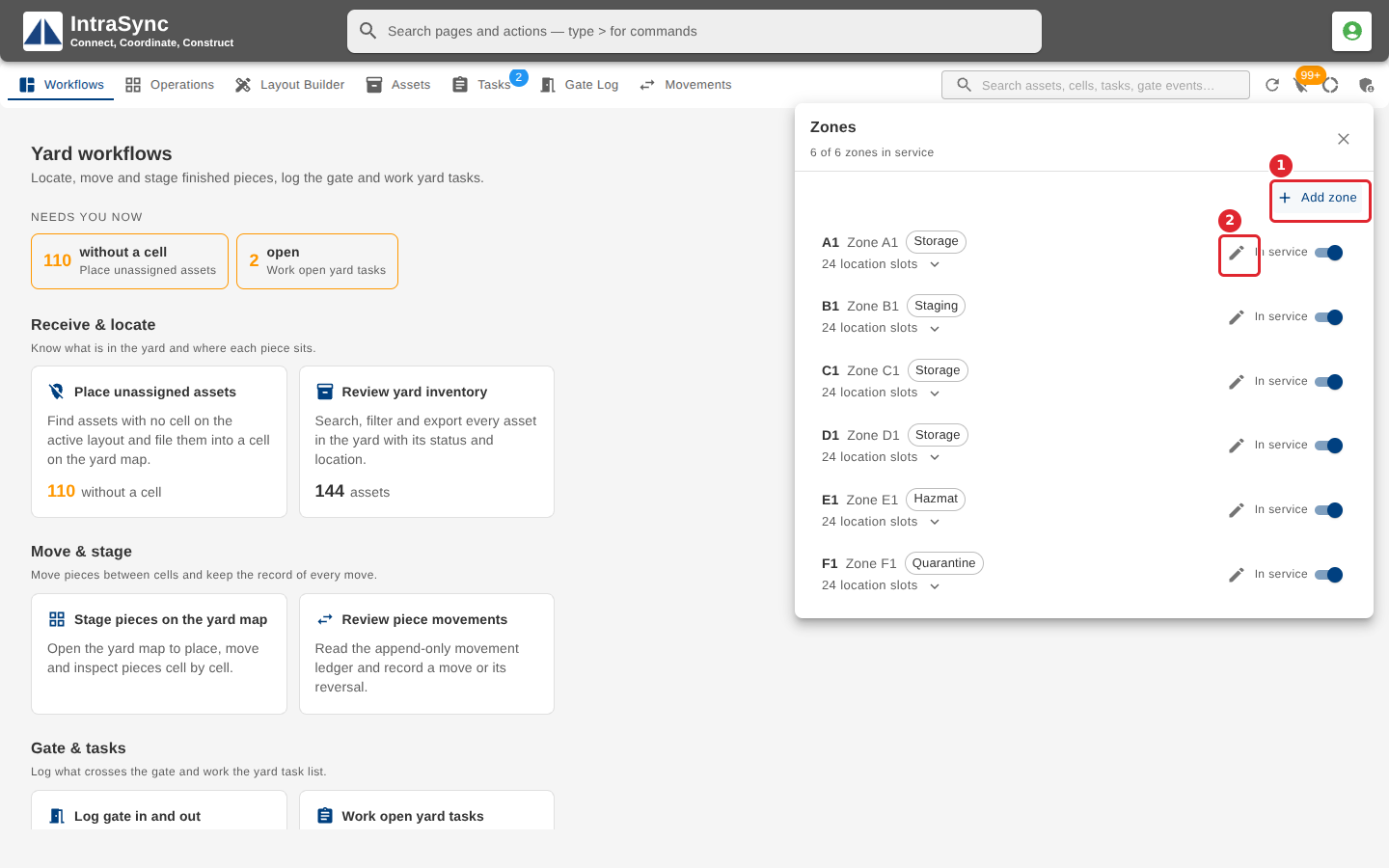
Select Yard administration, then Zones. Each zone shows its type and whether it is in service. Select Add zone for a new one, or the pencil to rename one.
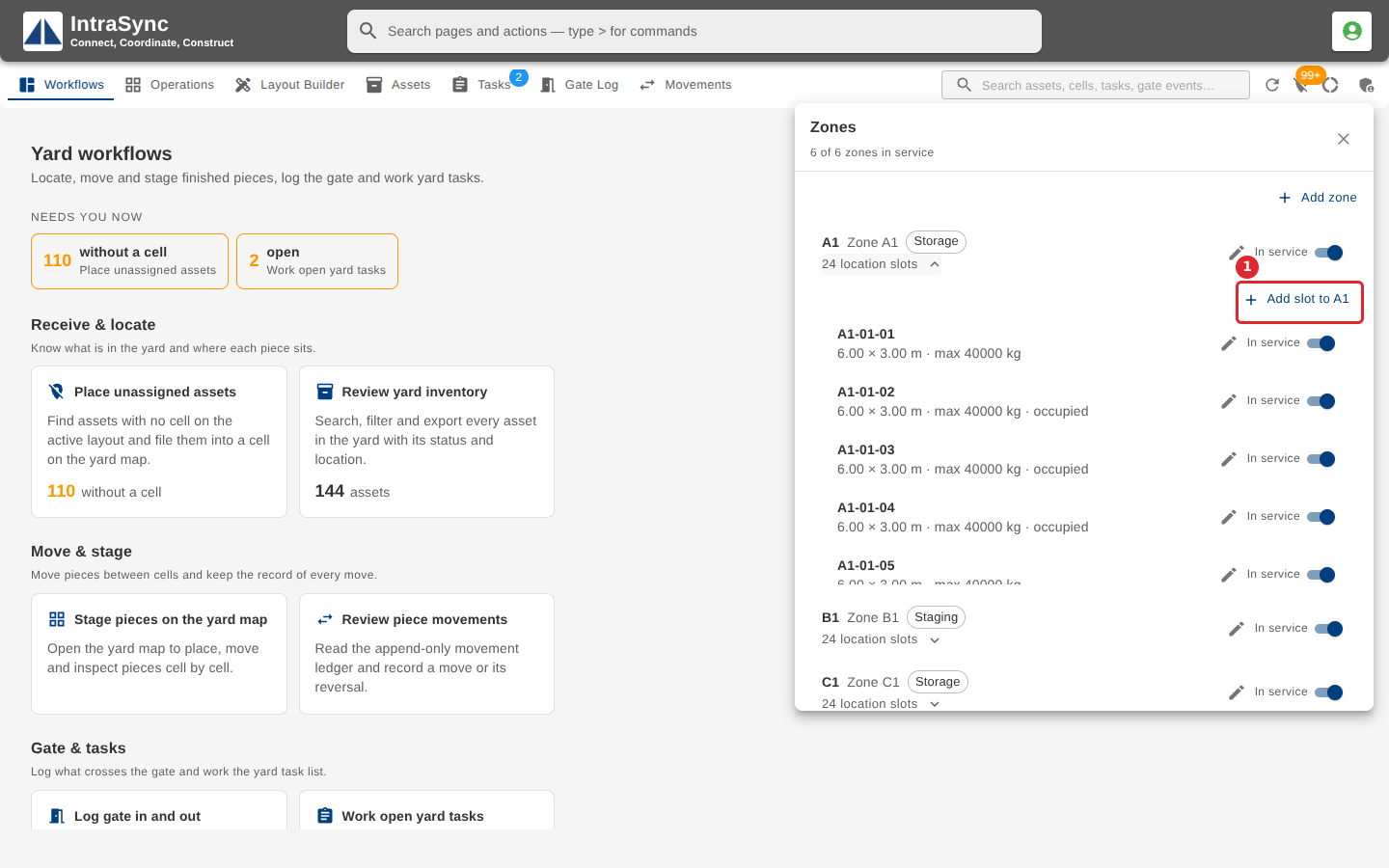
Select a zone's location slots to list them. Each slot is an address the Tasks and Movements tabs use. Select Add slot to add one; a slot is taken out of service rather than deleted.
Tips
- A zone needs a code, and two zones cannot share one.
- When you have more than one yard, choose the Yard a new zone belongs to.
- A slot needs a code. Its size is in metres and its maximum weight in kilograms.
- A slot is never deleted. Take it out of service instead.