Yard Management guide · section 20 of 44
Check how full each cell is
Spot full and empty cells before deciding where pieces go.
Watch this in the video (2:12)
Steps
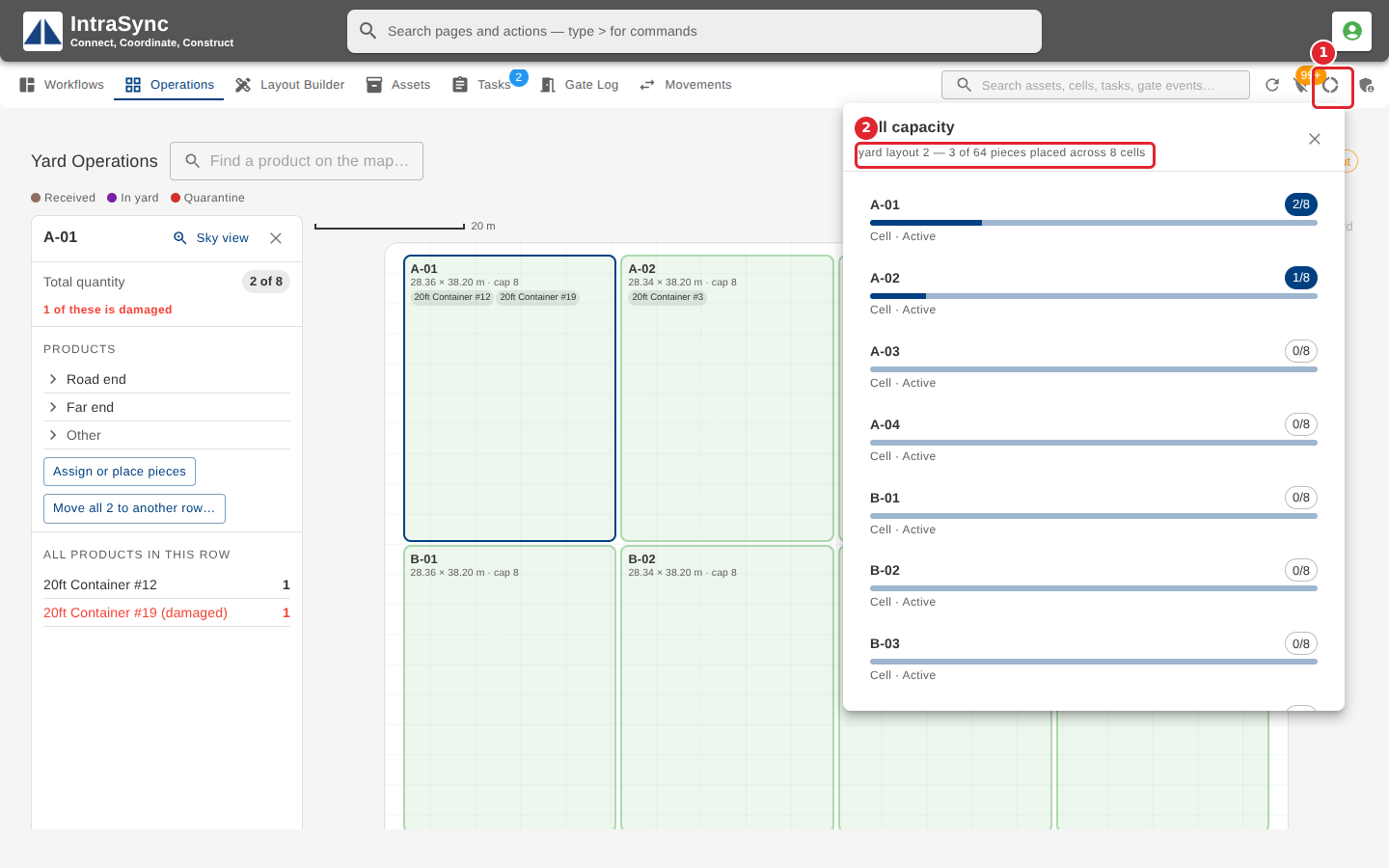
In the pictures, a numbered red box marks where to click or type. Where a picture has more than one box, the numbers give the order.
Select Cell capacity in the header to see how full each cell of the active layout is. Select a cell in the list to open it.