Yard Management guide · section 14 of 44
Read a section's close-up at a glance
Keep each product's box in a section's View simple: its name, what is good to ship, and what needs attention.
Before you start
- Your company has turned on simple boxes for the section View, and the section sky view.
Steps
In the pictures, a numbered red box marks where to click or type. Where a picture has more than one box, the numbers give the order.
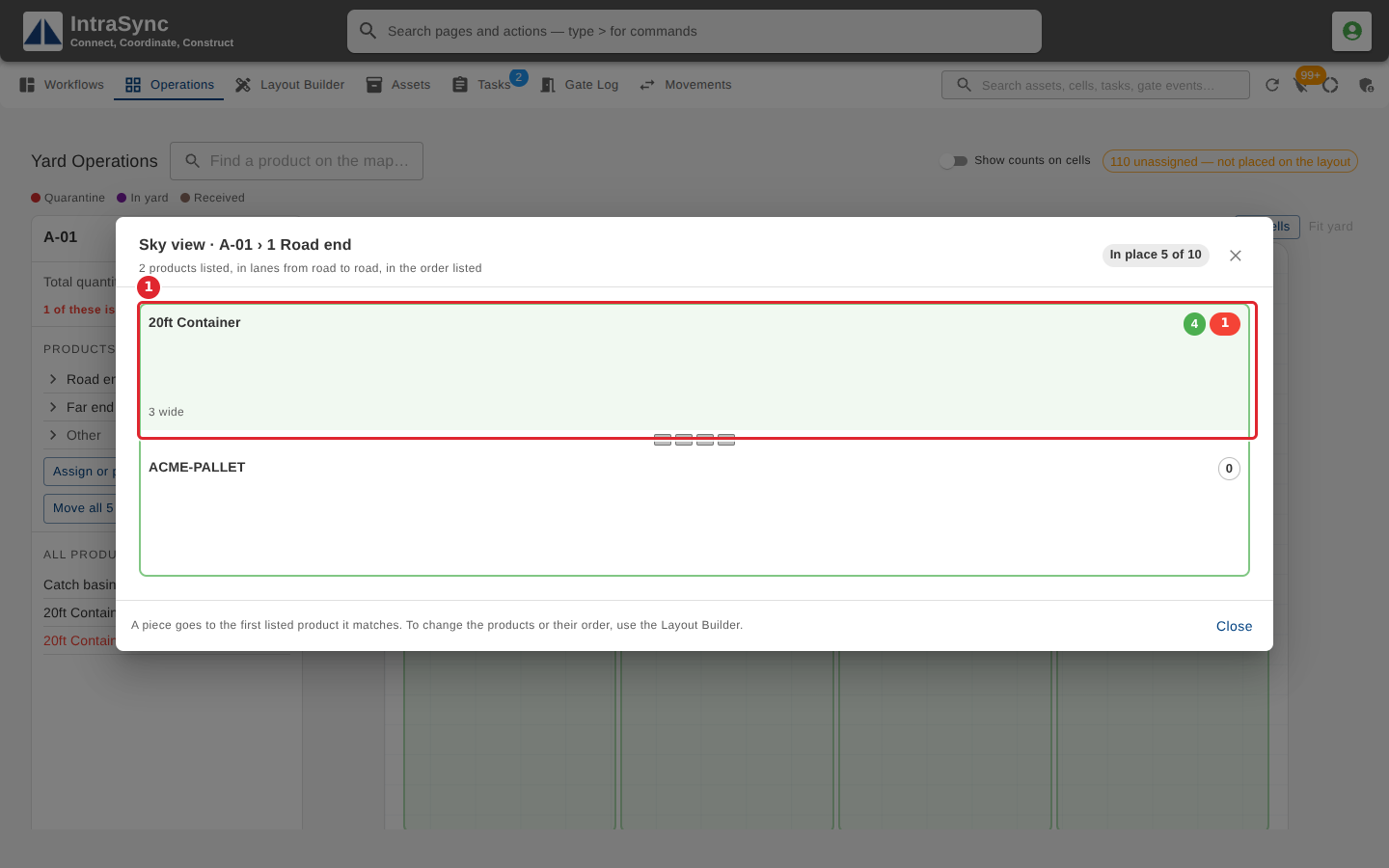
With simple boxes turned on, each product's box in a section's View shows the product's name, the pieces good to ship in green and, in a red circle, the pieces damaged or needing repair. It lists no pieces.
Tips
- The box shows the product's name without the product ID in front of it.
- The red circle counts the pieces on a quality hold, with a failed inspection or an open non-conformance, under repair, in the damaged bay or in quarantine. With none of these, there is no red circle.
- Simple boxes list no pieces under the counts. To find a particular piece, use the yard search.