Yard Management guide · section 36 of 44
Trash a piece
Take a piece that cannot be used out of the yard, with the reason on record, so anyone looking for it later can see it was trashed.
Watch this in the video (4:30)
Before you start
- Your company has turned on trashing pieces, and you hold a role that may trash a piece.
Steps
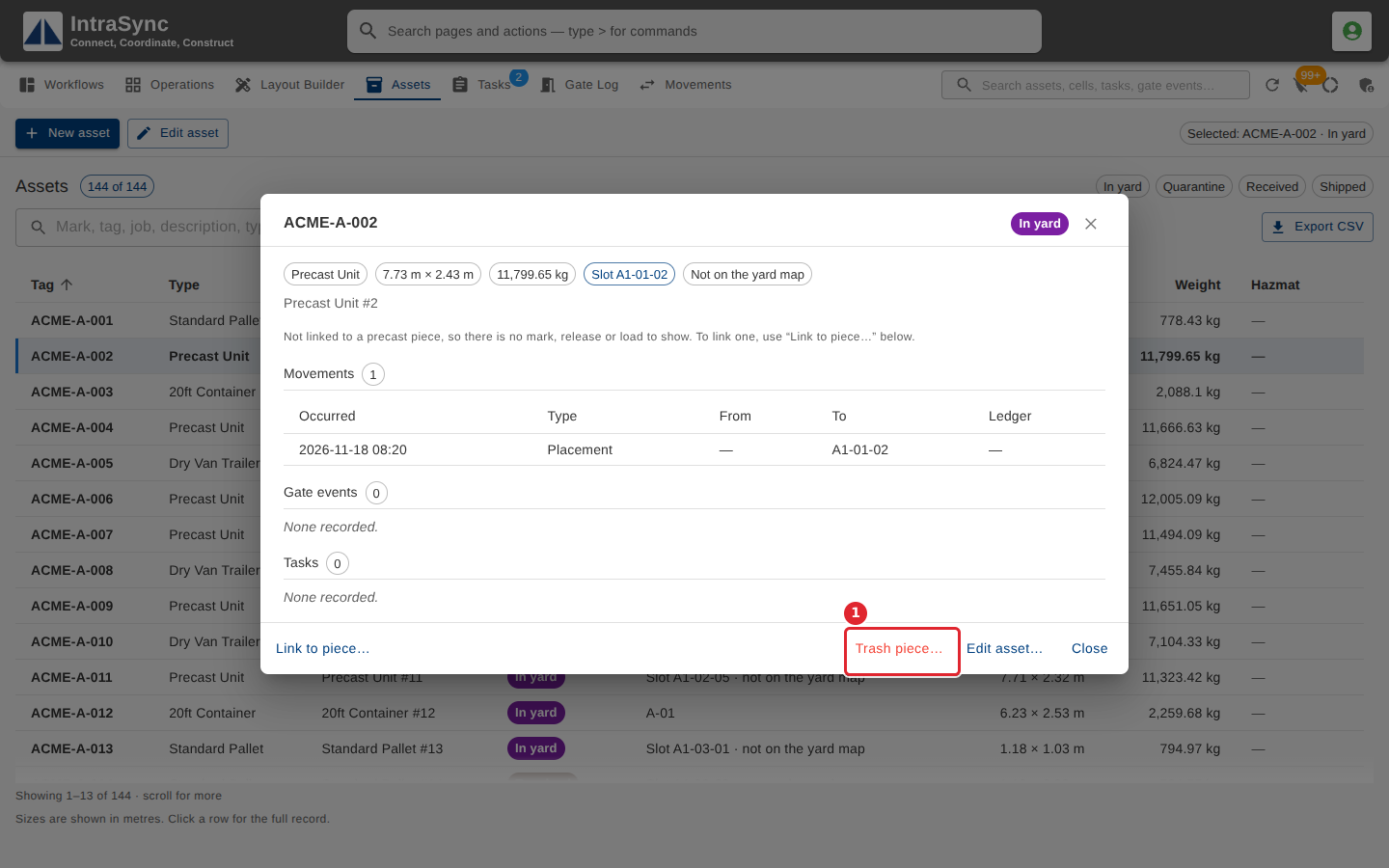
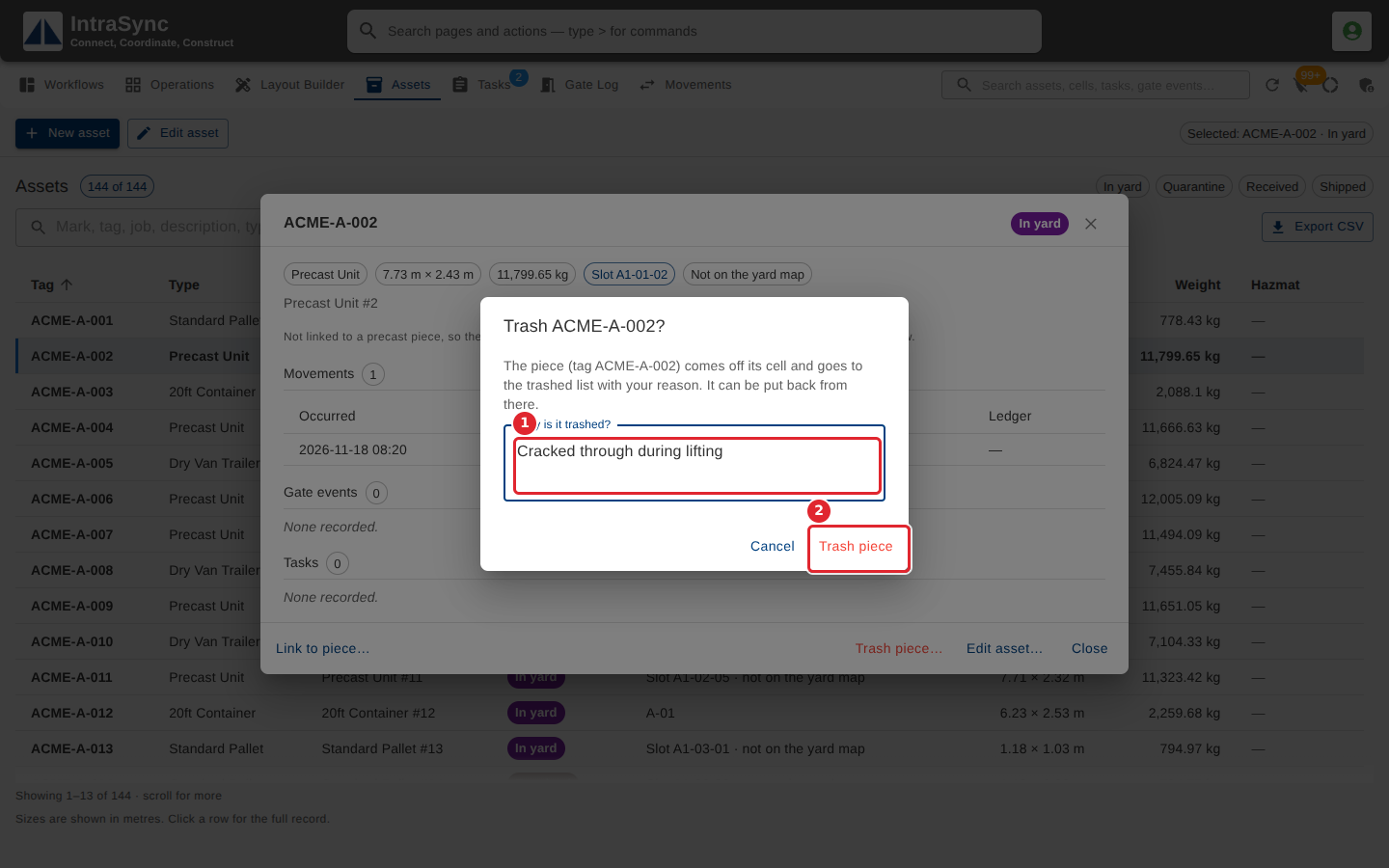
In the pictures, a numbered red box marks where to click or type. Where a picture has more than one box, the numbers give the order.
Open the piece's row on the Assets tab, then select Trash piece… at the bottom of its detail.
Say why the piece is trashed, then select Trash piece. It comes off its cell and goes to the trashed list with your reason, and it can be put back from there.
Tips
- Why is it trashed? is required: Trash piece stays unavailable until it is filled in.
- The piece comes off its cell. It is not deleted, and it can be put back from the trashed list.